Note
The above explanations are intended to serve as examples.
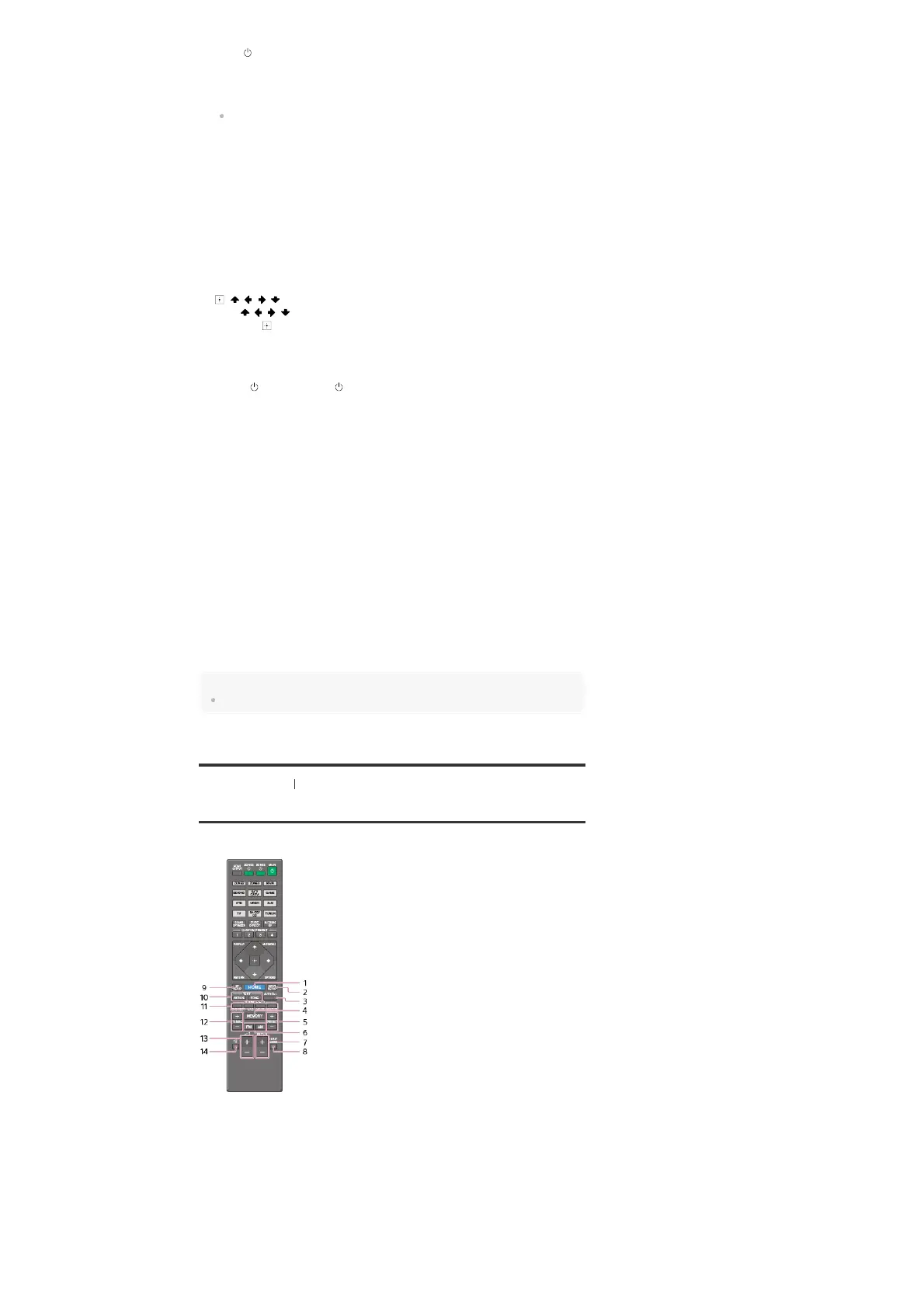
[7] Parts and Controls Remote control
Remote control (lower section)
Use the supplied remote control to operate this receiver.
Turns the receiver on or sets it to the standby mode.
Saving power in standby mode
Save power by setting the receiver as follows:
Set [Control for HDMI], [Pass Through], [Network Standby], [Zone2 Power] and [Zone3
Power] to [Off].
ZONE2, ZONE3, MAIN
Selects the place where you will control.
2.
PURE DIRECT
Press to use the Pure Direct function.
3.
IN-CEILING SP
Activates the In-Ceiling Speaker Mode.
4.
AMP MENU
Displays the menu on the display panel of the receiver to operate the receiver.
5.
, / / /
Press / / / to select the menu items.
Then press
to enter the selection.
6.
OPTIONS
Displays the options menus on the TV screen for item selection.
7.
ZONE2 (power), ZONE3 (power)
Turns the receiver in Zone 2 or Zone 3 on or sets it to the standby mode.
8.
HDMI OUTPUT
Switches the output for two monitors connected to the HDMI OUT A and HDMI OUT B
(ZONE 2) jacks.
9.
Input buttons
Select the device you want to use.
When you press any of the input buttons, the receiver turns on.
10.
SOUND OPTIMIZER
Press to use the Sound Optimizer function to enjoy clear and dynamic sound at low volume
levels.
11.
CUSTOM PRESET (1, 2, 3, 4)
Saves and recalls various settings for the receiver.
12.
DISPLAY
Displays information on the TV screen.
13.
RETURN
Returns to the previous menu.
14.
HOME
Displays the home menu on the TV screen.
1.
INPUT SETUP
Displays the [Input Setup] menu.
2.
AUTO CAL
Displays the auto calibration menu on the display panel of the receiver to perform Auto
Calibration.
3.
MEMORY
Press to enter the memory mode of the tuner.
4.



 To Next Page