Note
The above explanations are intended to serve as examples.
[8] Preparation 1. Installing speakers
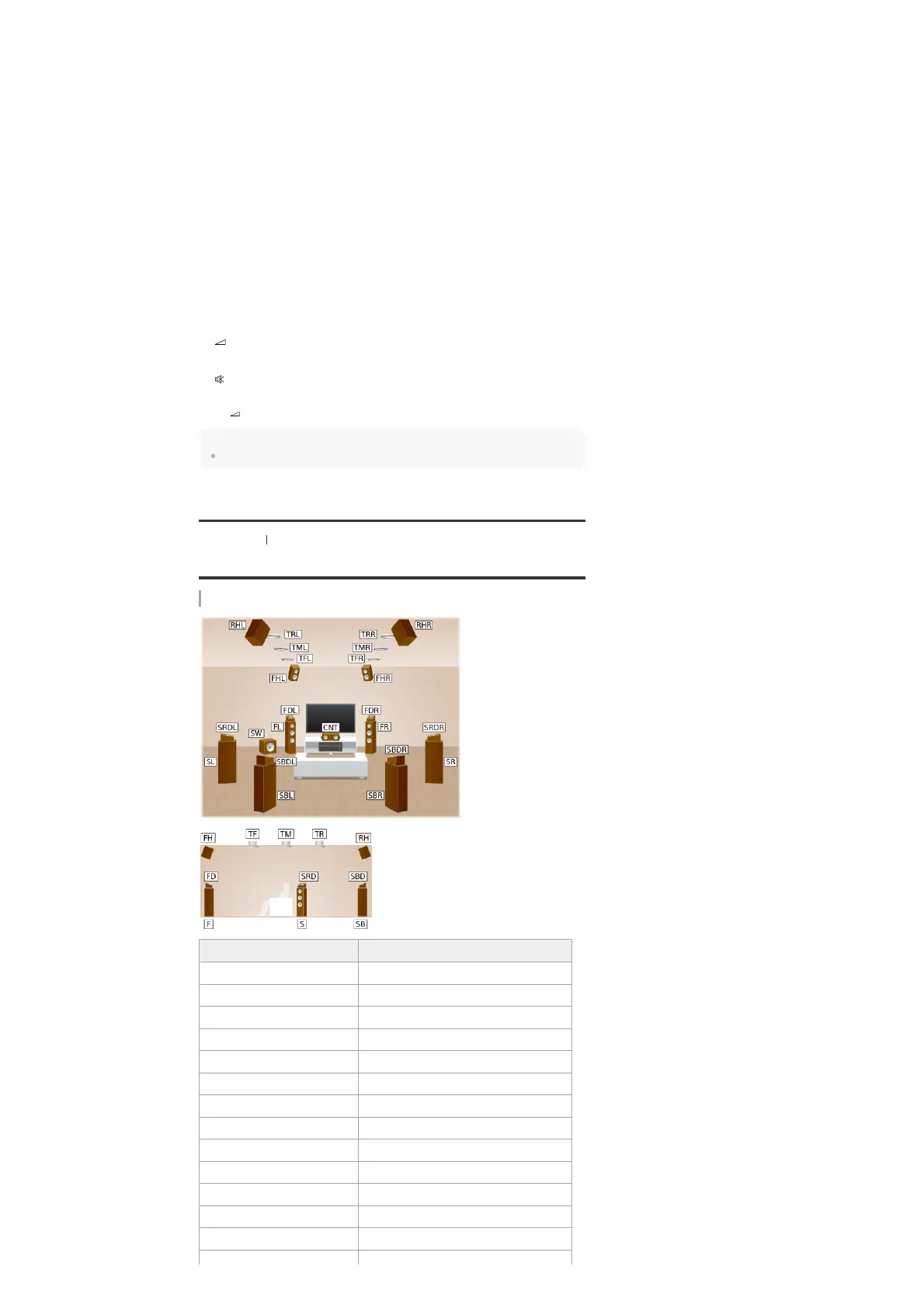
Locations and names of speakers
Location of each speaker
Press to select the preset stations.
FM/AM
Press to select the band you want.
6.
INPUT +/–
Press to select the input source.
7.
INPUT MODE
Press to select the input mode.
8.
SP SETUP
Displays the [Speaker Setup] menu.
9.
TEST (PICTURE, TONE)
Press to output the test picture or test tone.
10.
SOUND FIELD (2CH/DIRECT, A.F.D., MOVIE, MULTI ST.)
Selects the sound field you want.
11.
TUNING +/–
Press to select a station.
12.
+ (*)/-
Adjust the volume level.
13.
Turns off the sound temporarily. Press the button again to restore the sound.
14.
The + button has tactile dot. Use the tactile dot as a reference when operating the receiver.
*
Abbreviations used in illustrations Speaker name
FL Front left speaker
FR Front right speaker
CNT Center speaker
SL Surround left speaker
SR Surround right speaker
SBL Surround back left speaker
SBR Surround back right speaker
SB Surround back speaker
SW Subwoofer
TFL Top front left speaker
TFR Top front right speaker
TML Top middle left speaker
TMR Top middle right speaker



 To Next Page