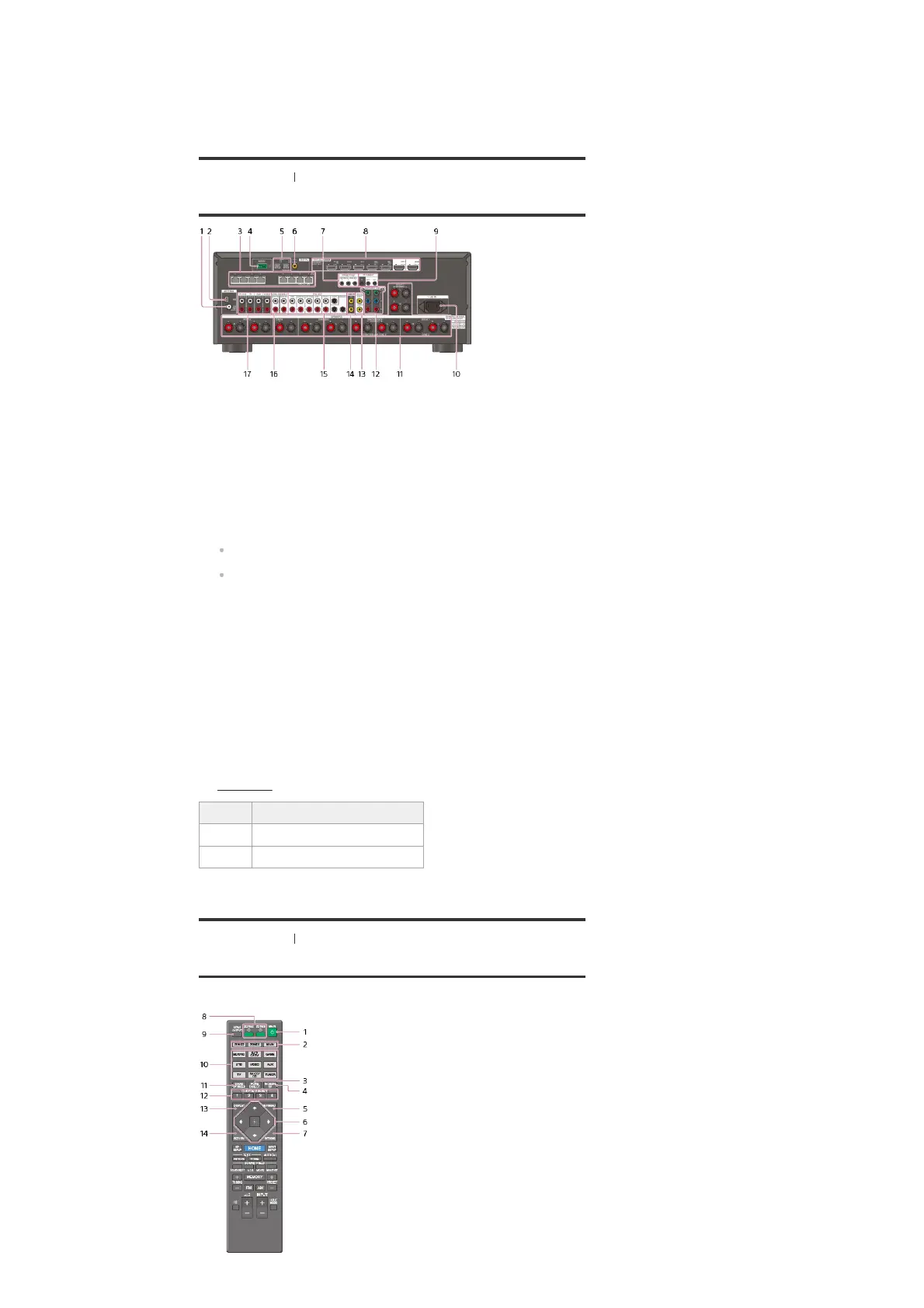
[5] Parts and Controls Receiver
Rear panel
[6] Parts and Controls Remote control
Remote control (upper section)
Use the supplied remote control to operate this receiver.
TV input is selected and Audio Return Channel (ARC) signals are detected.
BI-AMP
Lights up when [SB Speaker Assign] in the [Speaker Setup] menu is set to [Bi-Amp] to use a
bi-amplifier connection.
22.
FM ANTENNA terminal
1.
AM ANTENNA terminal
2.
Giga-bit Ethernet hub (*1)
3.
RS232C port (*1)
4.
DIGITAL OPTICAL IN jacks
5.
DIGITAL COAXIAL IN jack
6.
TRIGGER OUT jacks
Connect to interlock on/off of the power supply of other 12V TRIGGER compliant
equipment, or the amplifier/receiver of Zone 2 or Zone 3.
7.
HDMI IN/OUT (*2) (*3) jacks
8.
IR REMOTE IN/OUT jacks
You can control the receiver from a distance by connecting an IR repeater (not supplied)
to the IR REMOTE IN jack.
You can start or stop playback of devices such as a CD player connected to the receiver
by connecting an IR Blaster (not supplied) to the IR REMOTE OUT jack.
9.
AC IN terminal
Connect the supplied AC power cord (mains lead).
10.
SPEAKERS terminals
11.
COMPONENT VIDEO IN jacks
12.
VIDEO OUT (*3) jacks
13.
VIDEO IN jacks
14.
PRE OUT jacks
Connect to an external power amplifier and a subwoofer.
15.
ZONE 2/ZONE 3 AUDIO OUT jacks
16.
AUDIO IN jacks
17.
These are control expansion terminals for custom installation.
*1
HDCP 2.2 is newly enhanced copyright protection technology that is used to protect content such as 4K movies.
*2
Connect a TV to the corresponding output jacks to watch video input from these jacks. For details, see
“Connecting a TV
.”
*3
Input jack Output jack
HDMI IN HDMI OUT A or HDMI OUT B (ZONE 2)
VIDEO IN MONITOR VIDEO OUT



 To Next Page