22
Installing an Input Adaptor
Chapter 2 Preparations
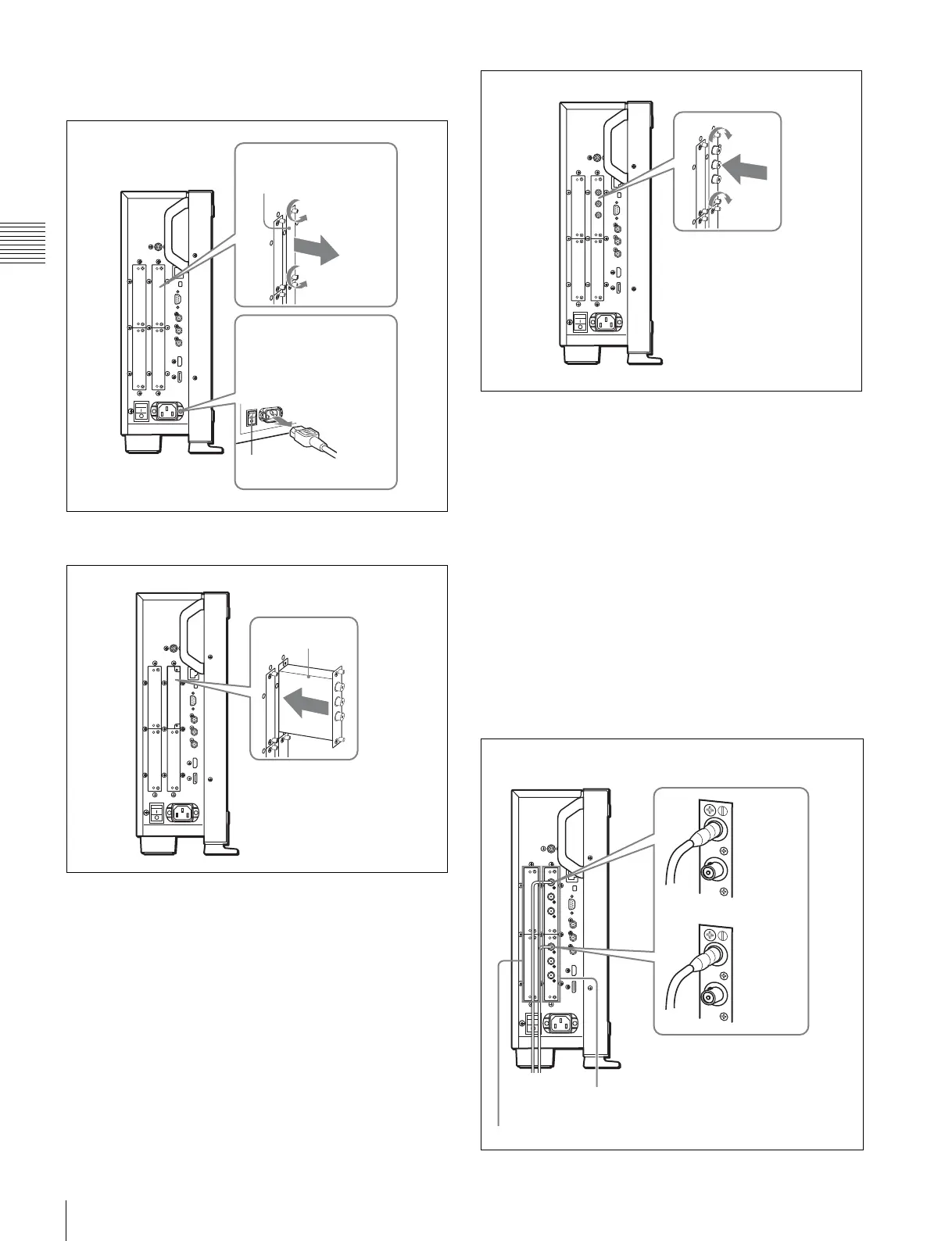
1
Loosen two screws and remove the cover of an input
option port on the side panel of the monitor.
2
Insert the adaptor facing the board as shown below.
3
Push the adaptor in until it is firmly fit into the
connector inside the monitor, then tighten the two
screws to secure the adaptor.
For connecting Dual-link HD-SDI signals
Two BKM-243HS or BKM-244CC input adaptors or one
BKM-250TG input adaptor is required. When the BKM-
243HS or BKM-244CC adaptors are used, install the input
adaptors in OPTION 1 and 2 option ports, or OPTION 3
and 4 option ports. The BKM-243HS or BKM-244CC
cannot be used with the BKM-250TG for Dual-link
operation.
To connect the cable
When the BKM-243HS or BKM-244CC adaptors are
used, install the Link A signal to OPTION 1 or 3, and the
Link B signal to OPTION 2 or 4.
Connect the cable to the same input number (both INPUT 1
or both INPUT 2) of the input adaptors installed in
OPTION 1 and 2 option ports, or OPTION 3 and 4 option
ports.
Cover of an input
option port
Make sure the MAIN
POWER switch is turned
off, and disconnect the AC
power cord.
Off
Board
OPTION 1 and 2
Example of Dual-link cable connection
INPUT 2
INPUT 2
INPUT 1
OPTION 3 and 4
INPUT 1


 To Next Page