23
Attaching the Bracket
Chapter 2 Preparations
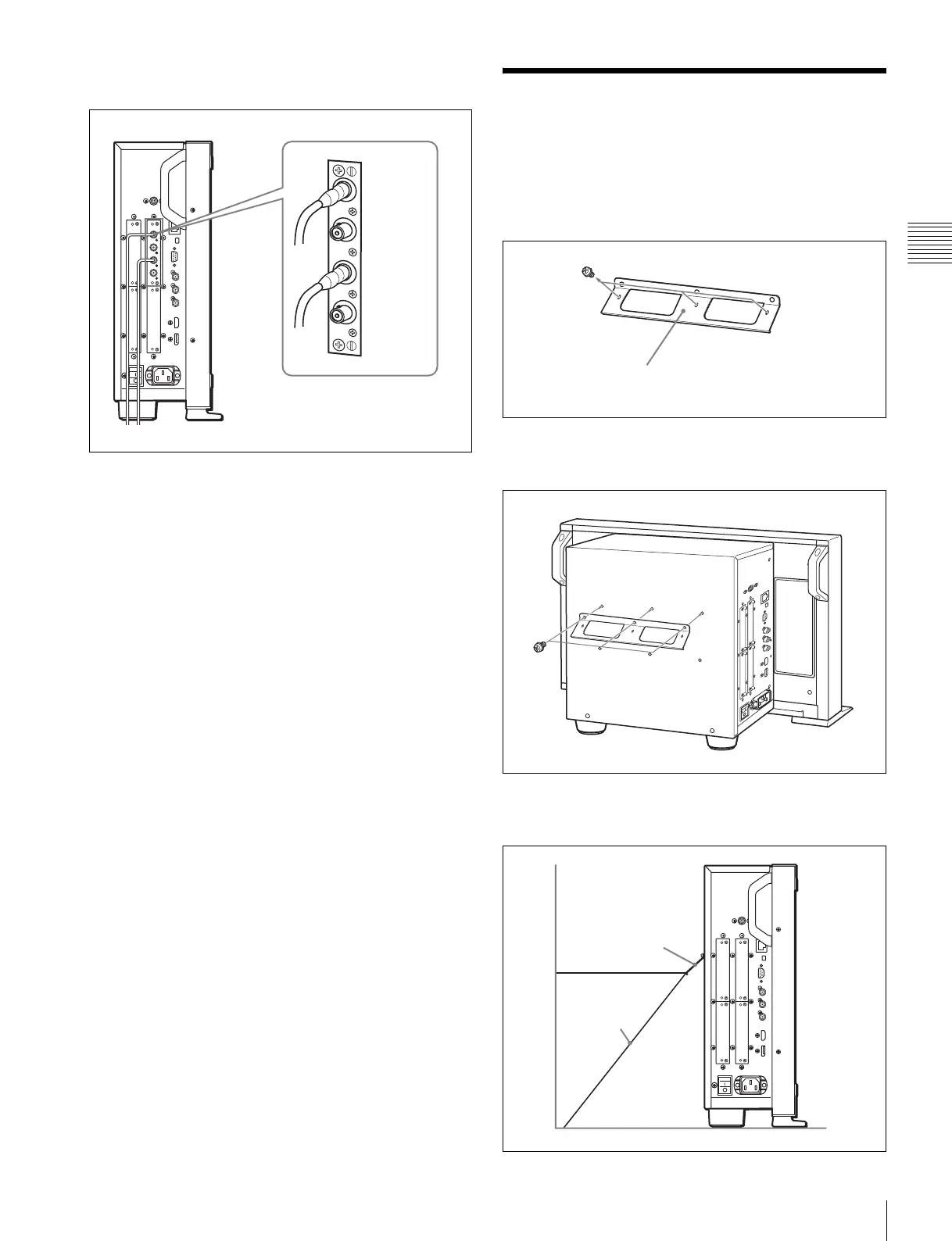
When the BKM-250TG is used, install the Link A signal
to INPUT 1, and the Link B signal to INPUT 2.
For 3D signal analyzing function
Use a 3D-compatible BKM-250TG (with serial number
7300001 or higher) and input the left 3D signal to INPUT 1
and the right signal to INPUT 2.
Attaching the Bracket
You can prevent falling of the monitor by using the
supplied bracket.
1
Remove three screws from the bracket.
2
Attach the bracket on the rear panel of the monitor with
the three removed screws.
3
Attach a piece of string, etc. to the bracket and secure
it to the floor or wall.
INPUT 2
INPUT 1
Bracket (supplied)
Bracket
String, etc.


 To Next Page