19
Location and Function of Parts
Chapter 1 Overview
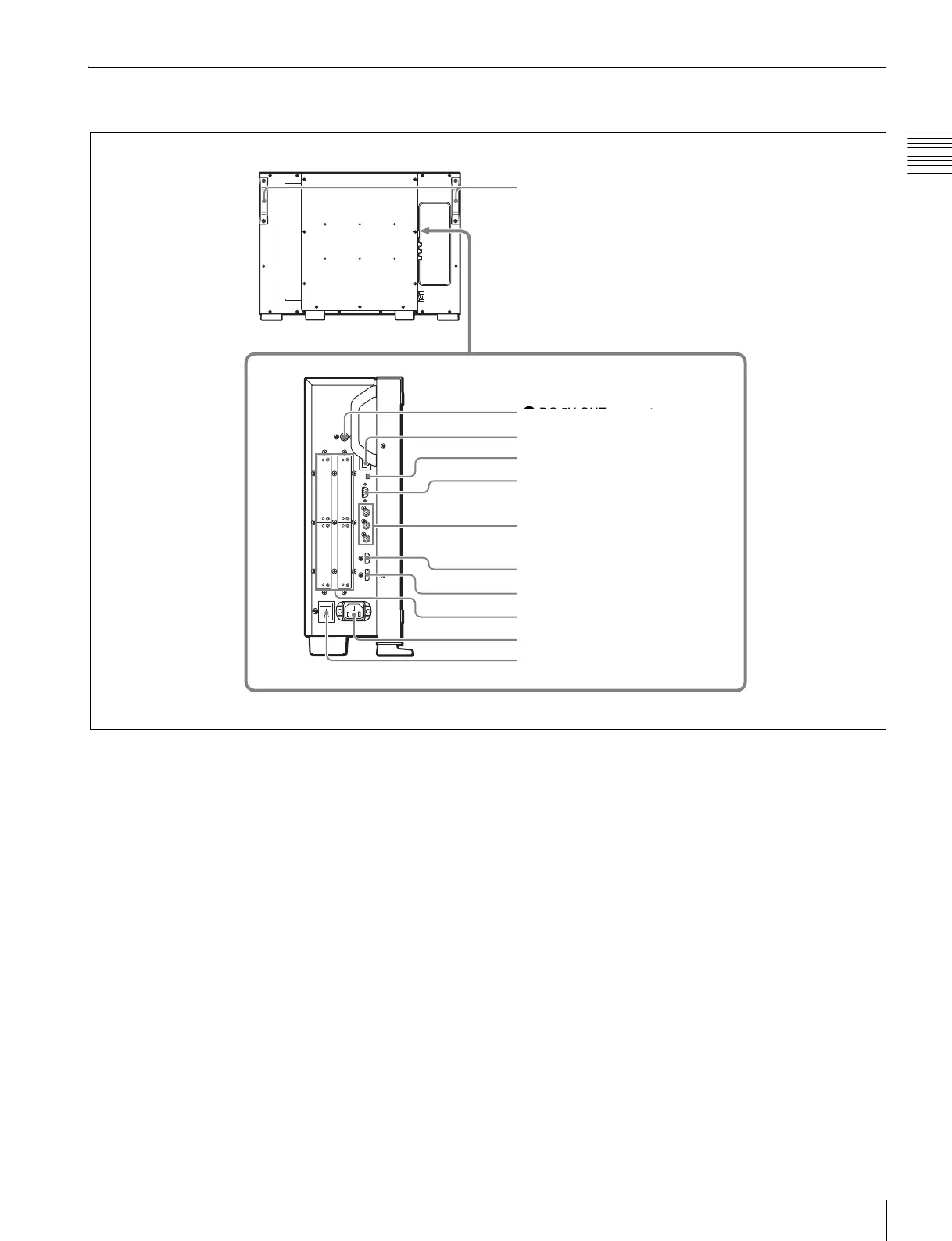
Rear Panel/Left Side Panel
a DC 5V OUT connector (female)
Supplies the DC power to the controller.
Connect to the DC 5V/12V IN connector of the controller
with the SMF-700 or the cable supplied with the BKM-
37H/38H.
CAUTION
DC 5V OUT connector (female) is non LPS (Limited
Power Source) circuit.
b LAN (10/100) connector (10BASE-T/100BASE-TX)
Connect to the LAN (10/100) connector of the controller
by using the SMF-700 or the cable supplied with the BKM-
37H/38H. Or connect to the network or the LAN (10/100)
connector of the controller by using a 10BASE-T/
100BASE-TX LAN cable (shielded-type, optional).
CAUTION
• For safety, do not connect the connector for peripheral
device wiring that might have excessive voltage to this
port. Follow the instructions for this port.
• When you connect the LAN cable of the unit to
peripheral device, use a shielded-type cable to prevent
malfunction due to radiation noise.
• The connection speed may be affected by the network
system.
ATTENTION
Par mesure de sécurité, ne raccordez pas le connecteur pour
le câblage de périphériques pouvant avoir une tension
excessive à ce port. Suivez les instructions pour ce port.
VORSICHT
Aus Sicherheitsgründen nicht mit einem Peripheriegerät-
Anschluss verbinden, der zu starke Spannung für diese
Buchse haben könnte. Folgen Sie den Anweisungen für
diese Buchse.
0 MAIN POWER switch
9 AC IN connector
2 LAN (10/100) connector
1 DC 5V OUT connector
4 PARALLEL REMOTE connector
3 NETWORK switch
8 Input option ports
6 HDMI input connector
5 STANDARD PORT
7 DisplayPort input connector
1 DC 5V OUT connector
Handles


 To Next Page