125
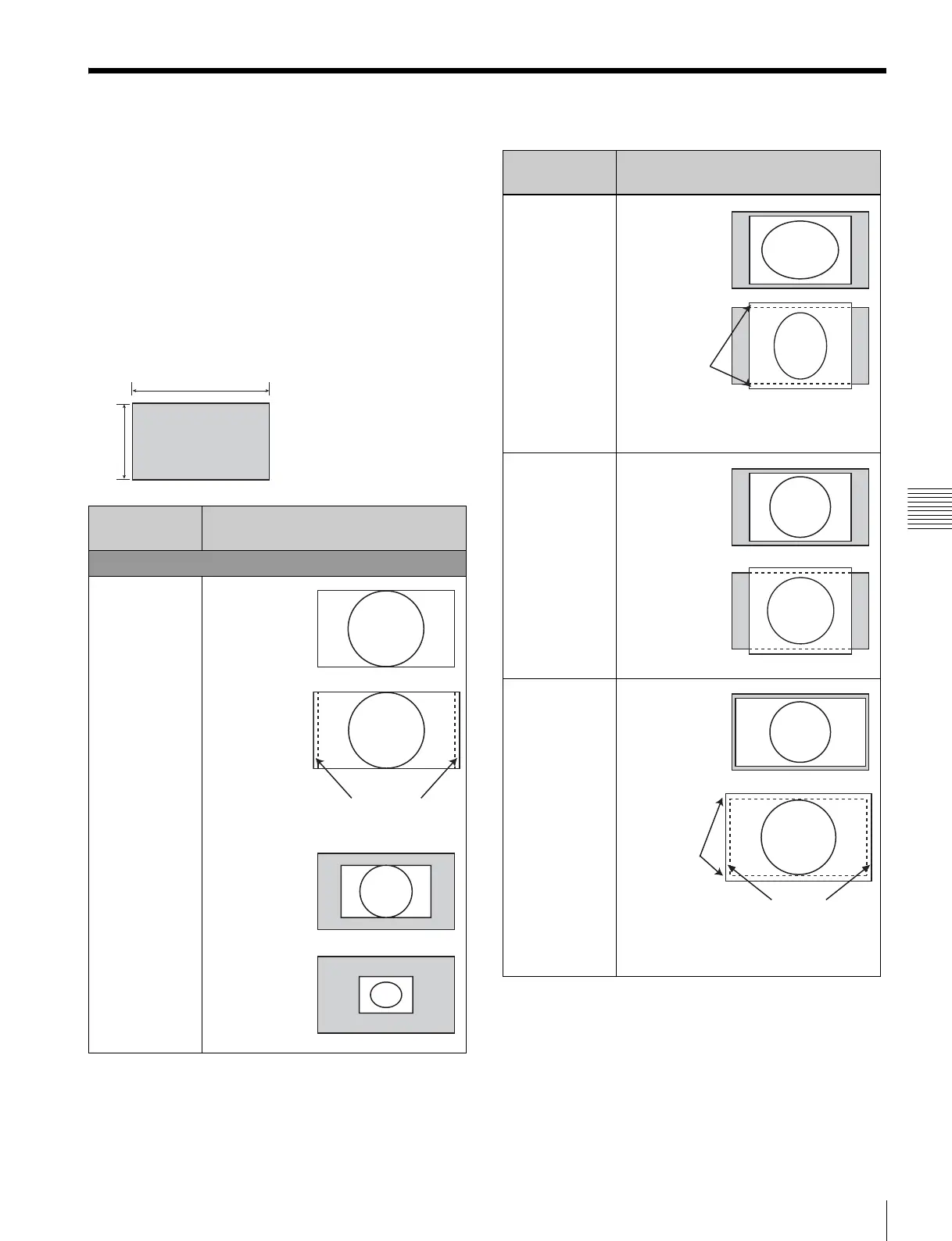
Scan Mode Image
Appendixes
Scan Mode Image
Example: Scan images of available signal
systems when a signal is input from the standard
SDI input or optional input adaptor installed
• For details of the picture display size, see “Picture
Display Size” (page 121).
• For setting of the Native Scan Mode menu, see Native
Scan Mode (page 58) of the Auxiliary Setting menu.
• For setting of Aspect, see the Screen Aspect menu (page
51)
of the Channel Configuration menu.
Panel size
Scan mode Input signal system and scan
mode image
Native Scan
Native Scan
Mode: ×1
1920
1080
1920 × 1080
2048 × 1080
1280 × 720
720 × 576
720 × 487
Displayed by sliding the
picture with the PHASE
knob of the controller.
Native Scan
Mode: ×2
Native Scan
Mode: Aspect
Correction
Aspect: 4:3
Native Scan
Mode: Aspect
Correction
Aspect: 16:9
Scan mode Input signal system and scan
mode image
720 × 487
1440 × 487
720 × 576
1440 × 576
Displayed by
sliding the
picture with the
UP/DOWN
button of the
controller.
720 × 487
1440 × 487
720 × 576
1440 × 576
720 × 487
1440 × 487
720 × 576
1440 × 576
Displayed the whole picture
of the H direction by sliding
the picture with the PHASE
knob of the controller.
Displayed the
whole picture
of the V
direction by
sliding the
picture with
the UP/
DOWN
button of the
controller.


 To Next Page