51
Channel Configuration Menu
Chapter 3 Menu
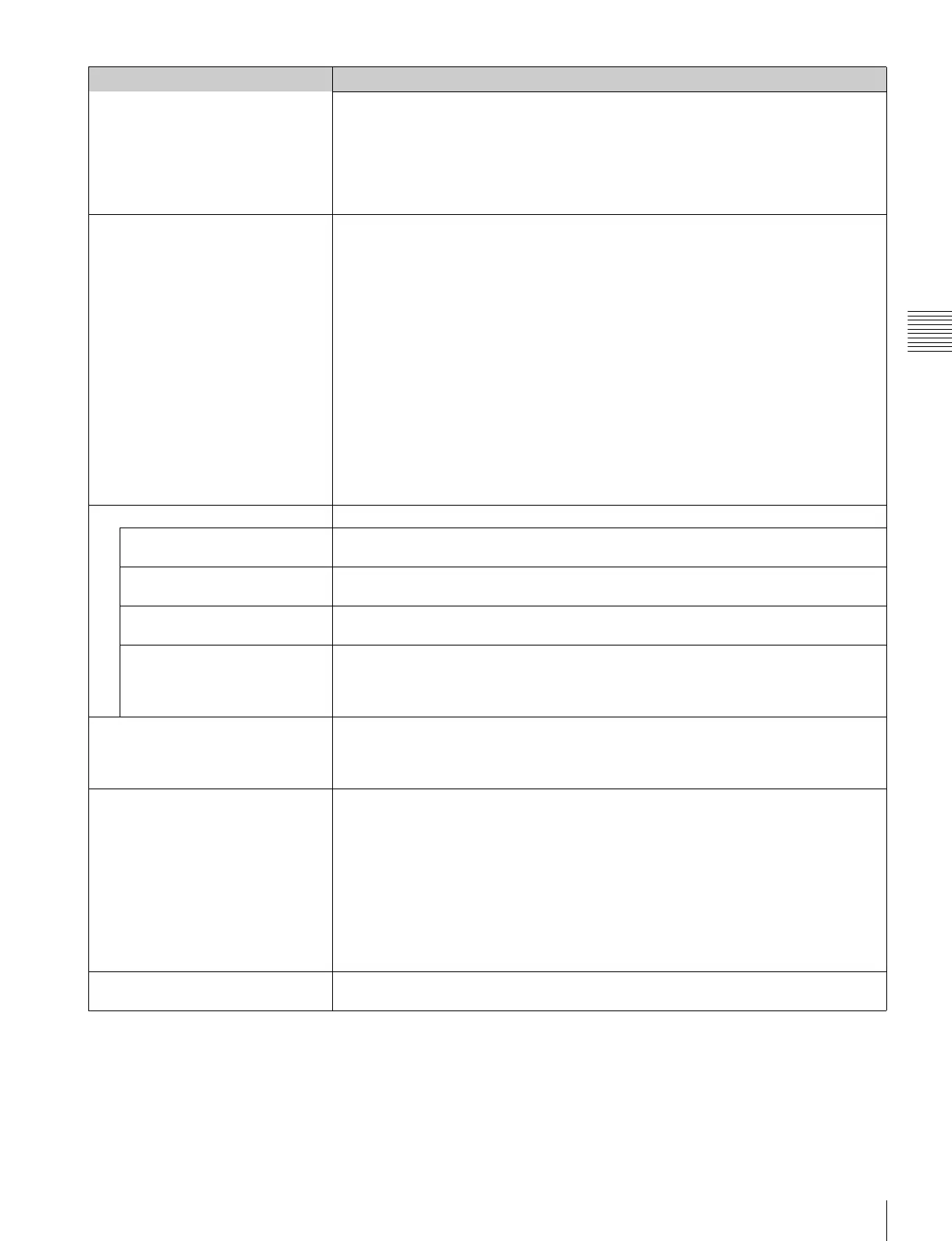
Input Port
Option1&2, Option3&4
• When two BKM-243HS or BKM-244CC are installed in the OPTION 1 and 2 or OPTION
3 and 4 option ports and Format is set to 4:2:2 YCbCr 10bit, 4:4:4 YCbCr 10bit, 4:4:4
RGB 10bit, 4:4:4 YCbCr 12bit, 4:4:4 RGB 12bit or 4:4:4 XYZ 12bit of Dual Link HD-SDI
Note
When the setting of Format and the installed adaptor do not match, the setting value may not
be changed. Set the Format correctly according to the installed adaptor.
Input No Enters the input connector number if there are two inputs with the same type of input
connectors.
You can select from [Input 1] or Input 2 in the following cases:
• When the standard SDI input is selected (when Input Port is set to Standard)
• When the BKM-250TG is installed and Format is set to 3G/HD/SD-SDI Auto or 4:2:2
YCbCr 10bit, 4:4:4 YCbCr 10bit, 4:4:4 RGB 10bit, 4:4:4 YCbCr 12bit, 4:4:4 RGB 12bit or
4:4:4 XYZ 12bit of 3G-SDI
• When the BKM-243HS, BKM-244CC or BKM-250TG is installed and Format is set to HD/
SD-SDI Auto
• When the BKM-220D, BKM-243HS, BKM-244CC or BKM-250TG is installed and Format
is set to SD-SDI
• When two BKM-243HS or BKM-244CC are installed in the OPTION 1 and 2 or OPTION
3 and 4 option slots and Format is set to 4:2:2 YCbCr 10bit, 4:4:4 YCbCr 10bit, 4:4:4
RGB 10bit, 4:4:4 YCbCr 12bit, 4:4:4 RGB 12bit or 4:4:4 XYZ 12bit of Dual Link HD-SDI
Note
When the setting of Format or Input Port and the installed adaptor do not match, the setting
value may not be changed. Set Format or Input Port correctly according to the installed
adaptor.
Screen Aspect Selects the aspect ratio.
HD Sets the aspect ratio of the HD signal.
You can select from [16:9] or 2.39:1.
SD Sets the aspect ratio of the SD signal.
You can select from [16:9] or 4:3.
DC 2048 × 1080 Sets the aspect ratio of the digital cinema signal (2048 × 1080).
You can select from [1.896:1] or 2.39:1.
HDMI Auto Sets the manual or automatic setting for the aspect ratio of the HDMI signal.
Off: Select to set the aspect ratio manually with the controller, etc.
[On]: Select to set the aspect ratio automatically according to the input signal. The
aspect ratio is not set with the controller, etc.
Sync Mode Sets the sync signal when the analog component signal or analog RGB signal is input.
You can select when Format is set to Component YPbPr or Component RGB.
[Internal]: Select when an internal sync signal is used.
External: Select when an external sync signal is used.
Color Temp Sets the color temperature.
Except for the XYZ format signal
You can select from D93, D65, D61, D55, D-Cine, User1 to User5.
When D-Cine is selected, the color temperature is set to x=0.314 and y=0.351 in the CIE
chromaticity coordinate.
When D93, D65, D61, D55 or D-Cine data is changed, they are displayed as D93*, D65*,
D61*, D55* or D-Cine*.
For the XYZ format signal
You can select from D-Cine XYZ or User XYZ1 to User XYZ5.
When D-Cine XYZ data is changed, it is displayed as D-Cine XYZ*.
Picture Preset Sets the picture adjustment preset.
Select from Preset1 to Preset5 or Preset (D-Cine)
.
Menu Function and operation ([ ]: factory setting)


 To Next Page