50
Channel Configuration Menu
Chapter 3 Menu
Format
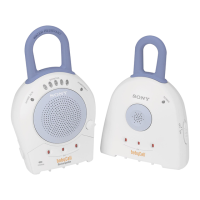
Dual Link HD-SDI Sets the Dual-link HD-SDI signal format when two BKM-243HS or BKM-244CC are installed
in the OPTION 1 and 2 or OPTION 3 and 4 option ports or BKM-250TG is installed.
4:2:2 YCbCr 10bit
4:4:4 YCbCr 10bit
4:4:4 RGB 10bit
4:4:4 YCbCr 12bit
4:4:4 RGB 12bit
4:4:4 XYZ 12bit
Composite Sets the composite signal format when BKM-227W is installed.
Auto: Changes automatically according to the format of the input signal.
It will take a few seconds to detect the format of an input signal. It is recommended that
a particular format be selected if it is determined.
NTSC
PAL
PAL-M
SECAM
YC Sets the Y/C signal format when BKM-227W is installed.
Auto: Changes automatically according to the format of the input signal.
It will take a few seconds to detect the format of an input signal. It is recommended that
a particular format be selected if it is determined.
NTSC
PAL
PAL-M
SECAM
Component Sets the analog component signal format or analog RGB signal format when BKM-229X is
installed.
You can select from YPbPr or RGB.
HDMI Sets the HDMI signal format.
In this manual, the 800 × 600, 1024 × 768, 1280 × 960, 1280 × 1024 and 1400 × 1050 signals
are referred to as the HDMI computer signals.
For the signal format to be displayed, see page 117.
DisplayPort Sets the DisplayPort signal format.
In this manual, the 800 × 600, 1024 × 768, 1280 × 960, 1280 × 1024 and 1400 × 1050 signals
are referred to as the DisplayPort computer signals.
For the signal format to be displayed, see page 117.
Input Port Enters the input port number.
You can select from [Standard], Option1 to Option4, Option1&2 or Option3&4.
Standard
When using the standard SDI input of the monitor
• When Format is set to 3G/HD/SD-SDI Auto or 4:2:2 YCbCr 10bit, 4:4:4 YCbCr 10bit,
4:4:4 RGB 10bit, 4:4:4 YCbCr 12bit, 4:4:4 RGB 12bit or 4:4:4 XYZ 12bit of 3G-SDI
• When Format is set to HD/SD-SDI Auto
• When Format is set to SD-SDI
Option1 to Option4
When the signal is input from the input adaptor installed to the option port
• When the BKM-250TG is installed and Format is set to 3G/HD/SD-SDI Auto or 4:2:2
YCbCr 10bit, 4:4:4 YCbCr 10bit, 4:4:4 RGB 10bit, 4:4:4 YCbCr 12bit, 4:4:4 RGB 12bit or
4:4:4 XYZ 12bit of 3G-SDI
• When the BKM-243HS, BKM-244CC or BKM-250TG is installed and Format is set to HD/
SD-SDI Auto
• When the BKM-220D, BKM-243HS, BKM-244CC or BKM-250TG is installed and Format
is set to SD-SDI
• When the BKM-227W is installed and Format is set to Composite Auto, Composite
NTSC, Composite PAL, Composite PAL-M, Composite SECAM, YC Auto, YC NTSC, YC
PAL, YC PAL-M or YC SECAM
• When the BKM-229X is installed and Format is set to Component YPbPr or Component
RGB
Menu Function and operation ([ ]: factory setting)


 To Next Page