— 8 —
KV-27FV310/29FV310/32FV310/36FV310
Stopping the Standby/Timer LED Flash
Turn off the power switch on the TV main unit or unplug the power cord from the outlet to stop the STANDBY/TIMER LAMP from ashing.
Self-Diagnostic Screen Display
For errors with symptoms such as “power sometimes shuts off” or “screen sometimes goes out” that cannot be conrmed, it is possible to bring up past
occurrences of failure on the screen for conrmation.
To Bring Up Screen Test
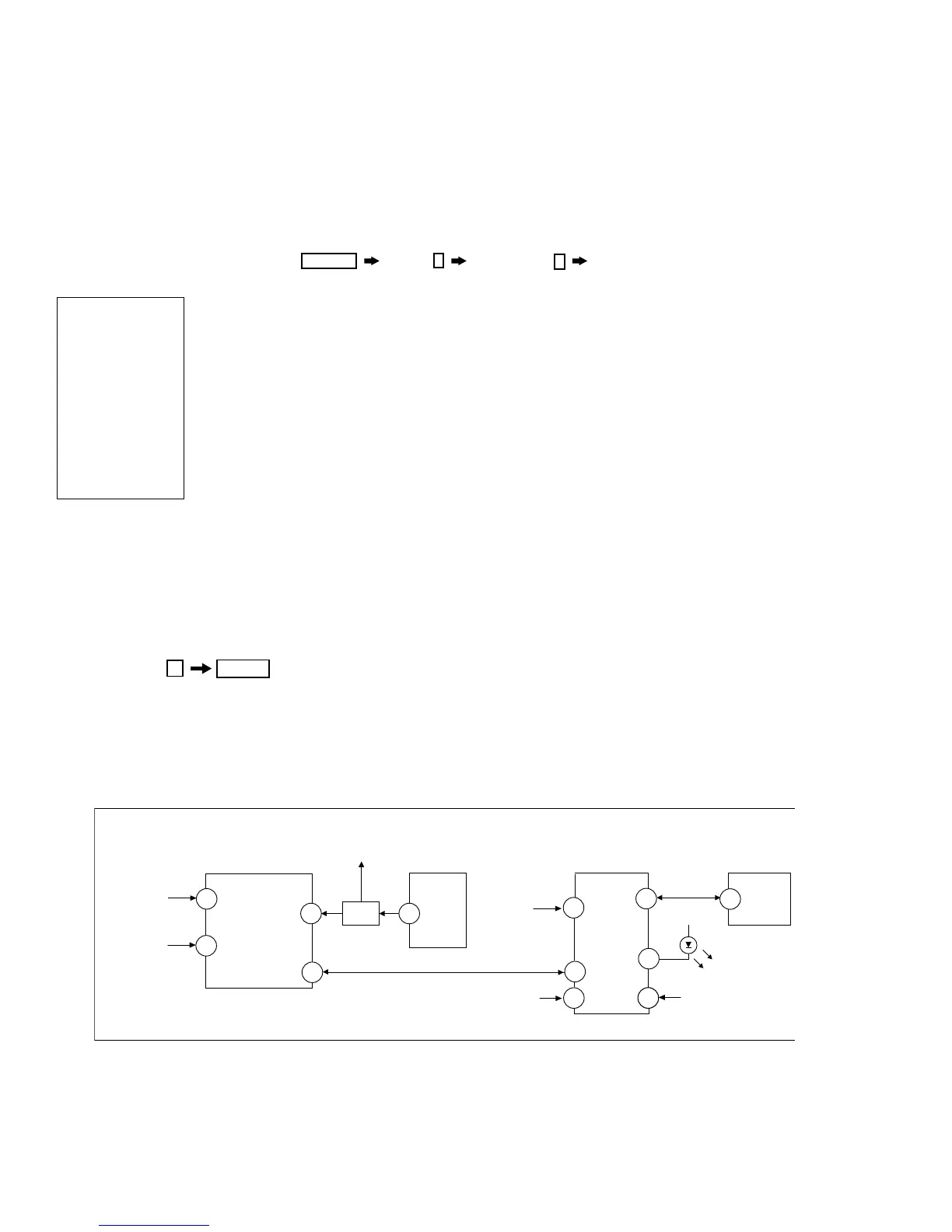
In standby mode, press buttons on the Remote Commander sequentially, in rapid succession, as shown below:
DISPLAY
Channel
5
Sound volume
-
Power ON.
Numeral “0” means that no fault was detected.
Numeral “1” means a fault was detected one time only.
SELF DIAGNOSIS
2: +B OCP 0
3: +B OVP 0
4: VSTOP 0
5: AKB 1
9: ZCD 0
10: 9VON 0
101: WDT 0
Serial: xxxxxxx
Model: xxxxxxx
Handling of Self-Diagnostic Screen Display
Since the diagnostic results displayed on the screen are not automatically cleared, always check the self-diagnostic screen during repairs. When you
have completed the repairs, clear the result display to “0”.
Unless the result display is cleared to “0”, the self-diagnostic function will not be able to detect subsequent faults after completion of the repairs.
Clearing the Result Display
To clear the result display to “0”, press buttons on the Remote Commander sequentially when the diagnostic screen is displayed, as shown below:
Quitting the Self-Diagnostic Screen
To quit the entire self-diagnostic screen, turn off the power switch on the Remote Commander or the main unit.










 To Next Page