Using your New TV (continued)
Watching two programs at
one time - PIP
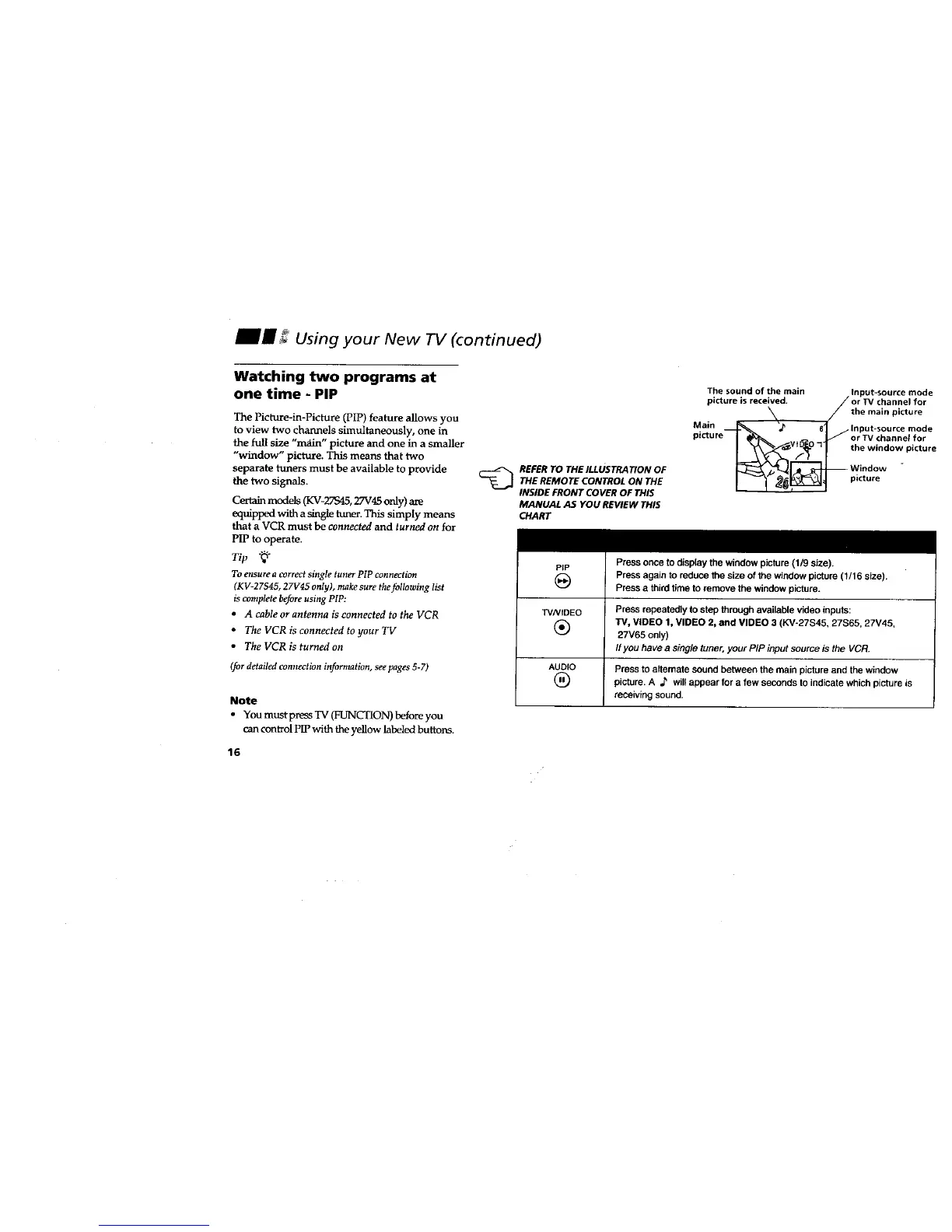
The Picture-in-Picture (PIP) feature allows you
to view two channels simultaneously, one in
the full size "main" picture and one in a smaller
"window" picture. This means that two
separate tuners must be available to provide
the two signals.
Certain models (KV-27S45, 27V45 only) are
equipped with a single tuneT.This simply means
that a VCR must be connected and turned on for
PIP to operate.
Tip "_÷
To ensure a correct single tuner PIP connection
(KV-27S45, 27V45 only), make sure the following list
is complete before using PIP:
• A cable or antenna is connected to the VCR
• The VCR is connected to your TV
• The VCR is turned on
(for detailed connection infornmtion, see pages 5-7)
Note
• You must press TV (FUNCTION) before you
can control PIP with the yellow labeled buttons.
16
_ EFER TO THE ILLUSTRATION OF
THE REMOTE CONTROL ON THE
INSIDE FRONT COVER OF THIS
MANUAL AS YOU REVIEW THIS
CHART
The sound of the main Input-source mode
picture is received, or TV channel for
/the main picture
Main _ "_ 61/ Input-source mode
picture -- or TV channel for
Window -
Press once to display the window picture (1/9 size).
Press again to reduce the size of the window picture (1/16 size).
Press a third time to remove the window picture.
PIP
W/VIDEO Press repeatedly to step through available video inputs:
(_) TV, VIDEO 1, VIDEO 2, and VIDEO 3 (KV-27S45, 27S65, 27V45,
27V65 only)
If you have a single tuner, your PIP input source is the VCR.
AUDIO Press to altsmate sound between the main picture and the window
(_ picture. A _ will appear for a few seconds to indicate which picture is
receiving sound.








 To Next Page