JrRemote Control
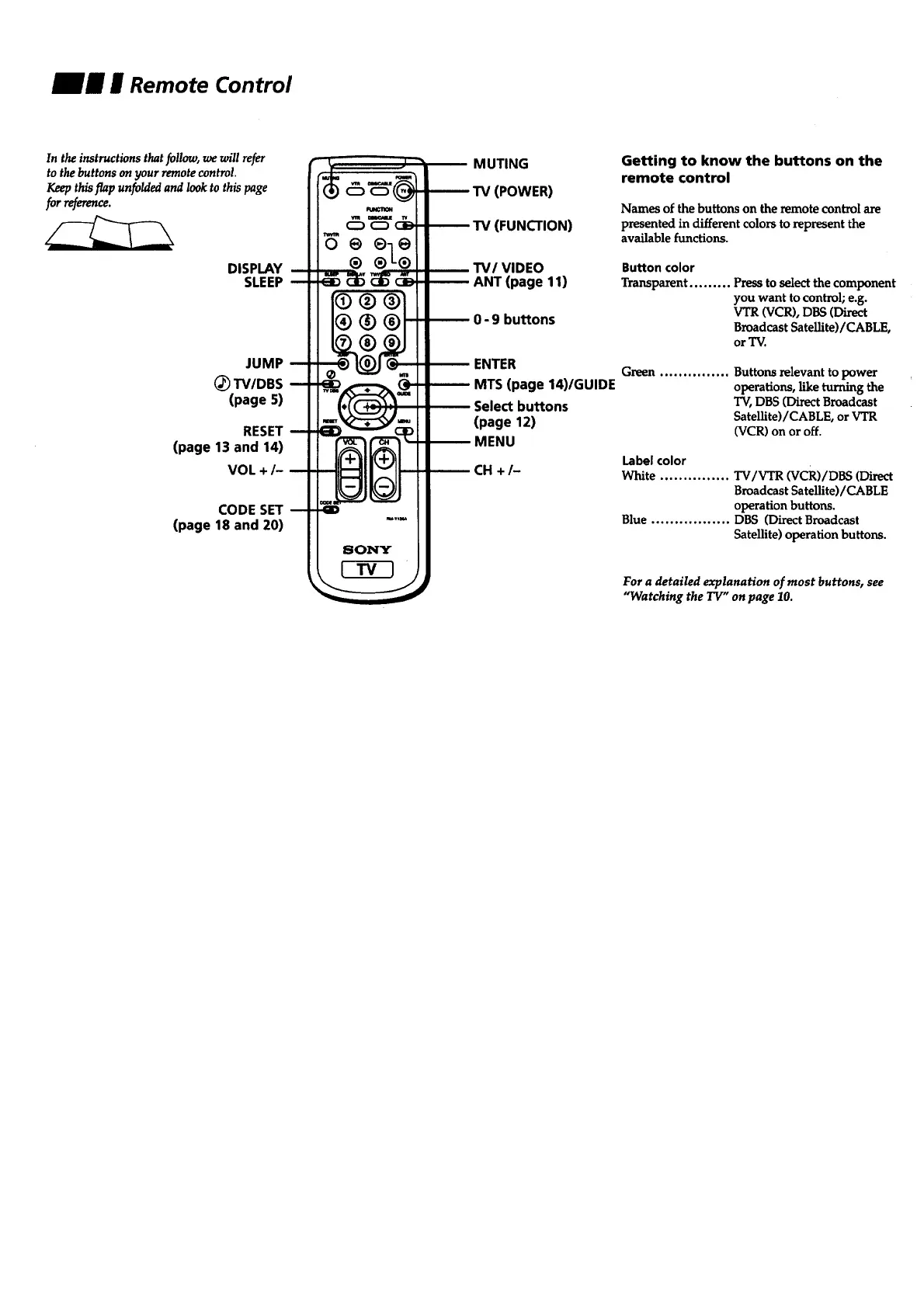
In the instructions that follow, we will refer
to the buttons on your remote control.
Keep this flap unfolded and look to this page
for reference.
DISPLAY
SLEEP
JUMP
(_ TV/DBS
(page 5)
RESET
(page 13 and 14)
VOL +/-
CODE SET
(page 18 and 20)
o @eo
® ®-L®
MUTING
TV (POWER)
TV (FUNCTION)
TV/VIDEO
ANT (page 11)
0 - 9 buttons
ENTER
MTS (page 14)/GUIDE
Select buttons
(page 12)
MENU
CH +/-
Getting to know the buttons on the
remote control
Names of the buttons on the remote control are
presented in different colors to represent the
available functions.
Button color
Transparent ......... Press to select the component
you want to control; e.g.
VTR (VCR), DBS (Direct
Broadcast Satellite)/CABLE,
or "IV.
Green ............... Buttons relevant to power
operations, like turning the
TV, DBS (Direct Broadcast
SateUite)/CABLE, or VTR
(VCR) on or off.
Label color
White ............... TV/VTR (VCR)/DBS (Direct
Broadcast Satellite)/CABLE
operation buttons.
Blue ................. DBS (Direct Broadcast
Satellite) operation buttons.
For a detailed explanation of most buttons, see
"Watching the TV" on page 10.








 To Next Page