– 9 –
KV-DR29M39/DR29M63/
KV-DR29M69/DR29M89
RM-991
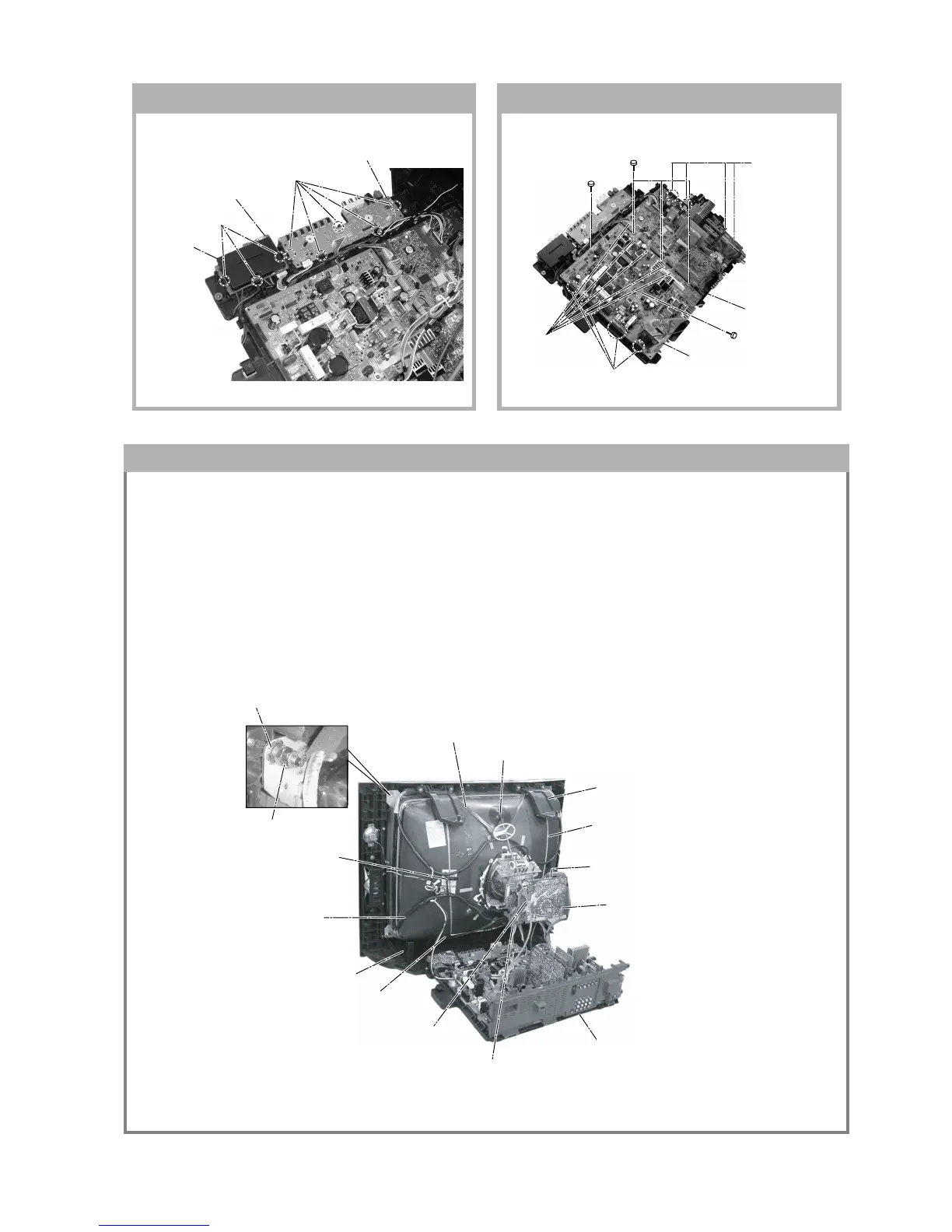
$ Band, DGC(1) Removal (only top-side)
5 Anode Cap Removal
" Bracket Woofer(2) Removal
) Earth Coating Assy(2) Removal
7 Loosen the Neck Assembly
fixing screw and remove
9 Loosen the Deflection Yoke
fixing screw and remove
6 C Board Removal
! Chassis Assy Removal
8 VM Board Removal
( Spring Tension(2)
Removal
# Supports, CRT(2) Removal
& DGC(2) Removal
% Holder, DGC(2) Removal
+ Nut special CRT (4)
~ Nut, Locking (4)
1-11. H1 AND H2 BOARDS REMOVAL 1-12. A AND D BOARDS REMOVAL
3 Three hooks
1 Five hooks
4 Cover, H
2 H1 Board
5 H2 Board
5 One screw
(3 × 12)(+) BVTP
5 One screw
(3 × 12)(+) BVTP
2 Three screws
(3 × 12)(+) BVTP
3 Four hooks
1 Five connectors
6 Four hooks
7 D Board
4 A Board
1-13. PICTURE TUBE REMOVAL
Note:
• The picture tube for OCE model is upside down and the position for the anode cap and tension springs are changed
accordingly. (KV-DR29M39 (OCE) only)
• Please make sure the TV set is not in standing position before removing necessary CRT support located on bottom
right and left.
• When removing the Nut Locking: first make sure to hold the Nut special CRT with a spanner while opening the Nut
Locking using a torque driver. Then proceed to remove the Nut special CRT using a torque driver.
1) Place the TV set with the CRT face down on a cushion (jig).
2) Removal the Rear Cover.
3) Removal the 3D Box.
4) Unplug all interconnecting leads from the Deflection Yoke, Neck Assy, Degaussing Coils and CRT grounding strap.







 To Next Page