29
Menu Adjustment
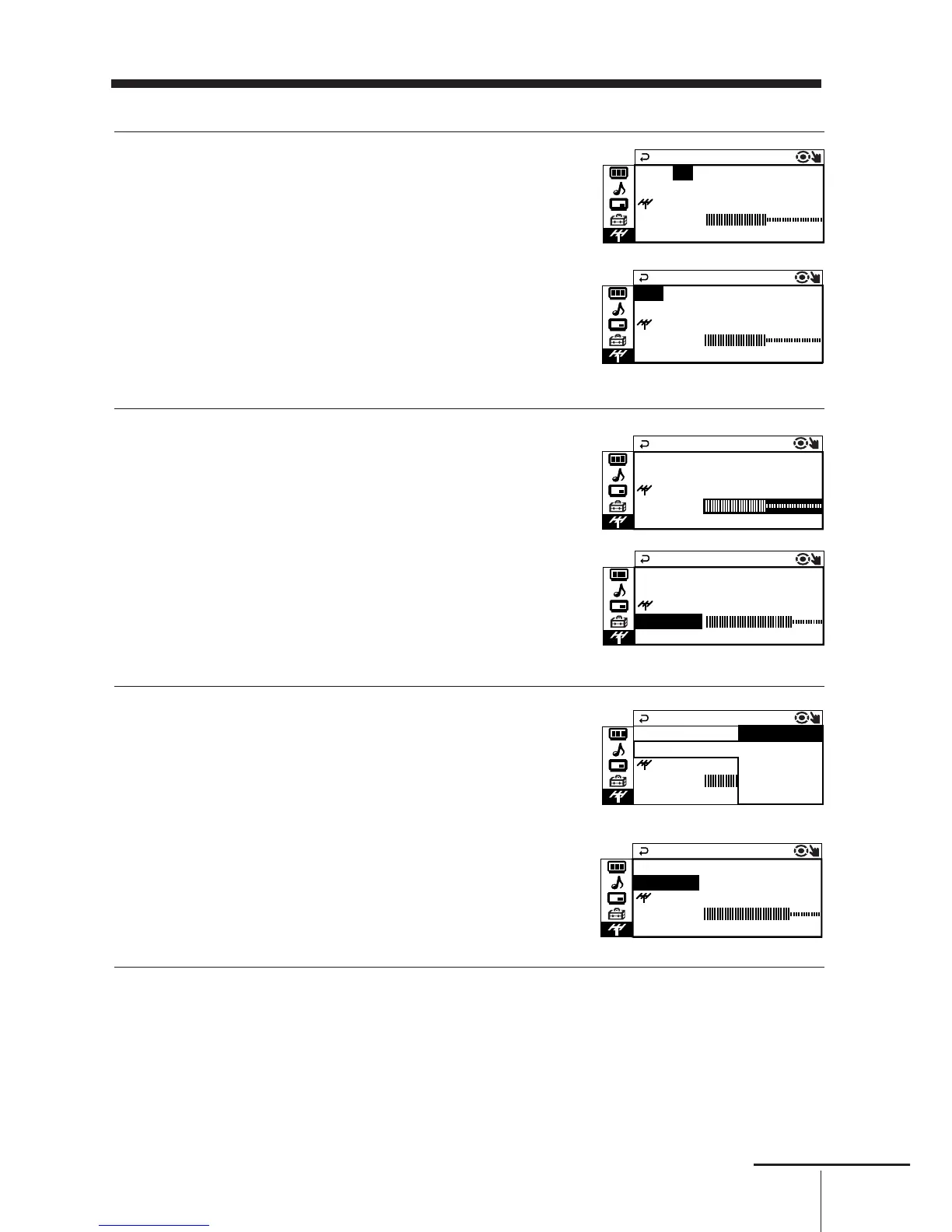
Presetting channels manually
1
After selecting “MANUAL PROGRAM”,
select the program number to which you
want to preset a channel.
(1) Make sure “PR” is selected, then press
ENTER.
(2) Press V or v
until the program number
you want to preset (e.g., program number
“10”) appears on the menu, then press
ENTER.
Tip
• You can also select the program number with the PROGR +/– or number buttons.
2
Select the desired channel.
(1) Press V or v
to select either “VHF LOW”,
“VHF HIGH”, or “UHF”, then press
ENTER.
(2) Press V or v
until the desired channel’s
broadcast appears on the TV screen,
then press ENTER.
3
If the sound of the desired channel is
abnormal, select the appropriate TV
system.
(1) Press V or v
to select “TV SYS”, then
press ENTER.
(2) Press V or v
until the sound becomes
normal, then press ENTER.







 To Next Page