32 Additional Information
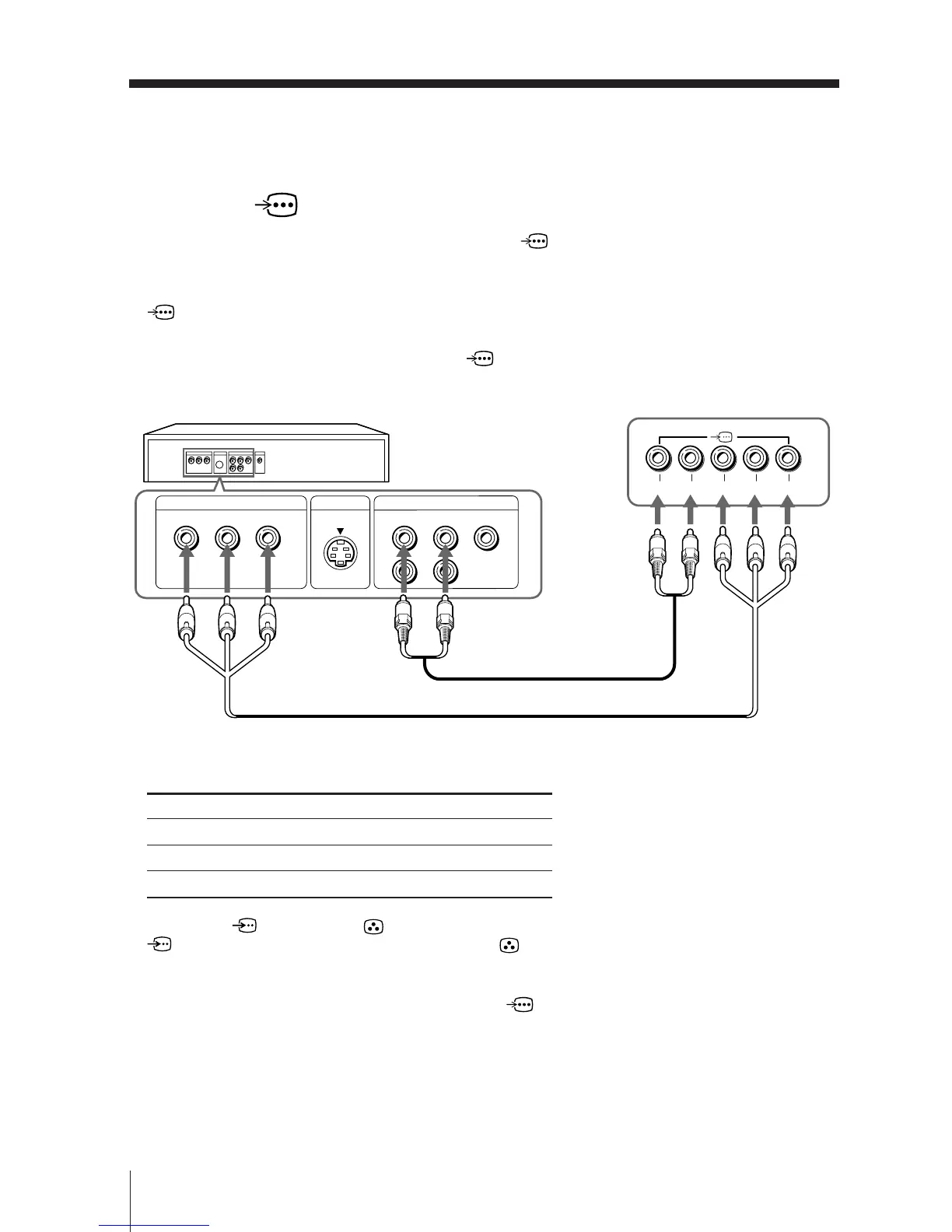
Connecting a DVD player to the component video input
terminal (
)
1 Using an audio cable, connect R and L under (component video input) on your
TV to the LINE OUT, AUDIO R and L output connectors on your DVD player.
2 Using a component video cable, connect Y, P
B/CB, and PR/CR under
(component video input) on your TV to the COMPONENT VIDEO OUT Y, CB,
and C
R output connectors on your DVD player.
3 Press DVD on the remote to watch the (component video input) and “DVD”
will appear on your screen.
Notes
• Some DVD player terminals may be labeled differently:
• When both (S video) and (video) for t 1 or t 4 are connected at the same time,
(S video) is automatically selected. To view (video), disconnect the S video cable.
• If you select “DVD” on your TV screen, the signal from the T (monitor output) will not be
output properly. This does not indicate a malfuncion.
• When receiving a progressive signal through the (component video input), “PIP” is not
available, and “DRC-MF”, “3D-NR” and “GAME MODE” are not selectable.
DVD player
TV rear panel
Component video cable (not supplied)
Audio cable (not supplied)
Connect To (on the DVD player)
Y (green) Y
PB/CB (blue) CB, PB, Cb or B-Y
PR/CR (red) CR, PR, Cr or R-Y
VIDEO
R-AUDIO-L
LINE OUT
Y
COMPONENT VIDEO OUT
S VIDEO OUT
C
B
C
R
R L Y P
B/CB PR/CR
continued







 To Next Page