21
Menu Adjustment
Sony KV-SA32M36 Group F12 (GB)_2-348-392-11 (1)
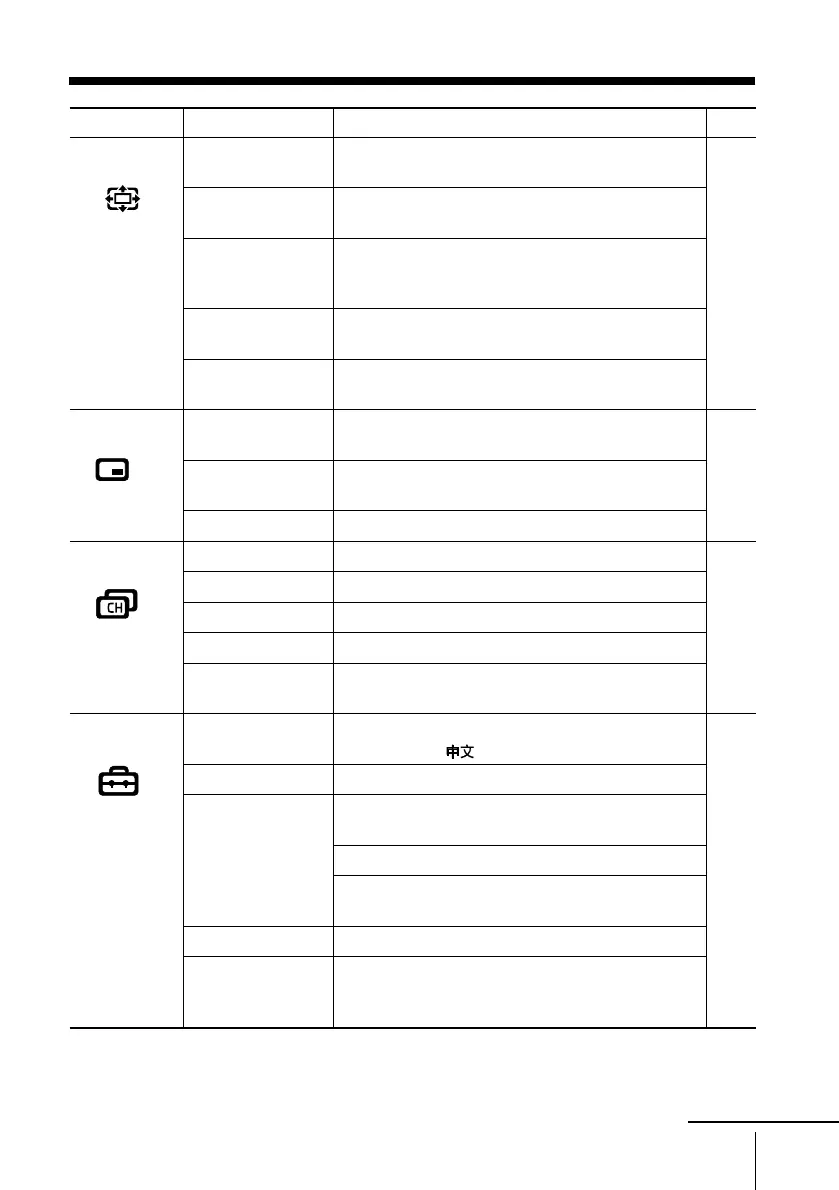
Level 1
“Wide Screen”
“PIP”
“Channel Setup”
“Setup”
Level 2
“Wide Mode”
“Auto Wide”
“4:3 Default”
“V Center”
“V Size”
“PIP”
“Swap”
“Position”
“Auto Program”
“Manual Program”
“Program Label”
“Program Block”
“Program Sorting”
“Language”
“Picture Position”
“WEGA Theatre
Setup”
“Direct Input”
“Speaker”
“Video Label”
“Color System”
Level 3/Function
Select the wide screen mode:
“Wide Zoom” t “Normal”t “Full”t “Zoom”
Select an optimum wide screen mode automatically:
“On” t “Off”
Change the picture to “Wide Zoom”or “Normal”
when the normal 4:3 picture with or without ID-1
or WSS signal is received.
Adjust the vertical position of the picture in
“Wide Zoom” or “Zoom” mode.
Adjust the vertical size of the picture in
“Wide Zoom” or “Zoom” mode.
Display a sub screen within the main picture:
“On” t “Off”
Exchange pictures between main screen and sub
screen.
Change the position of the sub screen
Preset channels automatically.
Preset channels manually.
Label the program number.
Block unwanted programs.
Change the order in which the channels appear on
the screen.
Change the menu language:
“English” t “
” (Chinese)
Adjust the picture position.
Select the WEGA Theatre Mode.
Select the input for connected equipment.
Select the speaker mode:
“MAIN” t “CENTER IN”
Label the connected equipment.
Select the color system:
“Auto” t “PAL” t “SECAM” t
“NTSC3.58” t “NTSC4.43”
Page
27
28
29
31
continue
01GB05AVD-STMOce.p65 10/14/04, 6:07 PM21
Black








 To Next Page