22 Menu Adjustment
Sony KV-SA32M36 Group F12 (GB)_2-348-392-11 (1)
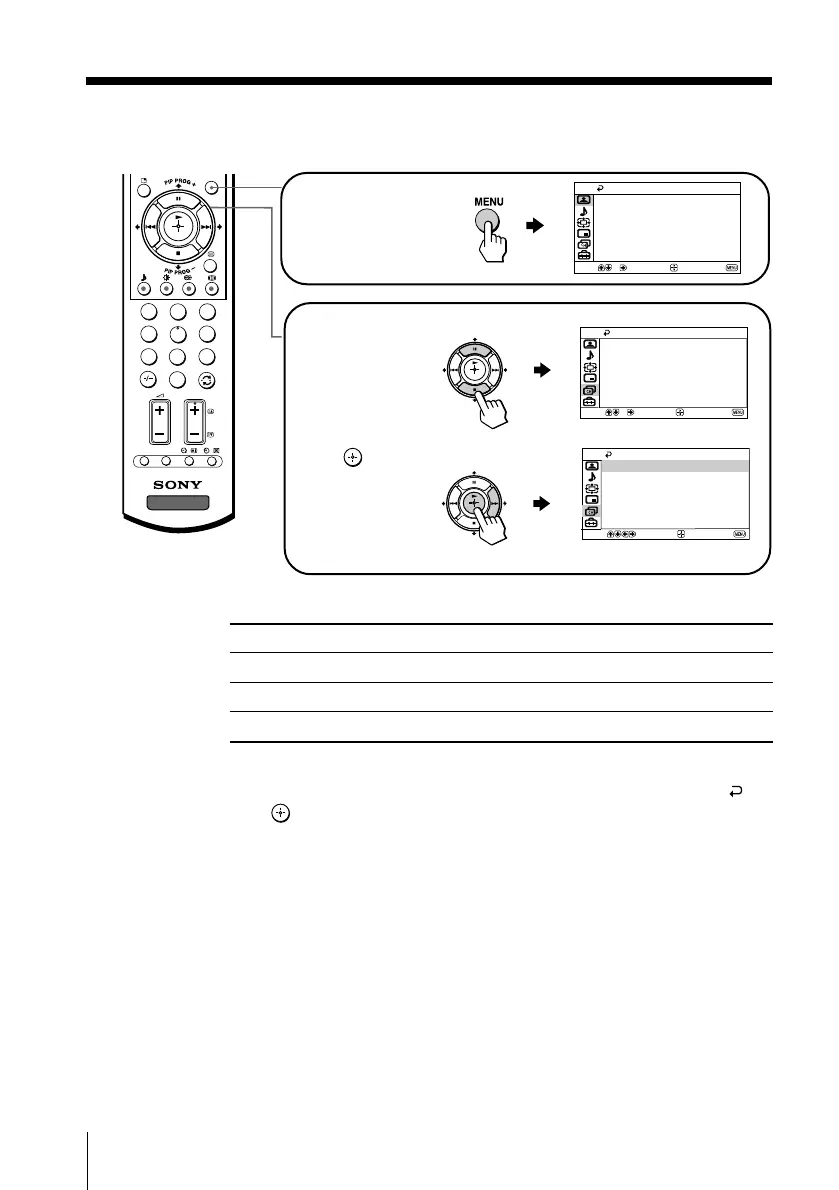
How to use the menu
Other menu operations
Tips
• If you want to exit from Menu level 2 to Menu level 1, press V or v until the return icon ( ) is
highlighted, then press .
• The MENU, t and 2 +/– buttons on the TV front panel can also be used for the operations
above (see page 9).
Note
• When a feature is dimmed in the menu, it is not selectable.
To
Adjust the setting value
Move to the next/previous menu level
Cancel the menu
Press
V, v, B or b.
B or b.
MENU.
Press V or v to select
the desired item.
Press
(or b) to
confirm your
selection and
go to the next
level.
Press MENU to
display the menu.
Select
Confirm
End
Picture
Color Temperature: Cool
Picture Adjustment
Mode: Dynamic
3D Intelligent Picture: On
Select
End
Channel Setup
Confirm
Program Label
Manual Program
Program Block
Program Sorting
Auto Program
Select
End
Channel Setup
Confirm
Auto Program
Program Label
Manual Program
Program Block
Program Sorting
1
2
3
4
6
7
8
9
0
5
MENU
TV
PROG
OPTION RESET
continued
01GB05AVD-STMOce.p65 10/14/04, 6:07 PM22
Black








 To Next Page