Installing a Memory Module
85
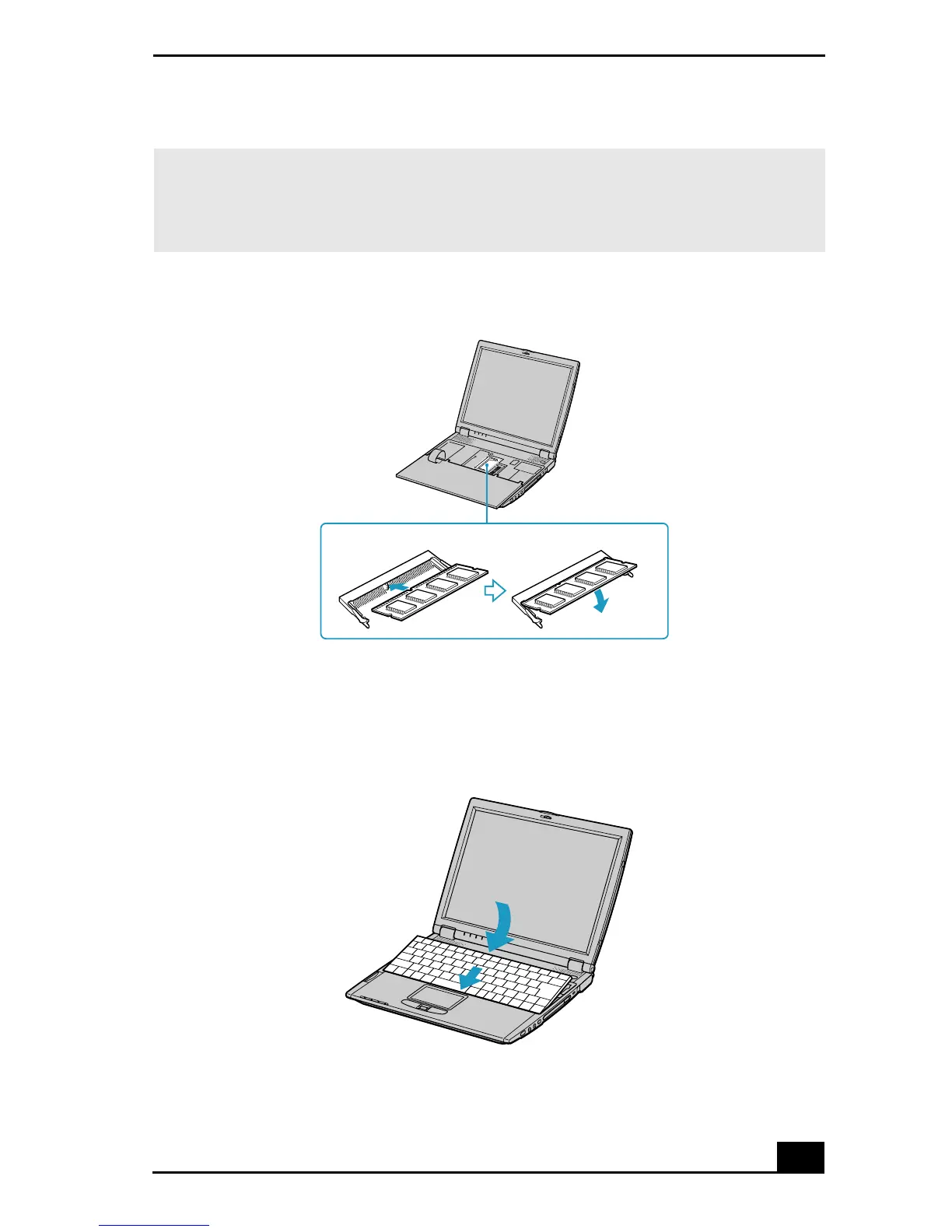
9 Gently replace the keyboard, then press it into your notebook. Be careful not
to detach the cable when lifting the keyboard.
✍ Note the following:
❑ Be careful not to touch the other components on the motherboard.
❑ Be sure that both ends of the memory module click into place.
Installing the Memory Module
Replacing the Keyboard









 To Next Page