21
Setting/Operating via Web
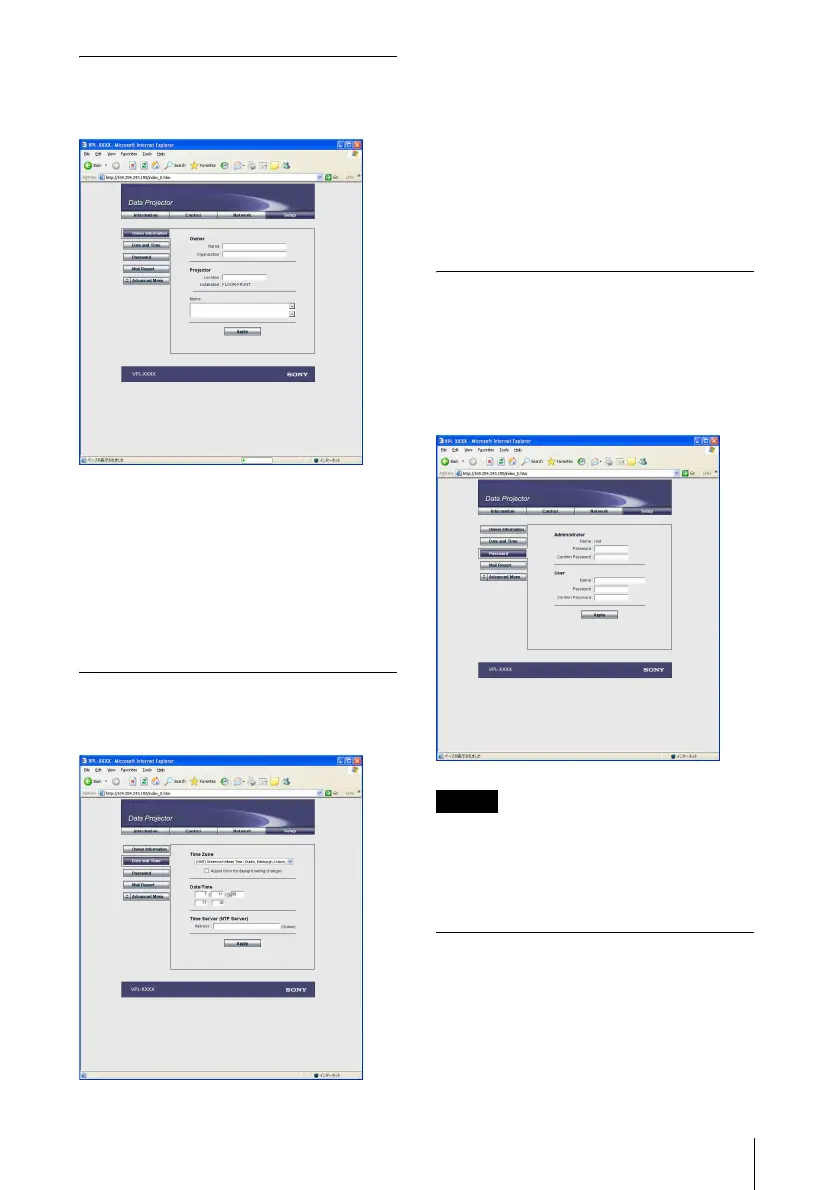
Owner information
This information is used for the Mail Report
function.
Owner
Enter owner information.
Projector
Enter the location of the projector.
Memo
Enter a memo, if required.
Setting the Date and Time
This setting is required for the Regular
Report function.
Time Zone
Select the region in which you are using the
projector.
Date/Time
Set the date and time.
Time Server
Enter the address of the time server when the
time is set by a timer server.
Setting passwords for
“Administrator” and “User”
You can set passwords for each
“Administrator” and “User.”
The name of the “Administrator” account is
preset to “root” at the factory. It cannot be
changed.
• When you change the Password, input a new
password after deleting the Password
(*****) that was set.
• If you forget your password, consult with
qualified Sony personnel.
Settings for the Mail Report
function
You can do the following with the Mail
Report function.
• Periodically report the installation status
of the projector, owner information, etc.
You can specify the transmission days and
times of e-mail messages (Regular report).
Notes



 To Next Page