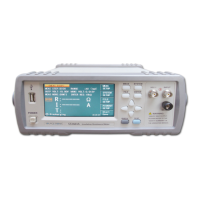
ST2683A Operation Manual Ver.1.3
10
3.2 <MEAS SETUP>
Touch the main menu and then touch the soft key <MEAS SETUP> to enter into the <MEAS SETUP>
page shown as figure 3-2.
Figure 3-2 Measurement Setup
The OUTP VOLT, MEAS MODE, CHAR TIME, WAIT TIME, MEAS TIME, DICH TIME, MEAS SPEED,
RANGE SET, LOCK RANGE, CONT CHEC, OPEN CLR and other functions can be set on this page.
3.2.1 OUTP VOLT
This function is used for setting the voltage of the instrument output terminal.
Operation Procedures One for setting the OUTP VOLT:
1. Touch this key to select this option and then the color of this option will become the color of
the cursor.
2. Touch this key again to enter into the soft keyboard and then input the required voltage and
voltage range of 1~1000V (ST2683A four-digit significant figures), 1~500V (ST2683B four-digit
significant figures) through number soft keyboard.
Operation Procedures Two for setting the OUTP VOLT:
Touch the output voltage zone needs to be modified on the screen and the following items will be
displayed in the soft key zone.
↑↑(+ +)
This key is the increase rough adjustment key of output voltage (set value). Touch this key and
then the voltage will increase according to the sequence of the common voltage point. The
commonly used several default voltage points of the instrument are: 1V, 10V, 25V, 50V, 75V,
100V, 125V, 150V, 200V, 250V, 500V (ST2683B), 750V (ST2683A), 1000V (ST2683A).


 To Next Page
 Loading...