
 Need help?
Do you have a question about the Sourcetronic ST2683A and is the answer not in the manual?
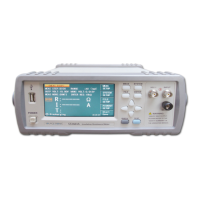
Identifies the instrument as an Insulation Resistance Meter, model ST2683A.
Details power supply requirements, voltage range, and proper connection of line, neutral, and earth ground wires.
Explains the division of the ST2683A's 4.3-inch LCD touch screen into different zones for displaying information.
Guides the user through the initial startup process, including power connection and the boot screen.
Describes the MEAS DISP page, its functions, and how to save measurement results.
Details the primary (R, I) and secondary (T) measurable parameters of the ST2683A.
Introduces the MEAS SETUP page for configuring various measurement parameters.
Describes how to set the measurement mode to SINGLE or CONTI.
Explains how to set the measurement speed to FAST or SLOW.
Explains the contact check function for identifying contact performance and reducing test errors.
Explains how to set the average times for instrument measurements.
Explains how to set the measurement display (MEAS DISP) ON or OFF.
Explains how to set the output voltage of the instrument using touch screen controls.
Explains how to set the charge time for instrument measurements.
Describes how to set the range selection mode to AUTO or LOCK.
Describes the function for operating open clear of the instrument.
Details how to select the locked range for measurements.
Introduces SCPI as a command language for measurement testers, explaining its function levels.
Details commands for MEAS SETUP items like voltage, mode, time, and range.
Command to set the instrument to discharge.
Commands to retrieve measurement results from the output buffer.
Commands for setting up pickout function, including switch and pickout list.
Commands for system settings like beeper, version, status, and handler power.
Commands for storing and loading files to/from internal memory.
Lists the subsystem commands for the ST2683A, including Display, Function, Trigger, etc.
Commands to set trigger source and delay time for measurement.
Explains commands for setting the instrument's display page.
 General
| Type | Digital Multimeter |
|---|---|
| Voltage Resolution | 0.1mV |
| Current Resolution | 0.1μA |
| Power Supply | 9V battery |
| Input Impedance | 10MΩ |
| AC Current Range | 0.1μA to 10A |
| Voltage Accuracy | +/-0.5%rdg +/-4dgt |
| Current Accuracy | ±(1.0% + 5 digits) |
| Protections | Overload protection |

 To Next Page