Page 46
Setting Your Spartan Power
Cable Feed for Cable Size
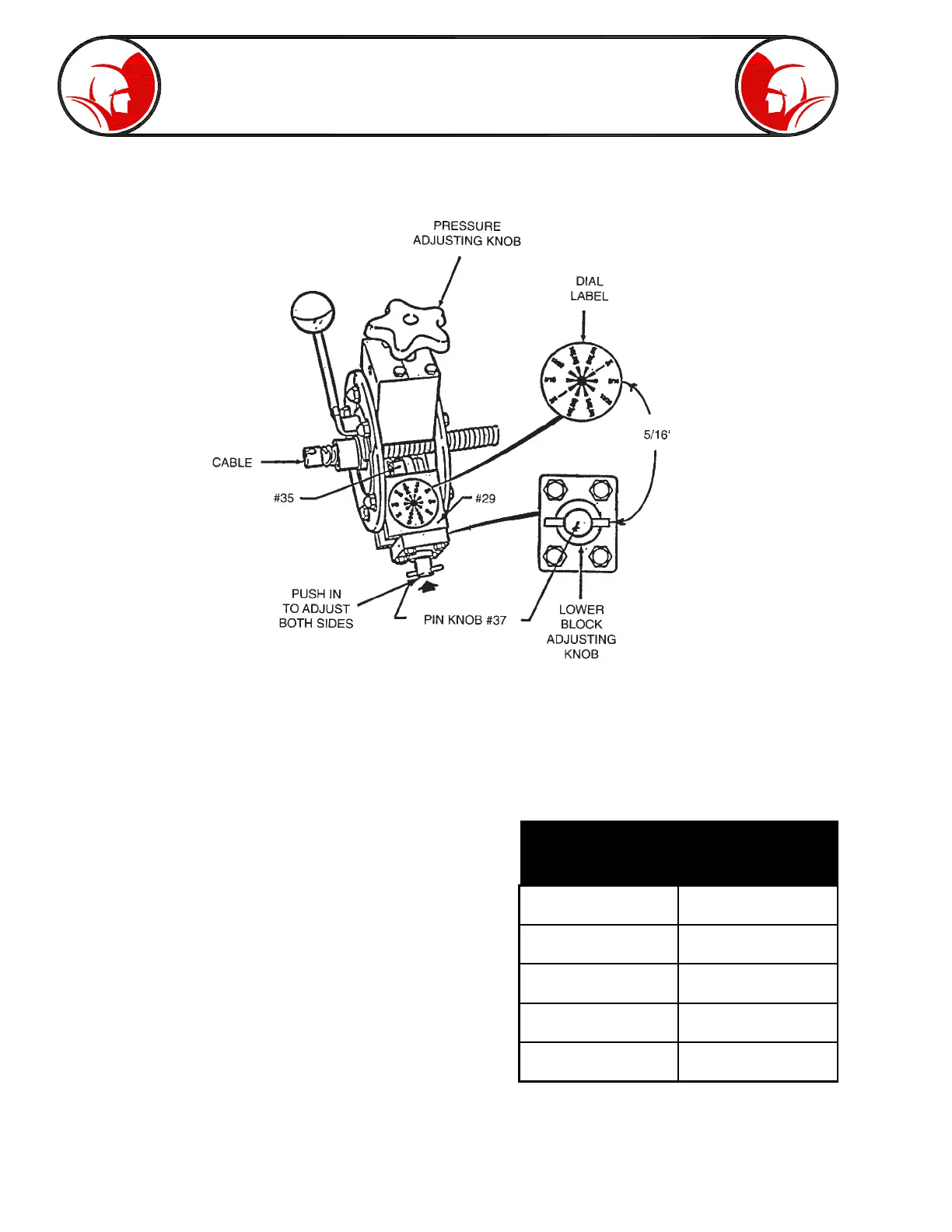
Fig. 2
Fig. 3
Cable Diameter Set Power
(Inches) Cable Feed
5/16" 5/16"
3/8" or 13/32" 13/32"
1/2" or .55" 1/2"
5/8" or .66" 5/8"
3/4" 3/4"
To adjust for cable size, push in on the pin knob (#37) located on the bottom of the bearing blocks
(#29) to unlock from setting. Turn pin knob right/clockwise and pull out. As each cable setting is
reached the knob can be felt locking in. The body assembly (#35) will move in for smaller cable
diameters and out for the larger diameter. As a starting point, push in and turn the pin knob so the pin
in the knob is horizontal (in line with the cable). This setting should match the dial label for 5/16” cable
setting. (The figure in the center of the dial label indicates
pin knob setting if viewed from the block end.) The body
assembly should be in to it’s farthest point. Now, by
pushing in and turning the pin knob right/clockwise
pulling out at the next step should lock into the 13/32”
setting, the next 1/2”, etc. The body assembly will
become longer with each rotational movement until
returned to the 5/16” setting (horizontal). Rotating your
Dial-A-Cable through the various settings and matching
the dial label will make it easy to adjust cable size by
feel.
Follow the chart (Fig. 3) to set your Dial-A-Cable for the
cable size you have selected. Make sure both right and
left block settings are the same.
(Refer to Fig. 2 for details)


 To Next Page