7
4 Camera Configuration
Press the “Setup” button to go to the configuration interface.
Note: Wherever applicable, click the “Save” button to save the settings.
4.1 System Configuration
4.1.1 System Information
In the “System Information” interface, the system information of the device is listed.
4.1.2 Date and Time
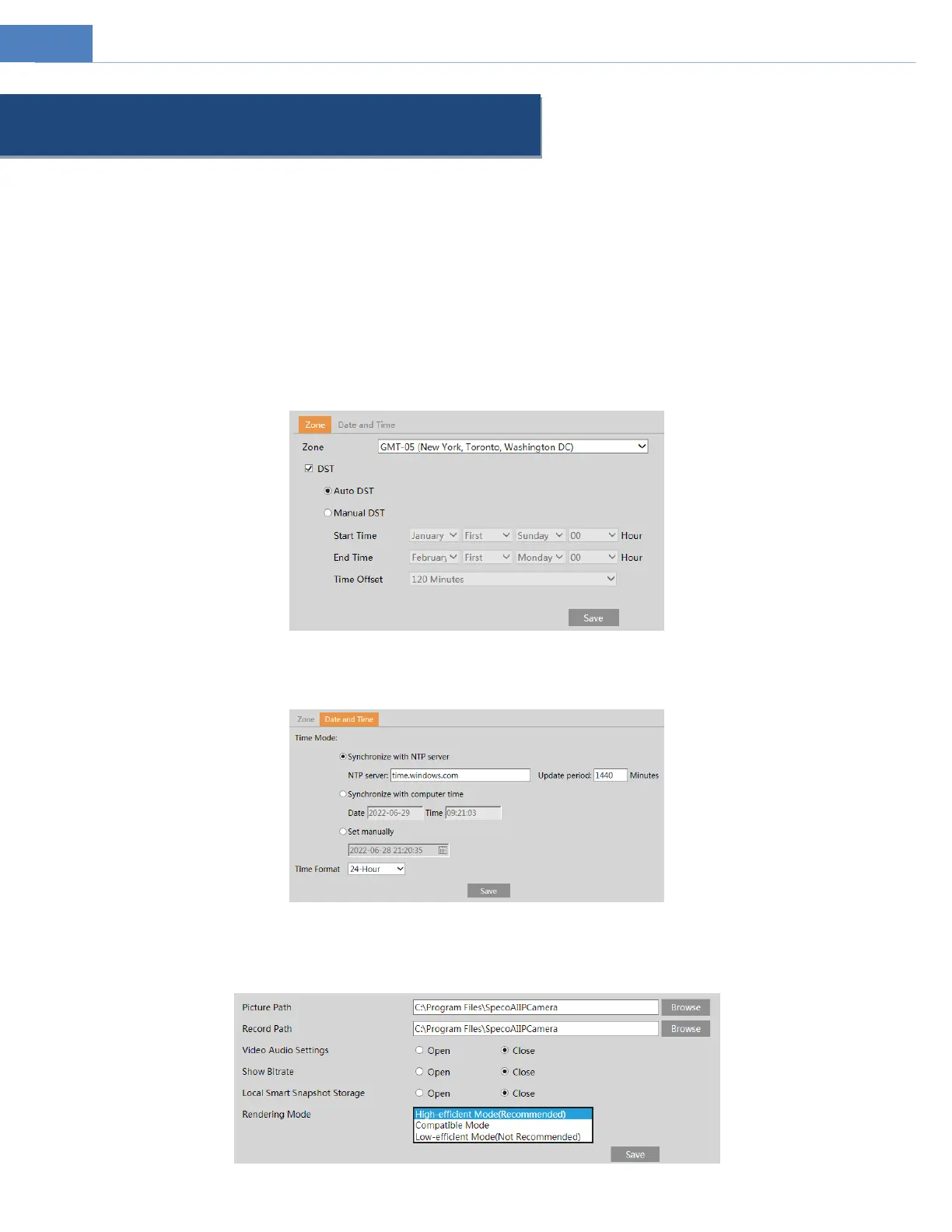
To set the time and date, go to SystemDate and Time. Please refer to the following interface.
Select the applicable time zone and enable / disable DST as needed.
Click the “Date and Time” tab to set the time, date and time format.
4.1.3 Local Recording
Go to SystemLocal Recording to set up the storage path of captured pictures and recorded videos on the local PC. There is also an
option to enable or disable the bitrate display in the recorded files.



 To Next Page