13
4.2.3 OSD Configuration
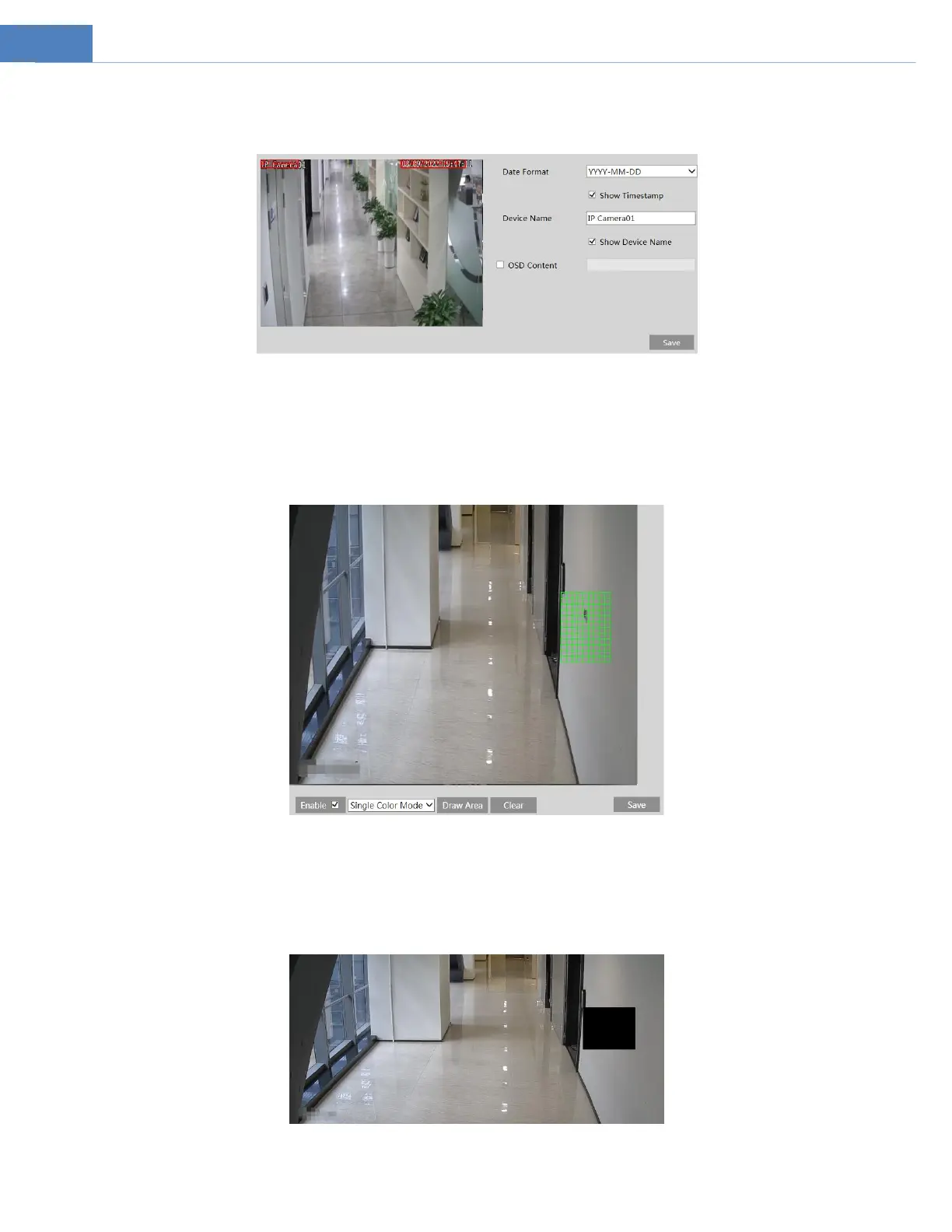
Go to VideoOSD interface as shown below.
Set time stamp, device name, OSD content and picture overlap here. After enabling the corresponding display and entering the
content, drag them to change their position. Then click the “Save” button to save the settings.
4.2.4 Video Mask
Go to ImageVideo Mask interface as shown below. A maximum of 4 zones can be set up.
To set up video mask:
1. Enable video mask.
2. Click the “Draw Area” button and then drag the mouse to draw the video mask area.
3. Click the “Save” button to save the settings.
4. Return to the live to verify that the area have been drawn as shown as blocked out in the image.
To clear the video mask:



 To Next Page