20
4.4.3 Line Crossing
Line Crossing: Alarms will be triggered if the target crosses the defined alarm lines.
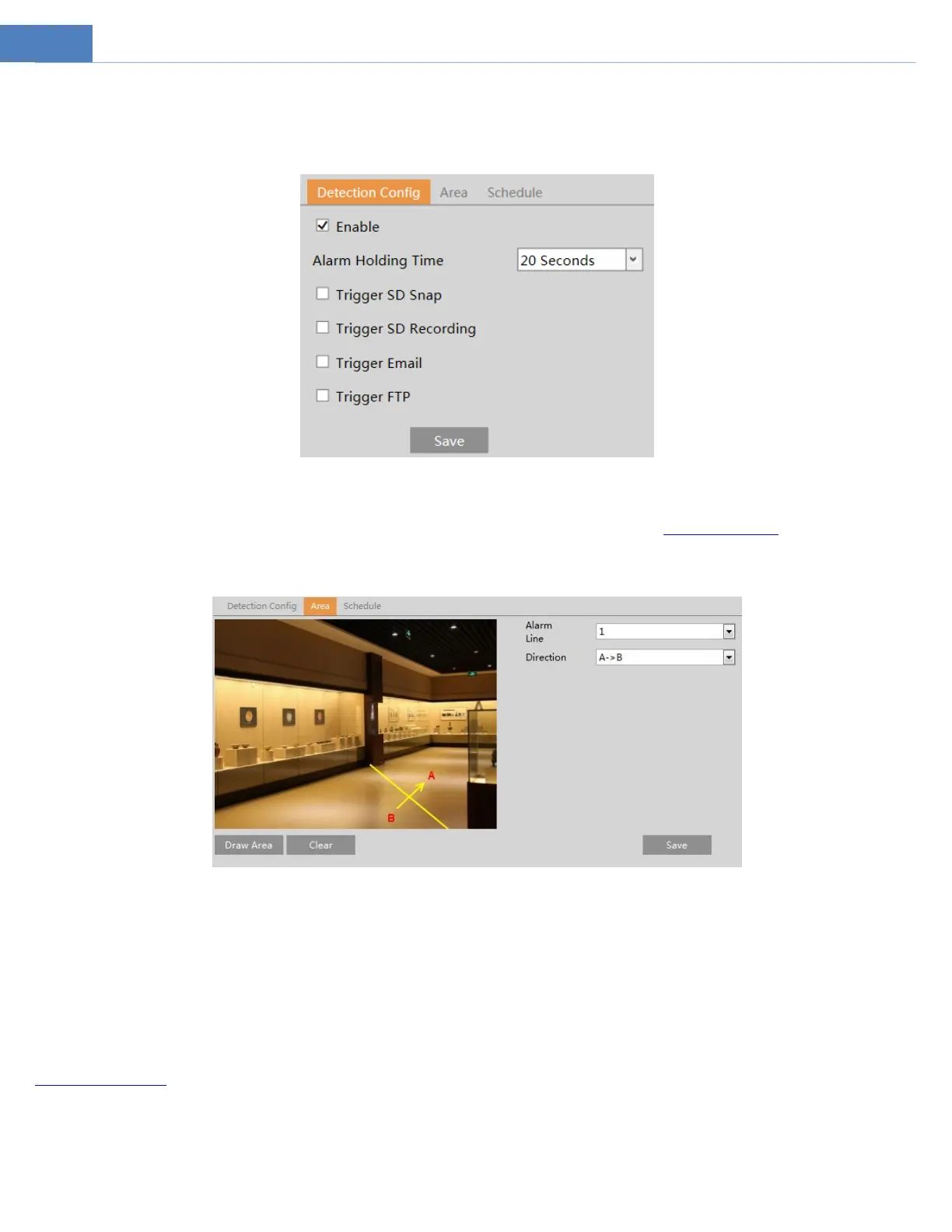
Go to EventLine Crossing interface as shown below.
1. Enable line crossing alarm.
2. Set the alarm holding time.
3. Set alarm trigger options. The setup steps are the same as motion detection. Please refer to motion detection section for details.
4. Click “Save” button to save the settings.
5. Set area and sensitivity of the line crossing alarm. Click the “Area” tab to go to the interface as shown below.
Set the alarm line number and direction. Up to 4 lines can be added. Multiple lines cannot be added simultaneously.
Direction:A<->B, A->B and A<-B optional. This indicates the direction of the intruder who crosses over the alarm line that would
trigger the alarm.
A<->B: The alarm will be triggered when the intruder crosses over the alarm line from B to A or from A to B.
A->B: The alarm will be triggered when the intruder crosses over the alarm line from A to B.
A<-B: The alarm will be triggered when the intruder crosses over the alarm line from B to A.
Click the “Draw Area” button and then drag the mouse to draw a line in the image. Click the “Stop Draw” button to stop drawing.
Click the “Clear” button to delete the lines. Click the “Save” button to save the settings.
6. Set the schedule of the line crossing alarm. The setup steps of the schedule are the same as the schedule recording setup (See
Schedule Recording).
※Configuration of camera and surrounding area
1. Auto-focusing function should not be enabled for line crossing detection.
2. Avoid the scenes with many trees or the scenes with various light changes (like many flashing headlights). The ambient brightness



 To Next Page