40
Appendix
Appendix 1 Troubleshooting
IP Scanner does not show any device.
Make sure that the PC that’s running IP Scanner is on the same local network as the devices.
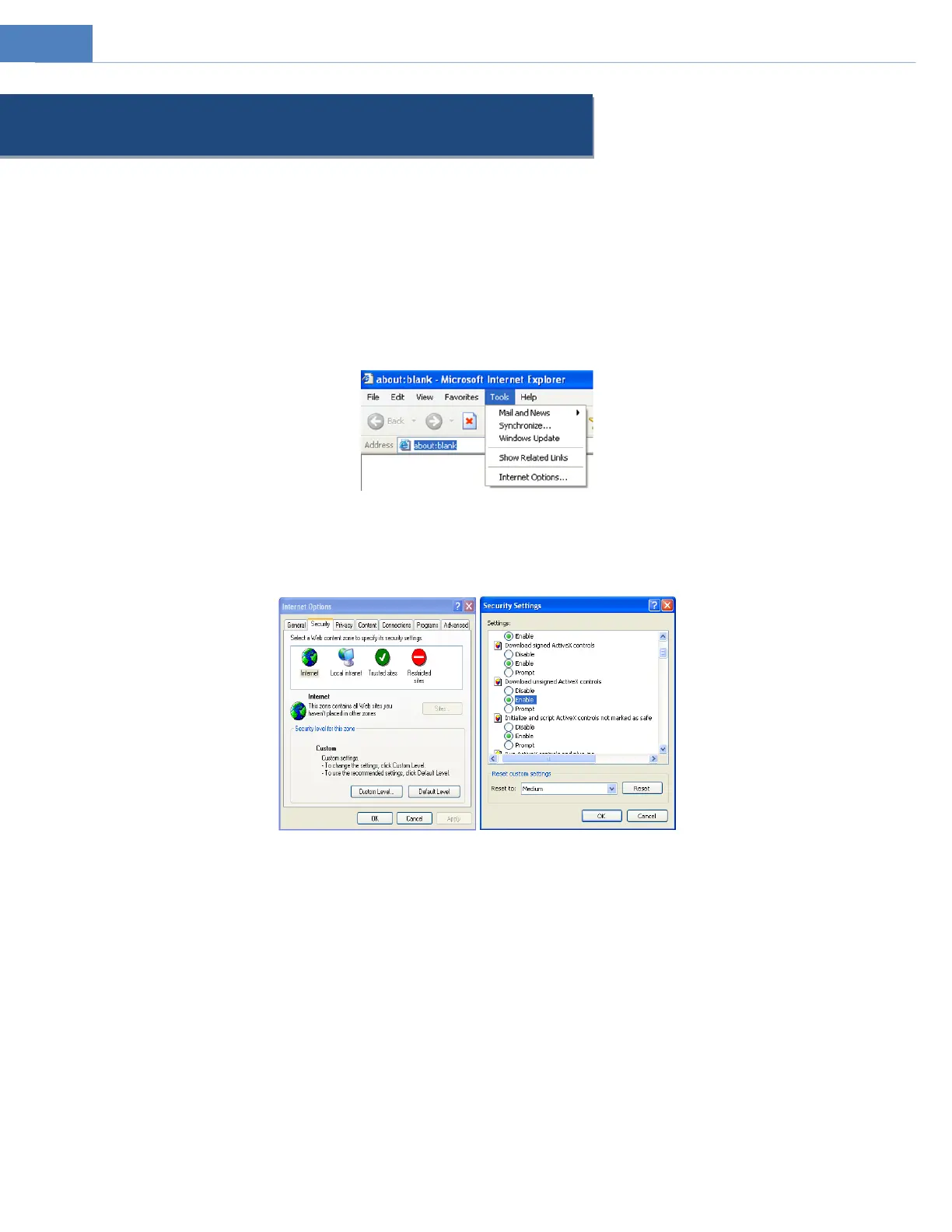
Internet Explorer cannot download ActiveX control.
IE browser may be set up to block ActiveX. Follow the steps below.
1. Open IE browser and then click ToolsInternet Options.
2.Select SecurityCustom Level.
3. Enable all the options under “ActiveX controls and plug-ins”.
4. Click OK to finish setup.
No sound can be heard.
1. Audio input device is not connected. Please connect and try again.
2. Audio function is not enabled at the corresponding channel. Please enable this function.



 To Next Page