21
of the scenes shouldn’t be too low.
3. Cameras should be mounted at a height of 10ft or above.
4. Keep the mounting angle of the camera at about 45°.
5. The detected objects should not be less than 1% of the entire image and the largest sizes of the detected objects should not be
more than 1/8 of the entire image.
6. Make sure cameras can view objects for at least 2 seconds in the detected area for accurate detection.
7. Adequate light and clear scenery are crucial for line crossing detection.
4.4.4 Intrusion
Intrusion: Alarms will be triggered if the target intrudes into the defined areas.
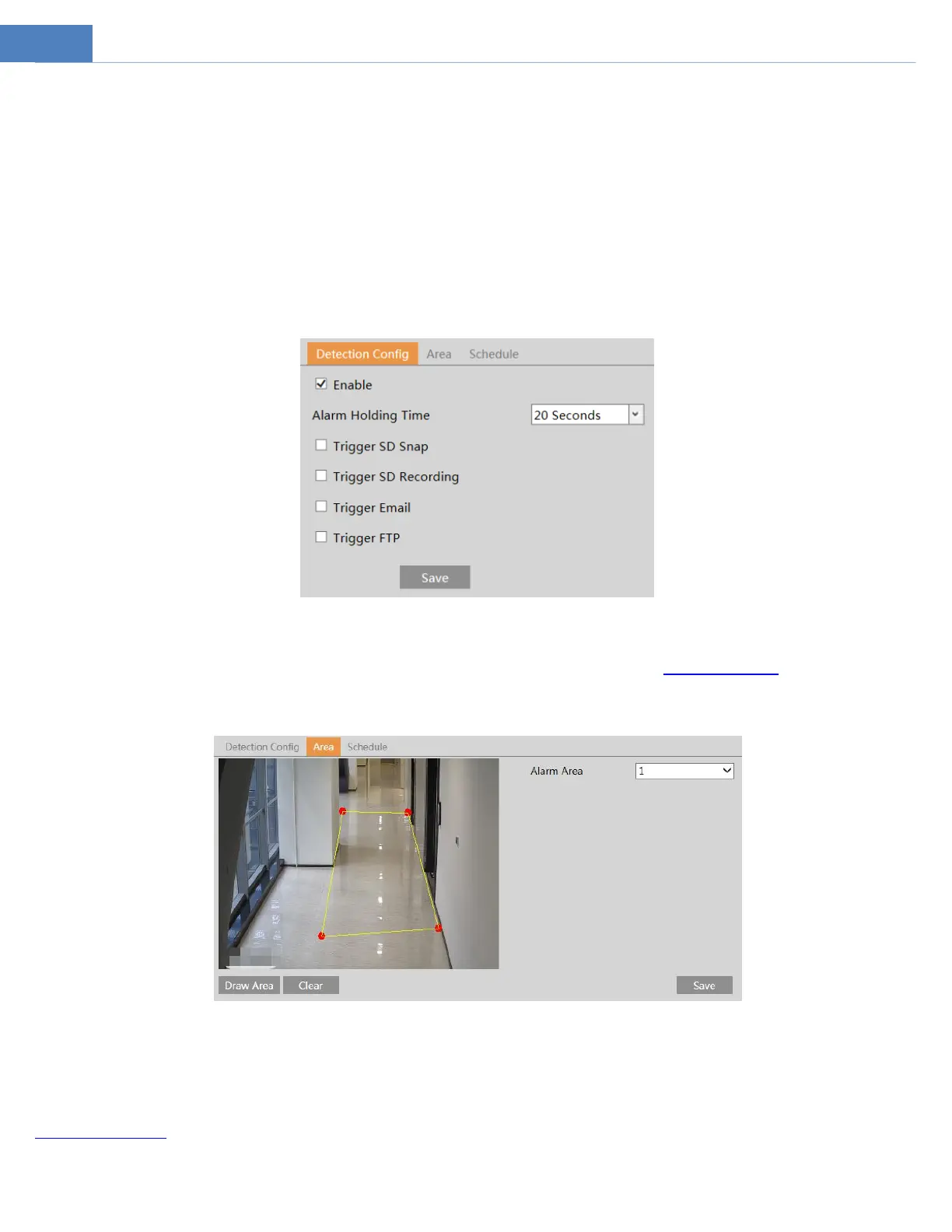
Go to EventIntrusion interface as shown below.
1. Enable intrusion alarm.
2. Set the alarm holding time.
3. Set alarm trigger options. The setup steps are the same as motion detection. Please refer to motion detection chapter for details.
4. Click “Save” button to save the settings.
5. Set the alarm area of the intrusion detection. Click the “Area” tab to go to the interface as shown below.
Set the alarm area number on the right side. Up to 4 alarm areas can be added.
Click the “Draw Area” button and then click around the area where you want to set as the alarm area in the image on the left side
(the alarm area should be a closed area). Click the “Stop Draw” button to stop drawing. Click the “Clear” button to delete the alarm
area. Click the “Save” button to save the settings.
6. Set the schedule of the intrusion detection. The setup steps of the schedule are the same as schedule recording setup (See
Schedule Recording).
※Configuration requirements of camera and surrounding area



 To Next Page