18
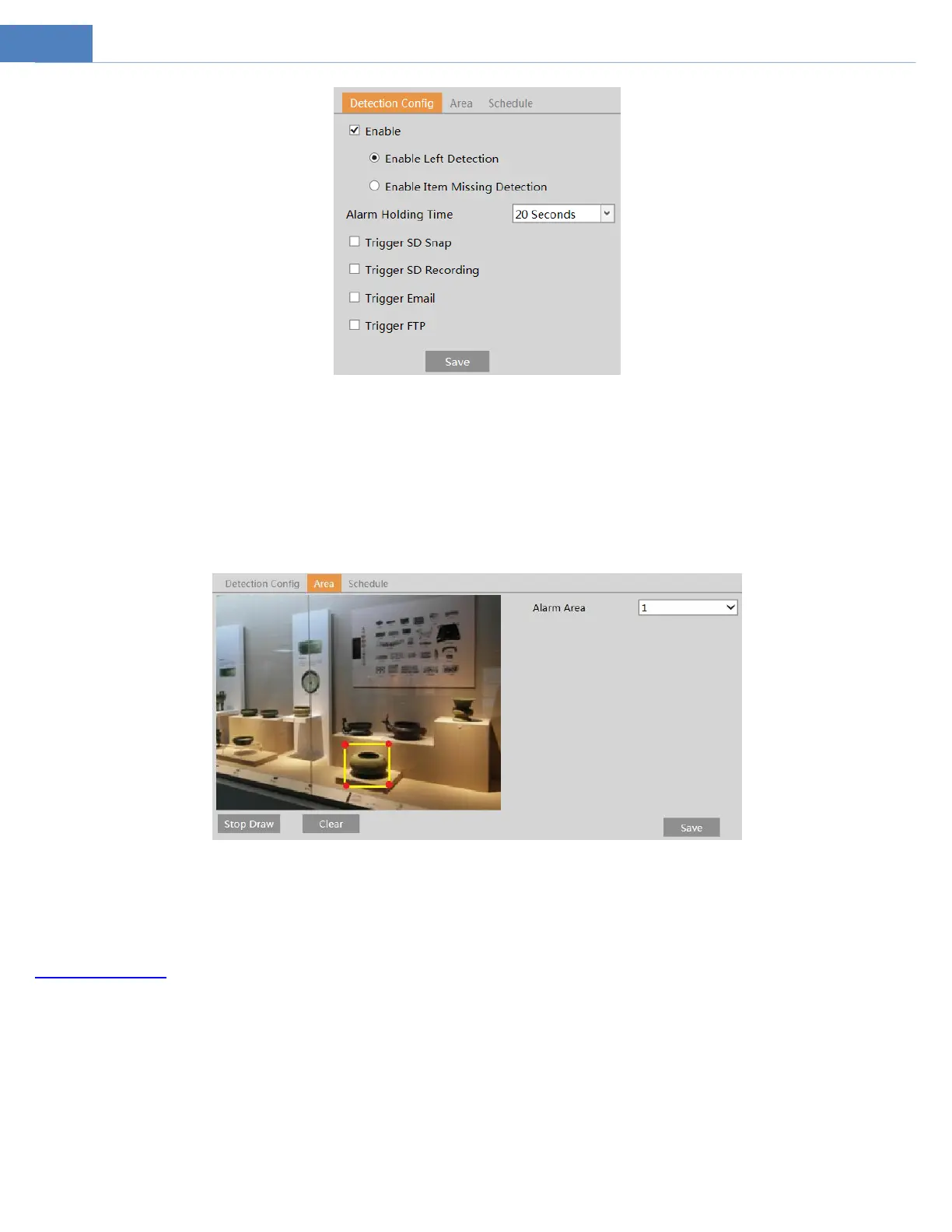
1. Enable object removal detection and then select the detection type.
Enable Left Detection: Alarms will be triggered if there are items left in the pre-defined area.
Enable Item Missing Detection: Alarms will be triggered if there are items missing in the pre-defined area.
2. Set the alarm holding time and alarm trigger options. The setup steps are the same as motion detection. Please refer to motion
detection section for details.
3. Click “Save” button to save the settings.
4. Set the alarm area of the object removal detection. Click the “Area” tab to go to the interface as shown below.
Set the alarm area number and then enter the desired alarm area name. Only one alarm area can be added. Click the “Draw Area”
button and then click around the area where you want to set as the alarm area in the image (the alarm area should be a closed area).
Click the “Stop Draw” button to stop drawing. Click the “Clear” button to delete the alarm area. Click the “Save” button to save the
settings.
5. Set the schedule of the object removal detection. The setup steps of schedule are the same as the schedule recording (See
Schedule Recording).
※ The configuration requirements of camera and surrounding areas
1. The range of the detection object should occupy from 1/50 to 1/3 of the entire image.
2. The detection time of objects in the camera shall be from 3 to 5 seconds.
3. The defined area cannot be covered frequently and continuously (like people and traffic flow).
4. It is necessary for object removal detection that the drawn frame must be very close to the margin of the object in enhancing the
sensitivity and accuracy of the detection.
5. Object removal detection cannot determine the objects’ ownership. For instance, there is an unattended package in the station.
Left object detection can detect the package itself but it cannot determine to whom it belongs to.
6. Try not to enable object removal detection when light changes greatly in the scene.
7. Try not to enable object removal if there are complex and dynamic environments in the scene.



 To Next Page