30
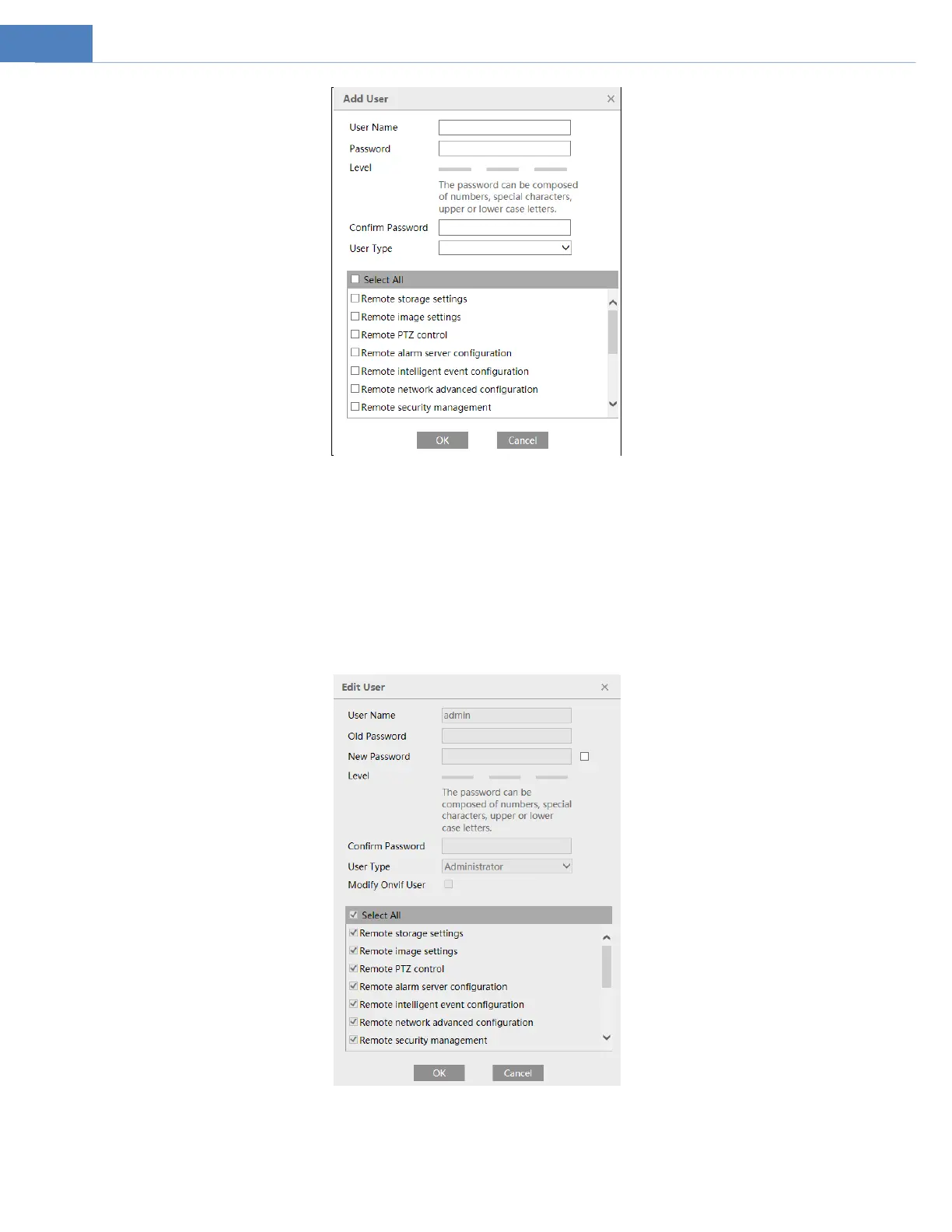
2. Enter user name in “User Name” textbox.
3. Enter letters or numbers in “Password” and “Confirm Password” textbox. Please set the password according to the requirement of
the password security level (Go to SetupSecuritySecurity ManagementPassword Security interface to set the security level).
4. Choose the user type and select the permission.
6. Click the “OK” button and then the newly added user will be displayed in the user list.
Modify user:
1. Select a user to modify password and MAC address if necessary in the user configuration list box.
2. The “Edit user” dialog box pops up by clicking the “Modify” button.
3. Enter the old password of the user in the “Old Password” text box.
4. Enter the new password in the “New password” and “Confirm Password” text box.
5. Modify the permission as necessary.



 To Next Page