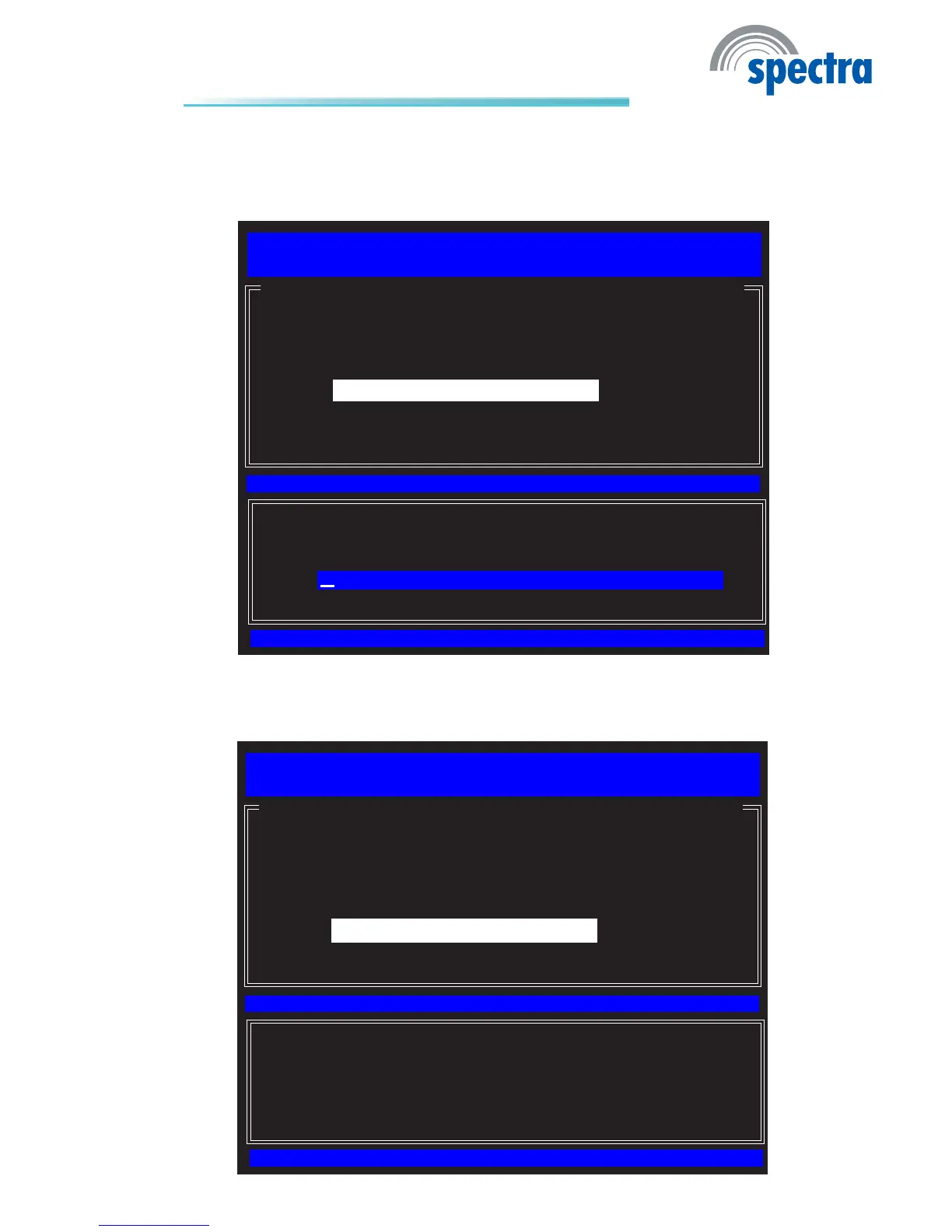
41. In the Intel(R) Automated Setup and Conguration menu, select Pro-
visioning Server FQDN.
EntertheFQDMof provisioning serverthenpress
Enter.
[ESC]=Exit
[ENTER]=Submit
[ INTEL(R) AUTOMATED SETUP AND CONFIGURATION ]
Intel(R) Management Engine BIOS Extension v6.0.3.0014/Intel(R) ME v6.0.0.1184
Copyright(C) 2003-09 Intel Corporation. All Rights Reserved.
Current Provisioning Mode
Provisioning Record
RCFG
Provisioning Server IPV4/IPV6
Provisioning Server FQDN
TLS PSK
TLS PKI
Previous Mode
Enter FQDM of provisioning server
42. In the Intel(R) Automated Setup and Conguration menu, select TLS
PSK then press Enter.
[ESC]=Exit
[ENTER]=Submit
[ INTEL(R) AUTOMATED SETUP AND CONFIGURATION ]
Intel(R) Management Engine BIOS Extension v6.0.3.0014/Intel(R) ME v6.0.0.1184
Copyright(C) 2003-09 Intel Corporation. All Rights Reserved.
Current Provisioning Mode
Provisioning Record
RCFG
Provisioning Server IPV4/IPV6
Provisioning Server FQDN
TLS PSK
TLS PKI
Previous Mode



 To Next Page