EasyManua.ls Logo

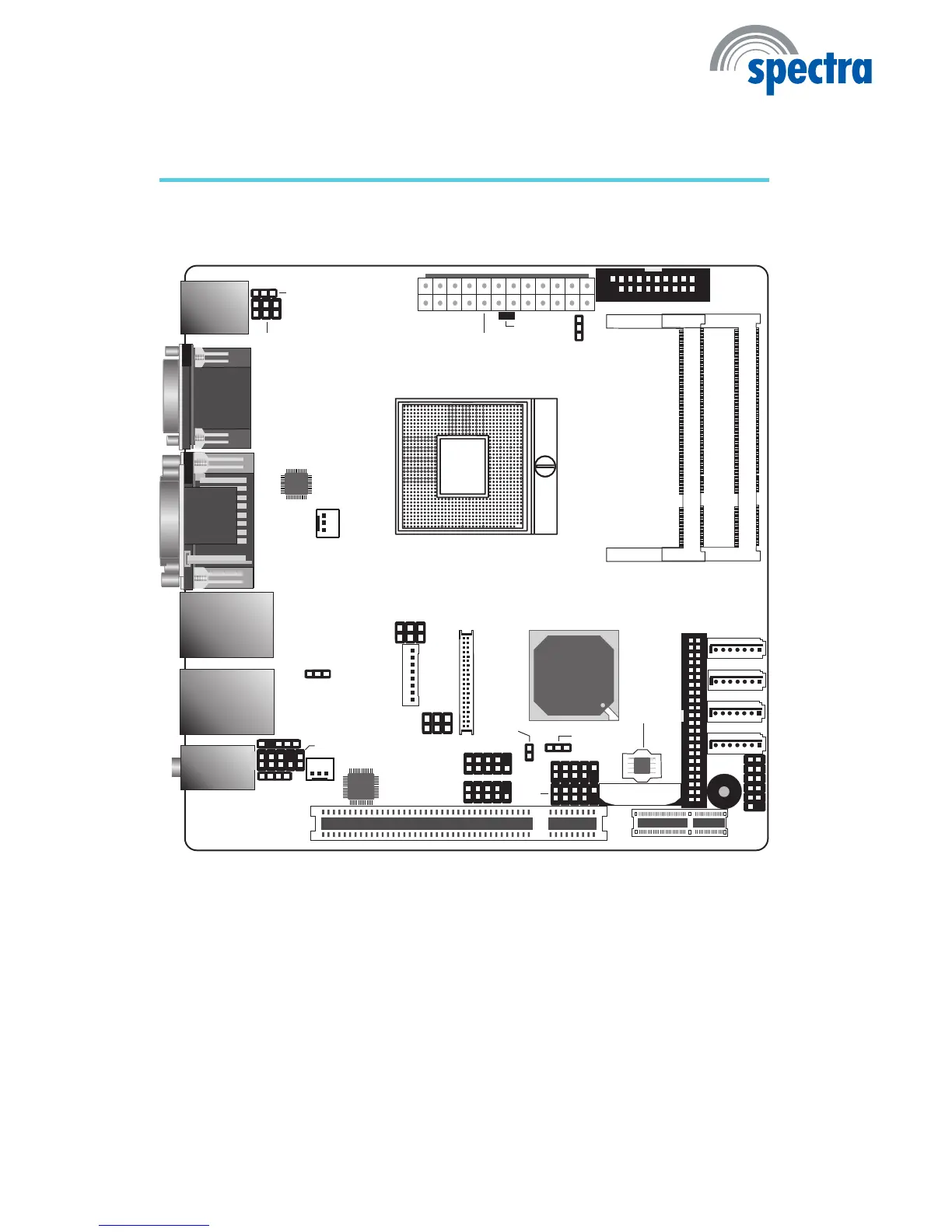
Spectra SAM-3040D - Chapter 2 - Hardware Installation; System Board Layout

Default Icon
164 pages
Print Icon
To Next Page IconTo Next Page
To Previous Page IconTo Previous Page
Loading...
16
2
Hardware Installation
System Board Layout
Chapter 2 - Hardware Installation
SATA 0
1
SATA 1
1
SATA 4
1
SATA 5
1
Clear CMOS
(JP5)
1
CPU fan
USB 2-3
1
SPI Flash
BIOS
1
Front audio
1
DIO
1
2
19
COM 2
COM 1
DVI-I port
(DVI-D signal only)
LAN1(Intel)
USB 1
USB 0
LAN2(Realtek)
USB 9
USB 8
Mic-in
Line-in
Line-out
13
ATX power
12
24
1
1
LCD/Inverter
power
1
Fintek
F81216
USB 0-1, 8-9 power
select (JP2)
Power-on
select ()JP6
1
System fan
CD-in
S/PDIF
1
1
IDE
1
1
Front
panel
1
1
Battery
Socket G
rPGA 988A
DVI-I
VGA
PS/2 power
select (JP1)
COM3
COM4
PCI Express x1
PCI
PS/2 Mouse
PS/2 KB
Chrontel
CH7318C
5
6
1
1
1
2
1
Standby
Power LED
DDR3_2 SODIMM
DDR3_1 SODIMM
Panel power
select ()JP8
2
5
6
COM3 RS232/422/485
select ()JP11
1
2
5
6
LVDS LCD
panel
12
39
40
1
2
9
1
2
9
Chassis
intrusion
USB
4-5
2
Intel
QM57
2
11
COM2 RS232/Power
select (JP4)

Table of Contents

Related product manuals