30
2
Hardware Installation
Power-on Select
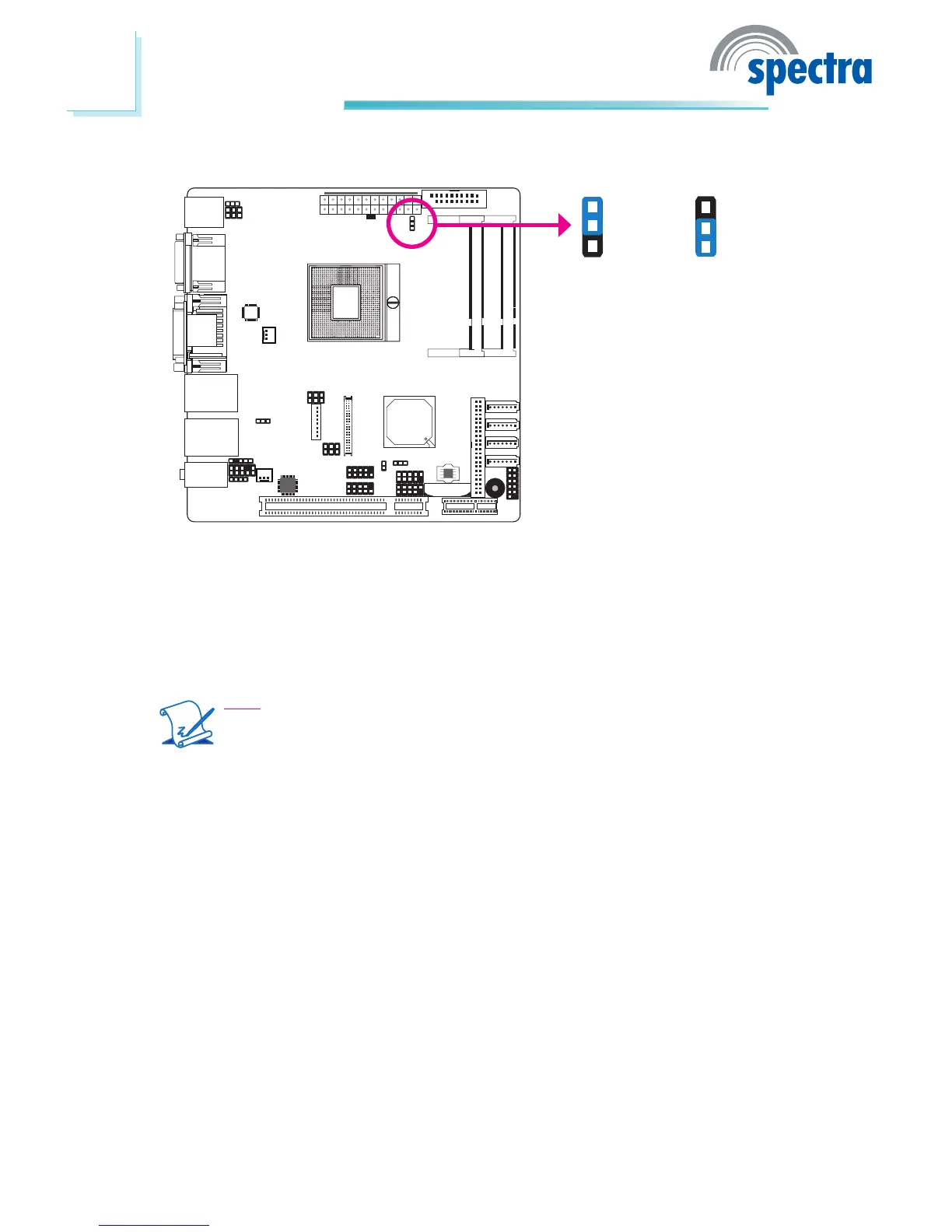
JP6 is used to select the method of powering on the system. If you want the
system to power-on whenever AC power comes in, set JP6 pins 1 and 2 to On. If
you want to use the power button, set pins 2 and 3 to On.
When using the JP6 “Power On” feature to power the system back on after a
power failure occurs, the system may not power on if the power lost is resumed
within 5 seconds (power icker).
Note:
In order to ensure that power is resumed after a power failure that re-
covers within a 5 second period, JP6 must be set to pins 1-2 and the
“Restore AC Power Lost” in CMOS is set to “Power On”.
JP6
2-3 On:
Power-on via
power button
1-2 On:
Power-on via
AC power
(default)
1
3
2
1
3
2



 To Next Page