Spectralink 7622/7642 Handset User Guide
Spectralink 76-Series Handset User Guide.docx
April 2023 22
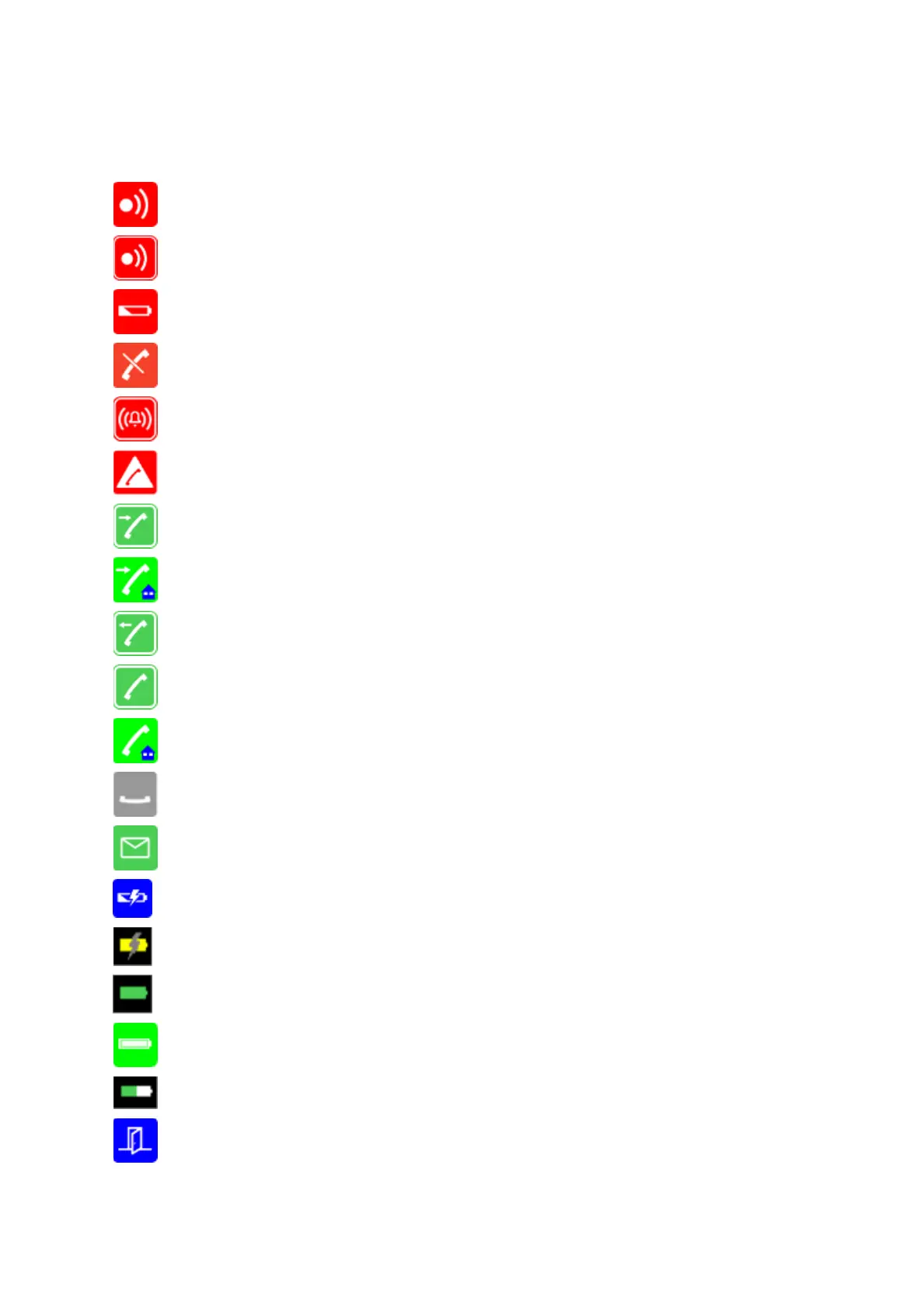
The following icons may appear in Status Bar or Display Center:
Indicates that the handset will soon be out of range.
Indicates that the handset is out of range or that the system is busy (no speech
channels available).
Indicates that battery capacity is low.
Appears when you miss a call.
Appears when the handset is in alarm state (system dependent). License required.
Appears when you make an emergency call from a locked screen.
Appears when an incoming call arrives.
Appears when a private line call arrives (system dependent and only supported by
Lync/Skype for Business).
Appears when you make a call.
Appears when the handset is off hook or a call is connected.
Appears when a private line call is connected (system dependent and only
supported by Lync/Skype for Business).
Appears when you place a call on hold.
Appears when you receive a message.
Appears when the handset is placed in charger.
Appears when the battery is charging (when handset is turned on in charger)
Appears when the battery is fully charged (when handset is turned on in charger).
Appears when the battery is fully charged (when handset is turned off in charger).
Appears when the battery capacity is decreasing (when handset is out of charger).
Appears when absent in charger is turned on.



 To Next Page