Spectralink 7622/7642 Handset User Guide
Spectralink 76-Series Handset User Guide.docx
April 2023 49
when ending the call, this status changes to e.g. Available. Other users availability are
visible in the Lync/Skype for Business but not in the (missing or bad snippet), here only the
handset user's availability is displayed.
Note:
Skype for Business makes it possible to define a Private Line and assign private
numbers to a user at which the user can be reached directly independent of which
Presence status is used. Normal incoming calls do not come through if presence is set
to Do Not Disturb, while incoming private line calls do come through. Private line calls
do not follow Do Not Disturb settings. The private line numbers do not appear in the
phone book directories.
appears when incoming private line call arrives.
appears when in a private line call.
Normal handset functionality, such as e.g. Call Forward, does not work when receiving
a private line call.
Contact your system administrator for more information.
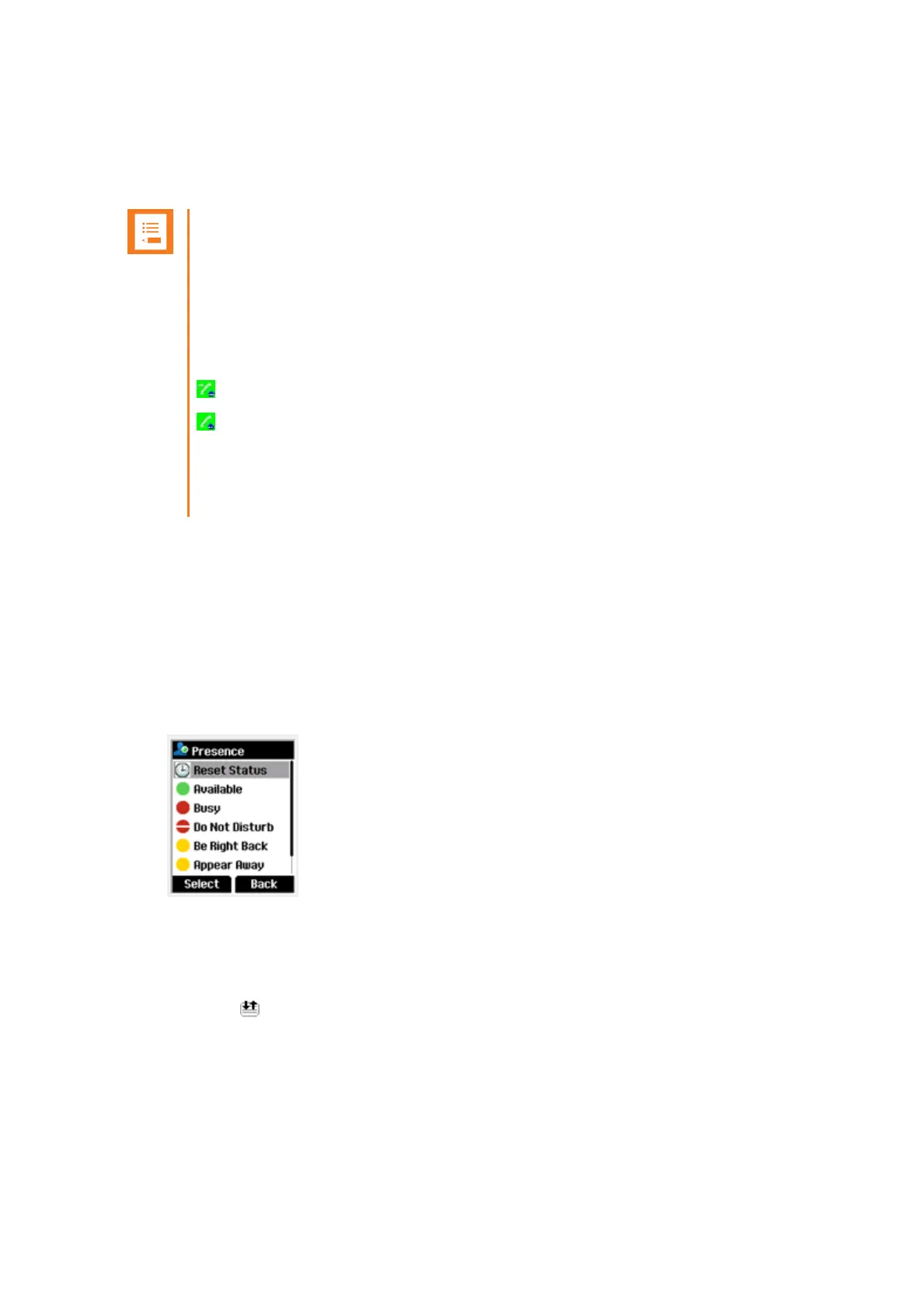
From the Presence menu, you can set the following status about your presence:
• Available
• Busy
• Do Not Disturb
• Be Right Back
• Appear Away
The selected status is shown with an icon in the handset display.
The same Presence status is shown in the Lync/Skype for Business Client.
MSF Function
MSF Function is based on MSF (Message Service Function).
The MSF Function is system dependent and requires special software in the main system.
Contact your system administrator for more information.



 To Next Page