BROADSOFT PARTNER CONFIGURATION GUIDE – SPECTRALINK IP-DECT SERVER SERIES 20-BD5445-00
©
2019 BROADSOFT INC. PAGE 39 OF 49
To integrate the edge device with Device Management, the SBC address tag
(%SBC_ADDRESS%) defined in section 5.2.1.1 Create System Default Tags must be
overridden at the group level with the LAN address of the edge device. To do so, perform
that following steps.
1) At the Group → Utilities → Configure Device page, select the Spectralink device
profile (for example, Spectralink-IP-DECT-400).
2) Click on the Custom Tags tab.
3) Click Add.
4) For the tag, enter “SBC_ADDRESS”.
5) For the value, enter the edge device LAN IP address.
6) To save the tag data, click OK.
Repeat these steps for each Spectralink model provisioned in the group.
5.2.5.2 Device Credentials
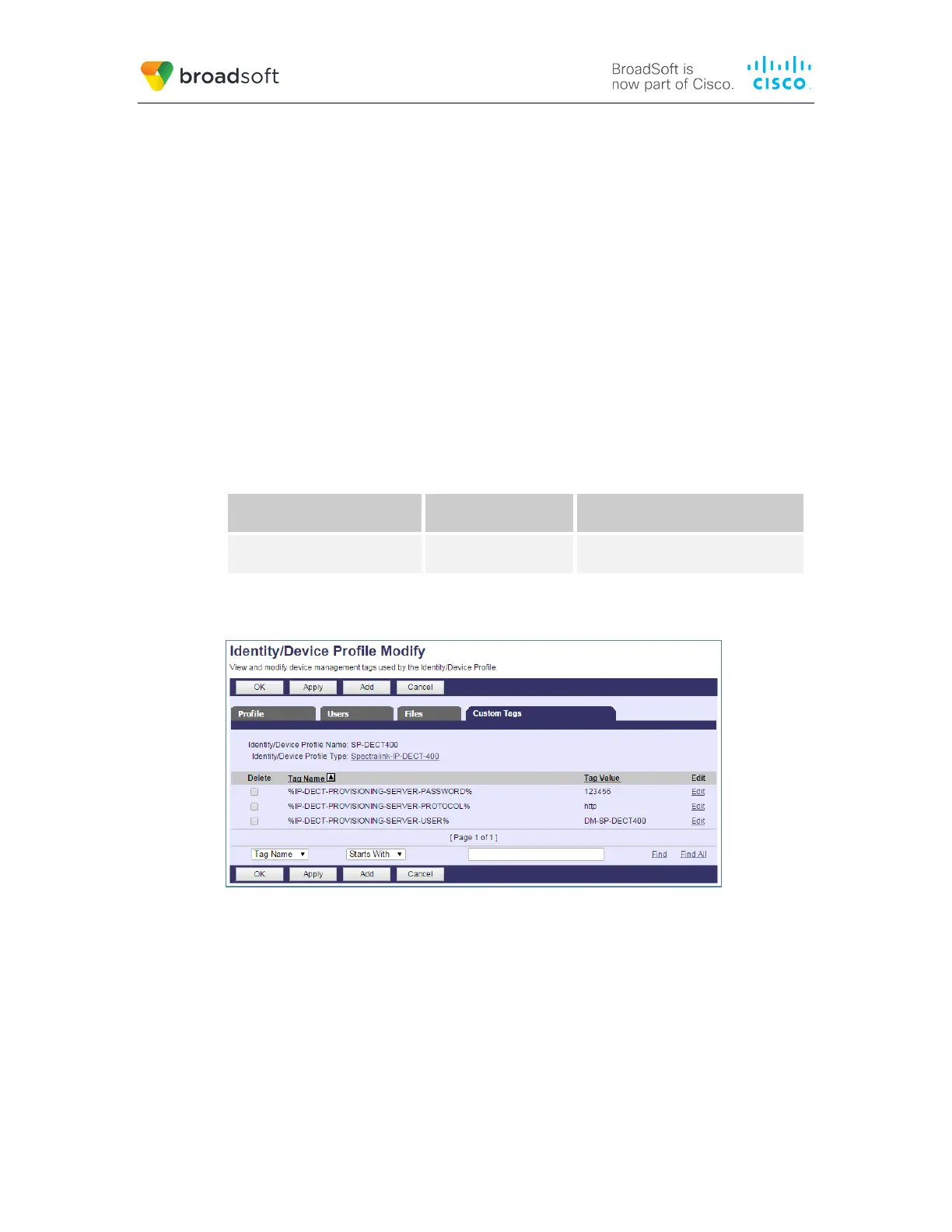
The IP-DECT Server requires these following parameters to be customized for each
device profile:
%IP-DECT-PROVISIONING-
SERVER-USER%
Device Access User
Name
Device Access User Name
%IP-DECT-PROVISIONING-
SERVER-PASSWORD%
Device Access
Password
Device Access User Password
Provide the device profile specific values to these tags.
Example Custom Tags
Figure 10 Custom Tags
5.2.6 Configure Spectralink IP DECT Server
This section describes the steps necessary to configure the Spectralink IP DECT Server to
integrate with BroadWorks Device Management.
Browse to the web interface of the IP-DECT Server, http://<IP-DECT and log in. The
default credentials are “admin/admin”.
Go to Configuration → Provisioning and configure the method and URL. The Method
must be “Static” and the URL must contain the protocol, credentials, address and path to
the provisioning files.



 To Next Page