BROADSOFT PARTNER CONFIGURATION GUIDE – SPECTRALINK IP-DECT SERVER SERIES 20-BD5445-00
©
2019 BROADSOFT INC. PAGE 40 OF 49
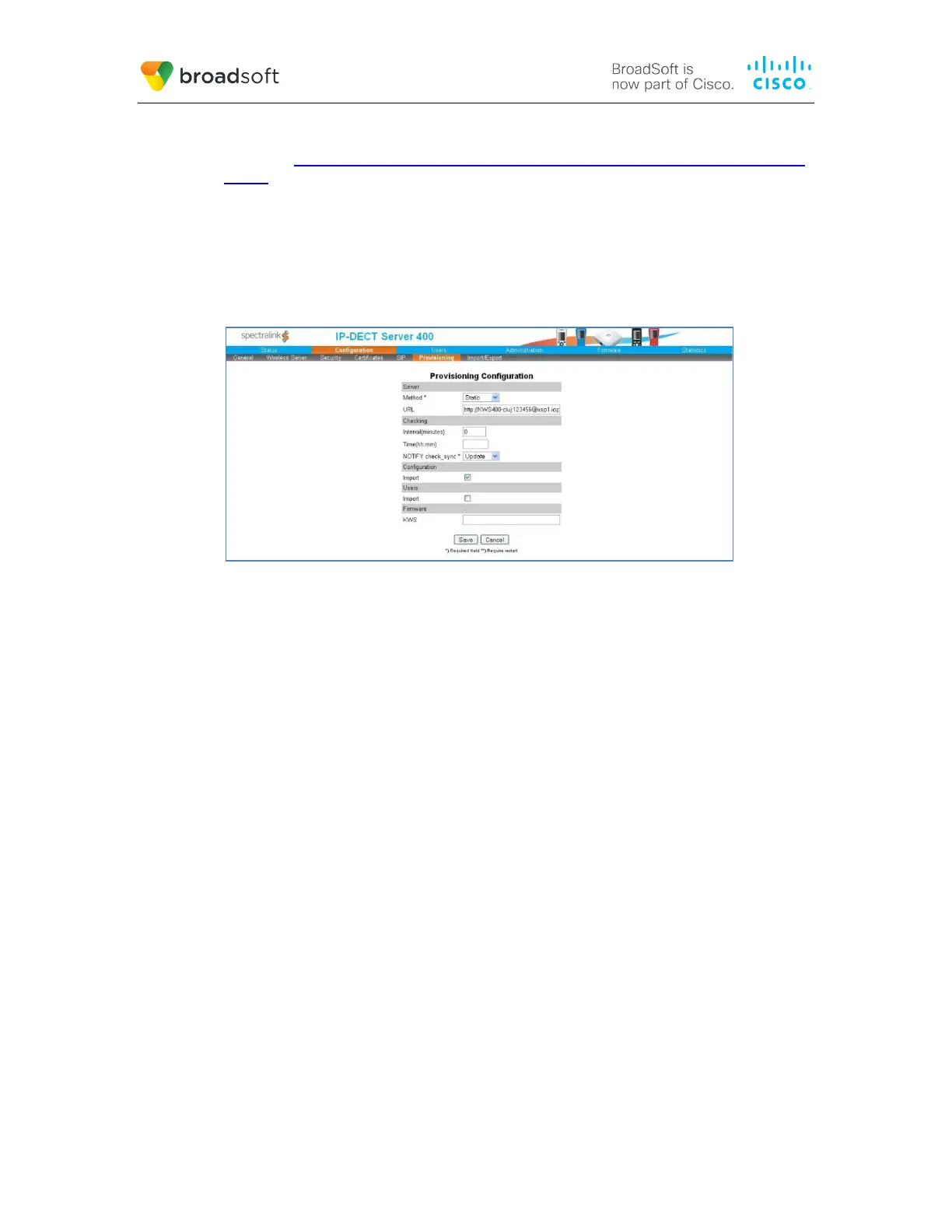
Format: http|https://<username>:<password>@<host>:<port>/<path>
Example: http://KWS400-cluj:123456@xsp1.iop1.broadworks.net:80/dms/Spectralink-IP-
DECT/
Where:
<username> is the Device Access User Name.
<password> is the Device Access Password.
<host>:<port>/<path> is the Device Type URL.
Example Provisioning Configuration Screen
Figure 11 Example Provisioning Configuration Screen
5.2.7 File Authentication Using MAC Address from Client Certificate
This section describes the steps necessary to configure BroadWorks to perform device
management file authentication using the MAC address obtained from the phone’s
HTTPS client certificate. This secure authentication method based on MAC address is a
new feature available from BroadWorks Release 22.0.
Prior to configuring for the MAC address authentication, mutual HTTPS authentication
must be established among the Spectralink IP DECT server and BroadWorks. That is by
the implication of client certificate authentication, HTTPS must be enabled on the DECT
server to trust BroadWorks server certificate. Furthermore, HTTPS client certificates
offered by the DECT server containing the MAC address must also be trusted by
BroadWorks.
From factory, each Spectralink DECT Server is installed with a client certificate that is
signed by Spectralink certificate authority. The public certificates of Spectralink’s
certificate authority can be obtained from Spectralink. The Spectralink certificate should
be installed on the Device Management deploying Xtended Services Platform.
The Spectralink IP DECT Server Series CPE kit starting from PCS18bA version contains
additional Device Management DTAF files with support of MAC address authentication
using client certificate. These DTAF files can be identified with the appending suffix of
“_MAC” (Example: Spectralink-IP-DECT-2000_MAC.zip); follow the instructions in section
5.2.2.1 Configuration Method 1: Import to import these DTAF onto BroadWorks. After
importing the DTAF files, follow instructions in section 5.2.7.1 Create or Modify Device
Profile Instance using MAC Address from Client Certificate to create corresponding device
profile instances.



 To Next Page