BROADSOFT PARTNER CONFIGURATION GUIDE – SPECTRALINK IP-DECT SERVER SERIES 20-BD5445-00
©
2019 BROADSOFT INC. PAGE 32 OF 49
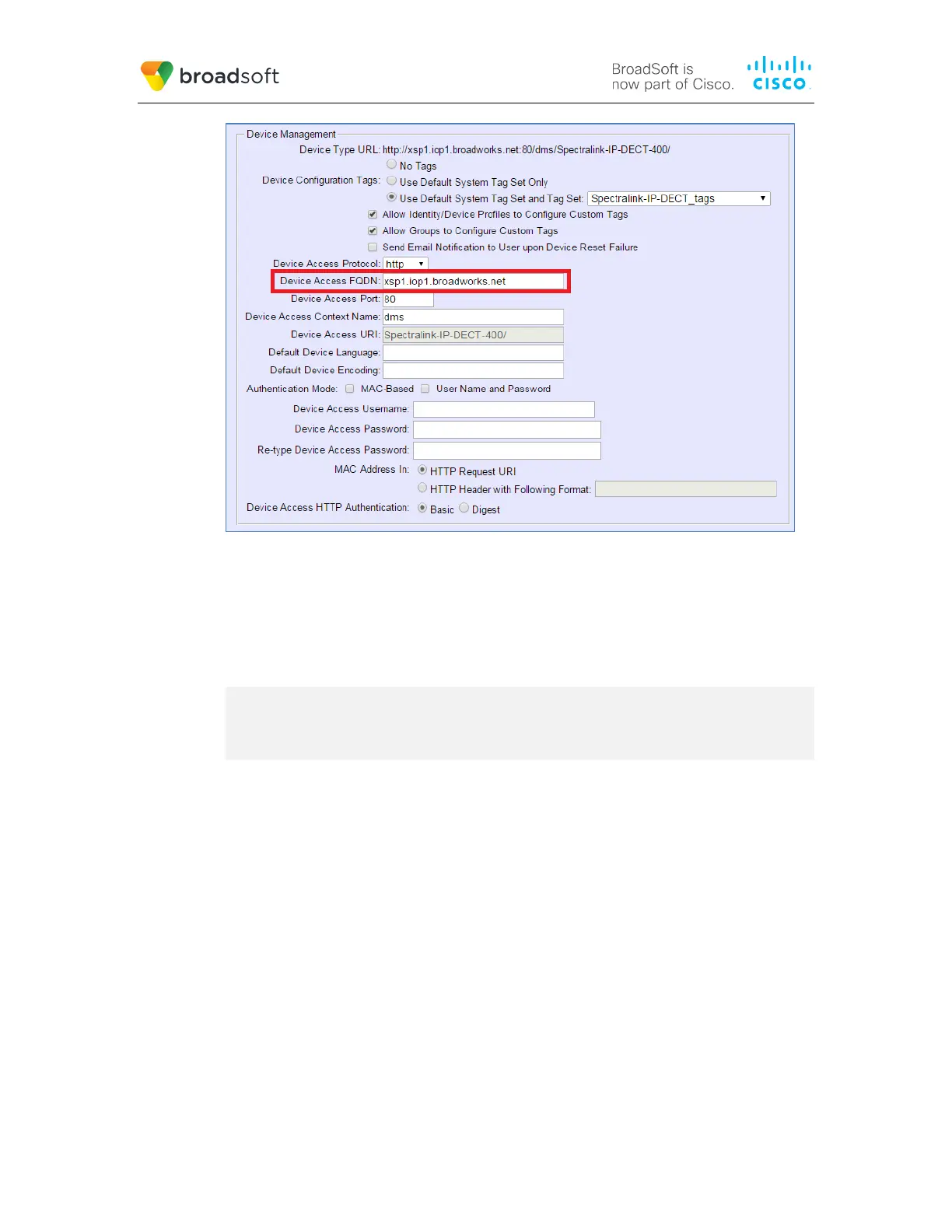
Figure 4 Device Access FQDN
7)
Click the Files and Authentication link and then select the option to rebuild all the
system files.
Firmware files must be obtained from Spectralink. These files are not included in the
import. Complete the steps in section 5.2.2.2.2 Define Device Profile Type Files to
define the static firmware files and to upload the firmware.
NOTE: The non-firmware static files in section 5.2.2.2.2 Define Device Profile Type Files are
normally included in the import.
5.2.2.2 Configuration Method 2: Manual
This section identifies the basic steps necessary for an administrator to manually configure
BroadWorks to add the Spectralink IP-DECT Server Series as Device Management-
enabled device types. This method should not be used except in special cases as
described in the opening to section 5.2.2 Configure BroadWorks Device Profile Type.
For more detailed instruction on manual configuration, refer to the BroadWorks CPE Kit
Usage Guide [8] and the BroadWorks Device Management Configuration Guide [2].
The steps in this section can also be followed to update previously imported or configured
device profile type(s) with new configuration files and firmware.
If there are DTAFs for more than one device model, these steps must be completed for
each model.
5.2.2.2.1 Create or Modify Device Profile Type
This section identifies the BroadWorks device profile type settings relevant to Device
Management for the Spectralink IP-DECT Server Series.



 To Next Page