BROADSOFT PARTNER CONFIGURATION GUIDE – SPECTRALINK IP-DECT SERVER SERIES 20-BD5445-00
©
2019 BROADSOFT INC. PAGE 34 OF 49
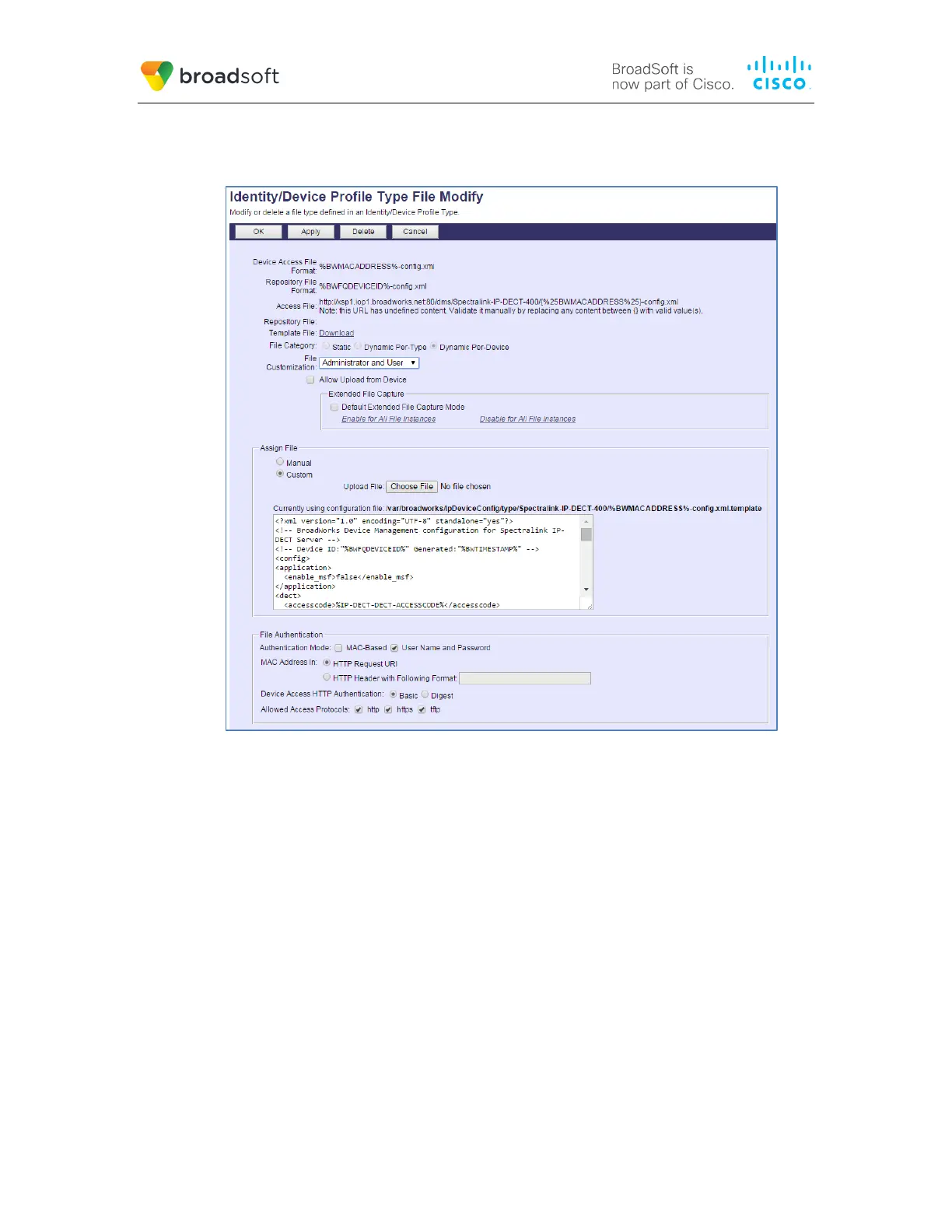
After creating the device profile type file, upload %BWMACADDRESS%-config.xml, which
is extracted from the CPE kit obtained from Spectralink. Use the Browse button on the
file definition screen. Be sure to click Apply after uploading the file.
Figure 5 %BWMACADDRESS%-config.xml File Settings
5.2.2.2.2.2 %BWMACADDRESS%-users.xml
Add the %BWMACADDRESS%-users.xml file to the device profile type with the settings
shown in Figure 6.
After creating the device profile type file, upload %BWMACADDRESS%-users.xml, which
is extracted from the CPE kit obtained from Spectralink. Use the Browse button on the
file definition screen. Be sure to click Apply after uploading the file.



 To Next Page