BROADSOFT PARTNER CONFIGURATION GUIDE – SPECTRALINK IP-DECT SERVER SERIES 20-BD5445-00
©
2019 BROADSOFT INC. PAGE 25 OF 49
5.2.1 Configure BroadWorks Tags
The template files in Device Management use tags to represent the data stored on
BroadWorks. When a configuration changes for a user, Device Management parses the
template files and replaces the Device Management tags with the associated data stored
on BroadWorks. There are default tags defined in the Device Management software and
there are custom tags that the service provider can create and define via the web portal for
use by Device Management. There are two types of custom tags that can be defined:
system-default tags that are common to all devices on the system and device type-specific
tags that are common to Spectralink device models only.
The Spectralink IP-DECT Server Series make use of custom tags which can be
configured by a BroadWorks administrator as either system default or device type-specific
tags. This section identifies the required tags.
5.2.1.1 Create System Default Tags
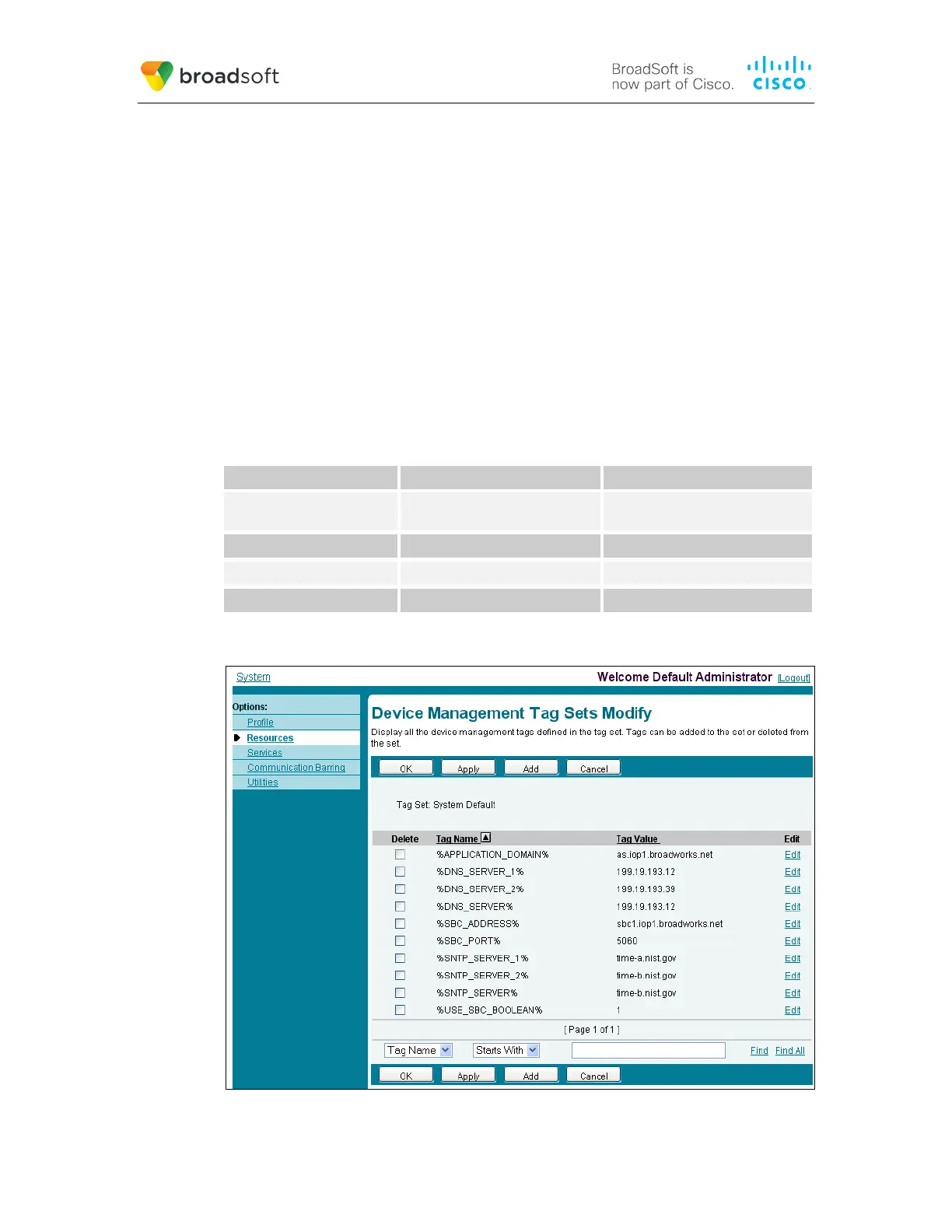
Browse to System → Resources → Device Management Tag Sets and select the System
Default tag set. The Spectralink configuration templates make use of the tags in the
following table. Add the tags if they do not already exist.
Tag Name Valid Settings Description
%SNTP_SERVER% IP address/FQDN Network Time Protocol (NTP)
server address.
%DNS_SERVER_1% IP address DNS server address.
%DNS_SERVER_2% IP address DNS server address alternate.
%SBC_ADDRESS% IP address/FQDN SBC SIP address.
Example System Default Tag Settings
Figure 2 System Default Tag Settings



 To Next Page