BROADSOFT PARTNER CONFIGURATION GUIDE – SPECTRALINK IP-DECT SERVER SERIES 20-BD5445-00
©
2019 BROADSOFT INC. PAGE 30 OF 49
Tag Name Valid Settings Description
%IP-DECT-SNMP-
TRAPCOMMUNITY%
trap community name SNMP trap community name.
%IP-DECT-SNMP-
TRAPHOST%
IPv4/IPv6 address / FQDN SNMP trap host.
%IP-DECT-SUOTA-
AUTO%
true/false Specifies if automatic update of
handsets is enabled or disabled.
%IP-DECT-SUOTA-
INCHARGER%
true/false Specifies if only handsets in a
charger should be updated.
%IP-DECT-SUOTA-
LOAD%
medium, low, high Specifies the system load due to
software update, i.e. the number
of simultaneous uploads.
High: 130%, Medium: 100% and
Low: 70%.
Ex. 10 base stations * Low load
(70%) gives 7 simultaneous
updates.
%IP-DECT-SUOTA-
START-TIME%
immediately, hh:mm Specifies when to perform the
update, immediately or at a
specific time within 24h.
%IP-DECT-TIMEZONE% POSIX time zone string
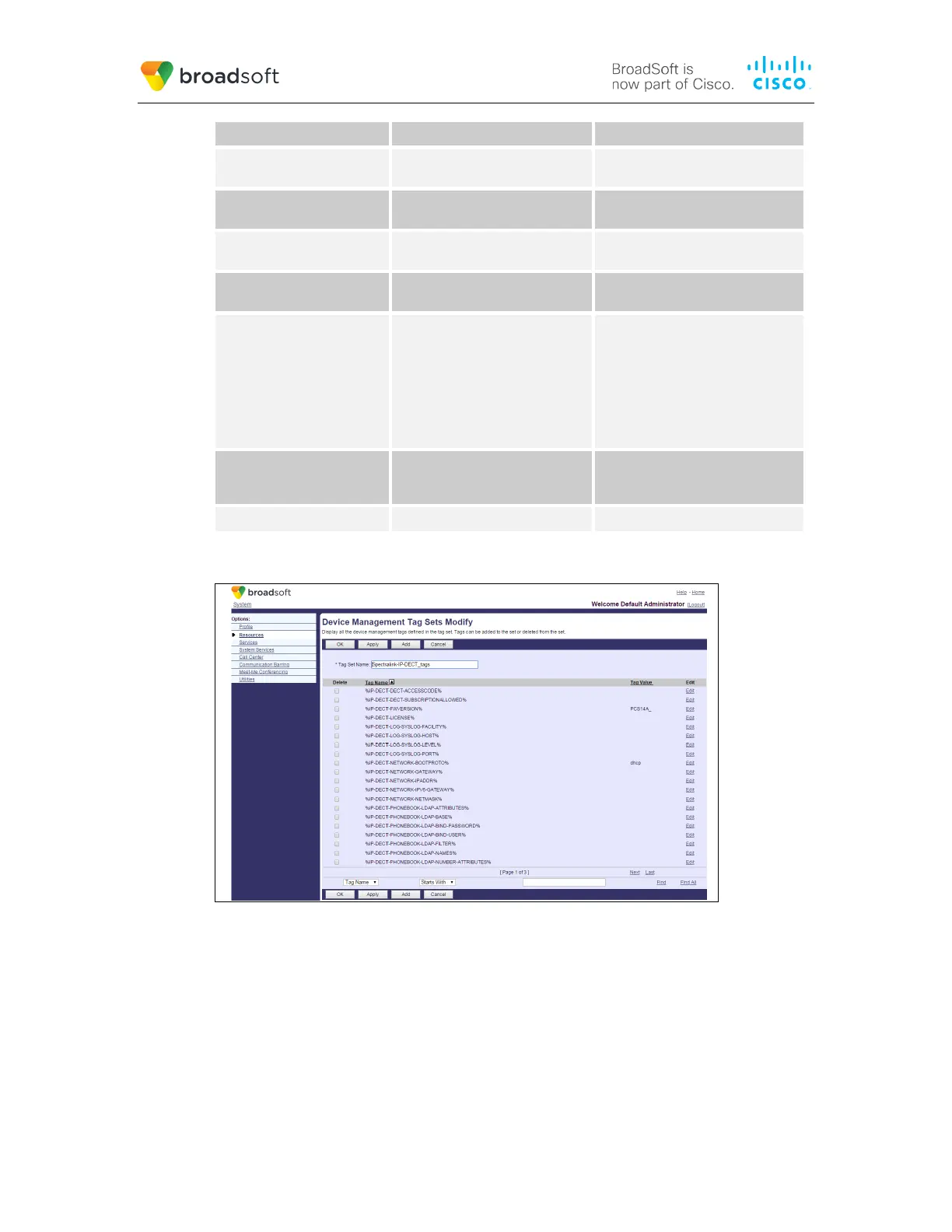
Example Device Type-specific Tag Settings
Figure 3 Device Type-specific Tag Settings
5.2.2 Configure BroadWorks Device Profile Type
The device profile type is a system-level structure that defines how the device interfaces
with BroadWorks. It also identifies the default configuration files and other files, such as
firmware, which are required for the device to operate correctly. The device profile type is
created by the system administrator. Group administrators use the device profile type to
create a device profile. The device profile is an instance of the device profile type that is
associated with a physical device.



 To Next Page