Page 85 of 98
118157-001 Rev C
Software Communication:
When the appropriate cable is connected, power up the computer and ONLY the auxiliary power on the
XRV Generator. Do NOT apply power to the Mains on the generator. Launch the GUI from the computer
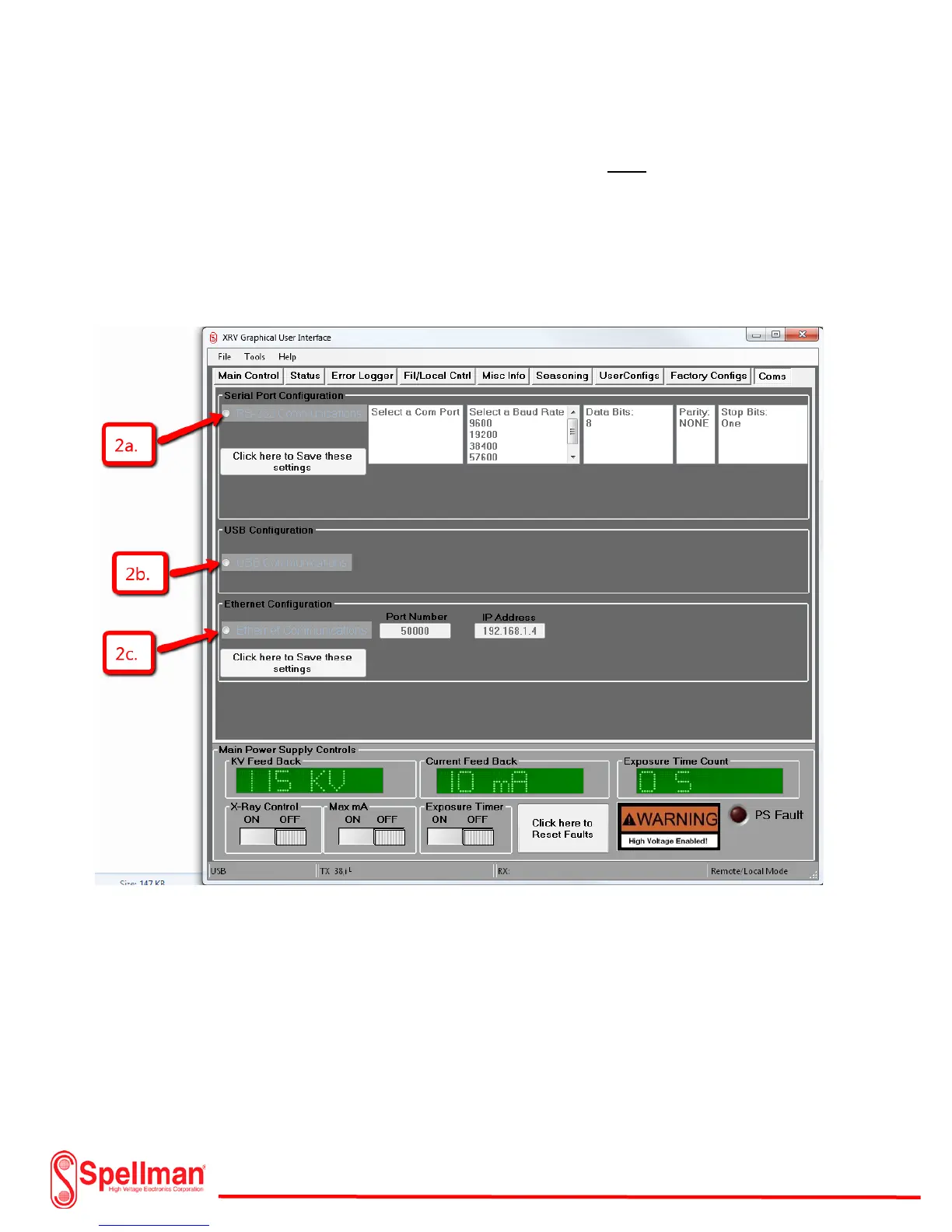
and click on the “Coms” Tab. Select the desired communication setup as illustrated in the diagram.
Note: When using the XRVC control subsystem option, no software installation is necessary.
Note: When using the RS232 method of communication, the user must select a Com
port, Baud Rate, Data Bits, Parity, and Stop Bits. When using the Ethernet method of
communication, the user must select a port number and IP address. Be sure to press
the “Click here to save these settings” button when finished.


 To Next Page