06/02/2020 Vers. 0.0 55
10.4 Automatic Cycle
At first select the desired refrigerant (R134 or HFO1234YF) from the page Home.
ATTENTION! Before selecting the system type make sure that the two HP and LP rapid couplings present at the
end of the hoses are connected to the two male couplings present on the station!
Ensure that in the internal bottle there is a sufficient amount of gas before proceeding.
If the current amount of gas in the internal bottle before starting the stage is less than 1 Kg, the display will show a
“insufficient gas” message.
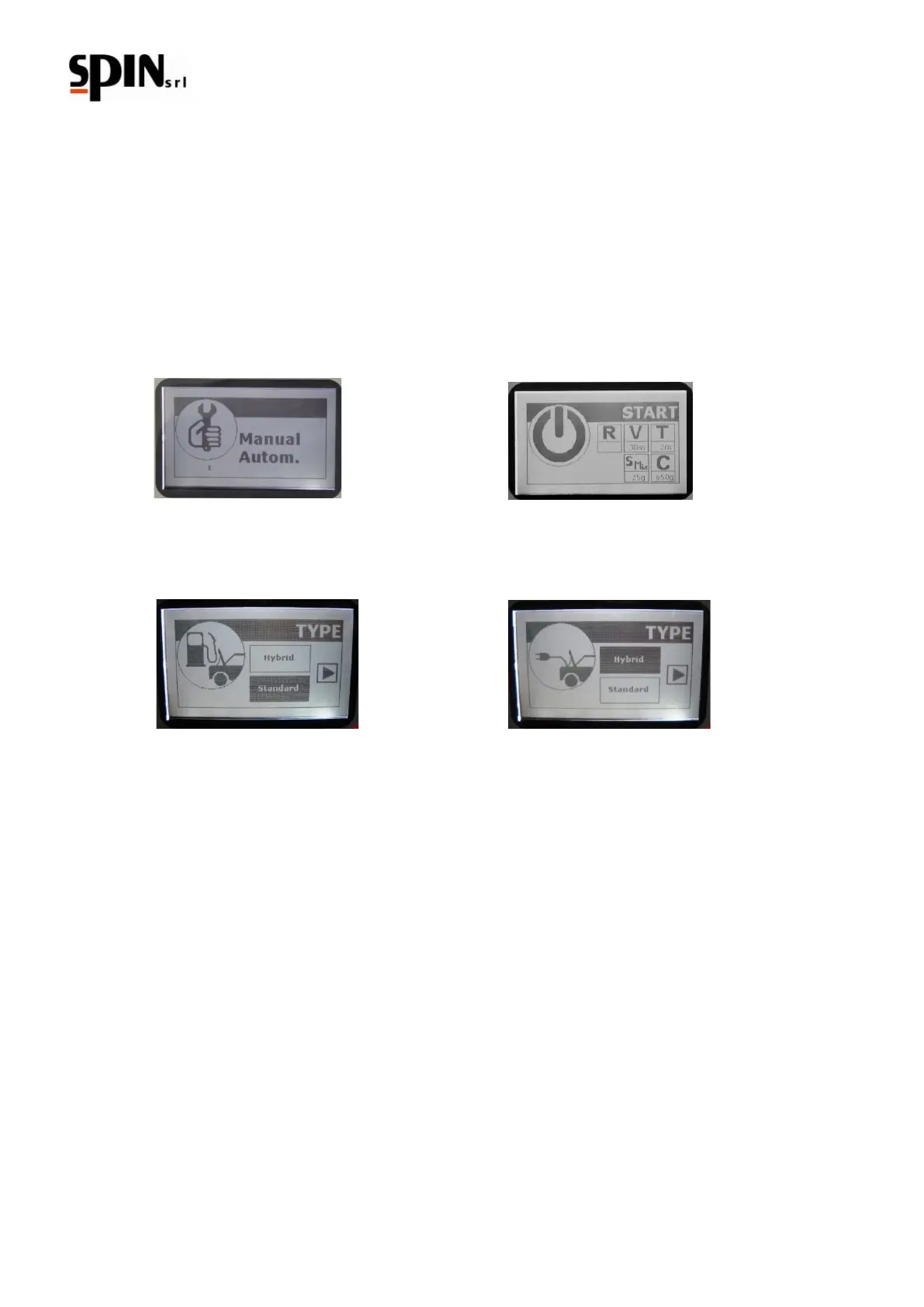
Use the arrow “right/left” keys to navigate through the menu and select the option “Manual/Automatic”;
Confirm the option by pressing the “Enter” key.
The display will show the option “Standard/ Hybrid”, select with the “up/down” arrows the system type desired and
confirm the procedure by pressing “Enter”.
Take Notice: if it is selected a different system type from the previous one programmed, it will start an Internal
Cleaning.
WARNING!: Before selecting the system type ensure that the two quick fittings of high and low pressure located at
the end of the hoses are connected to the two male connectors on the station (img 6-g)
DO NOT EVER RUN AN INTERNAL CLEANING WITH THE FITTINGS CONNECTED TO THE VEHICLE
WAIT until the end of the internal cleaning to proceed. The cleaning operation will end when the display shows a
message, after the oil drain.
WARNING! If the internal cleaning is interrupted it will be requie every time, even selecting the same system type.
Use the arrow “right/left” keys to navigate through the different functions.Use the arrows “up/down” to set up the
functions as described on paragraph 10.3.1 “Operation description menu Manual/Automatic”.
Take Notice: it is possible to set up the oil automatically as follows:
1) setting up the desider quantity;
2) Charging the same amount of oil drained after the Recovery function. To set up this option select “A” by
using the “down” arrow key (under the 0 value it will be visualized “A”).



 To Next Page