23
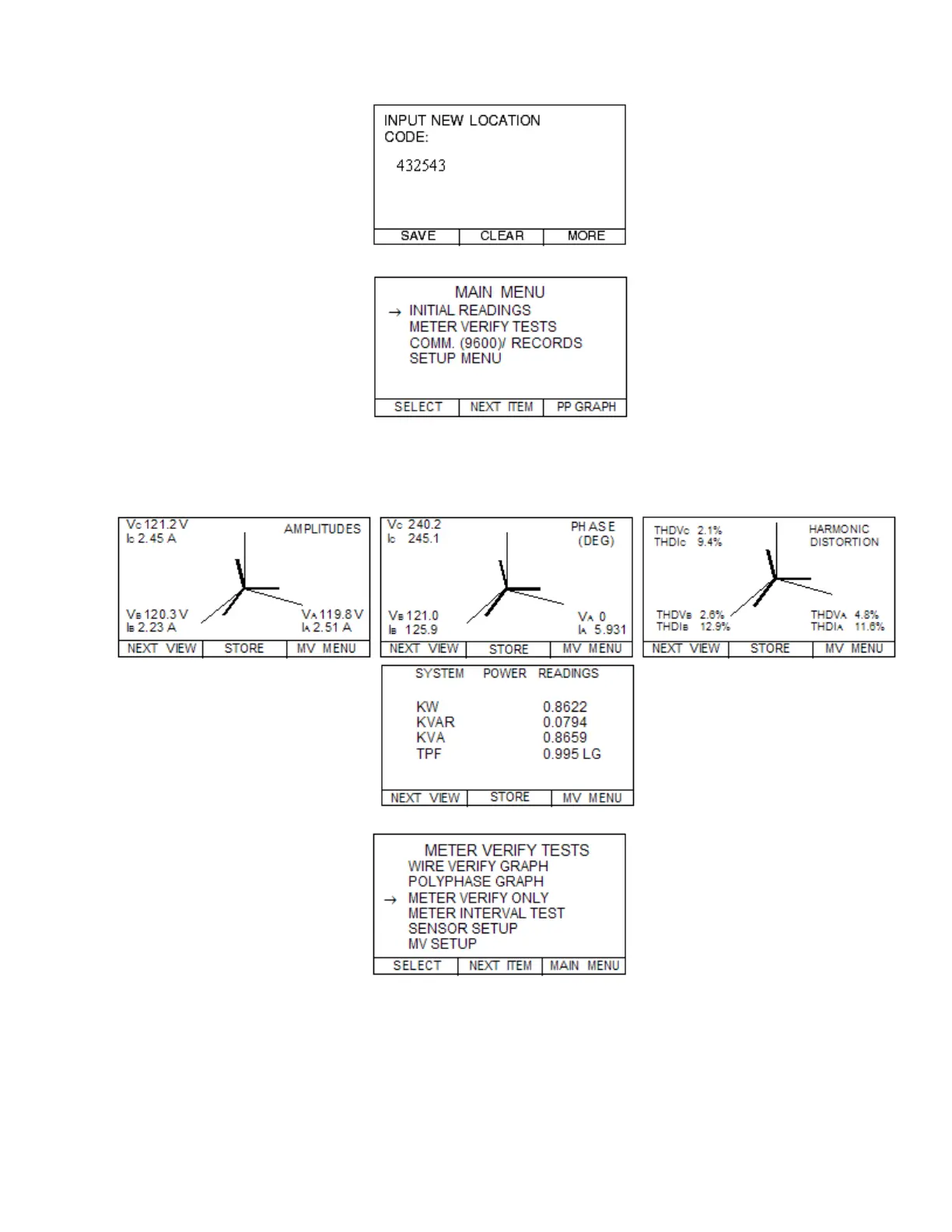
Step 4.8—Press the SAVE button and you will be taken to the MAIN MENU.
Step 5.1—SELECT PP GRAPH—bottom right button.
Steps 5.2 – 5.4—Review the AMPLITUDE readings. Press NEXT VIEW and scroll through
PHASE (DEG)angles, HARMONIC DISTORTION readings, and then finally the SYSTEM
POWER SUMMARY screens. Then press MV MENU.
Make sure on the PHASE (DEG) screen that you don’t have reversed phases!
Step 6.1—SELECT the METER VERIFY ONLY.



 To Next Page