24
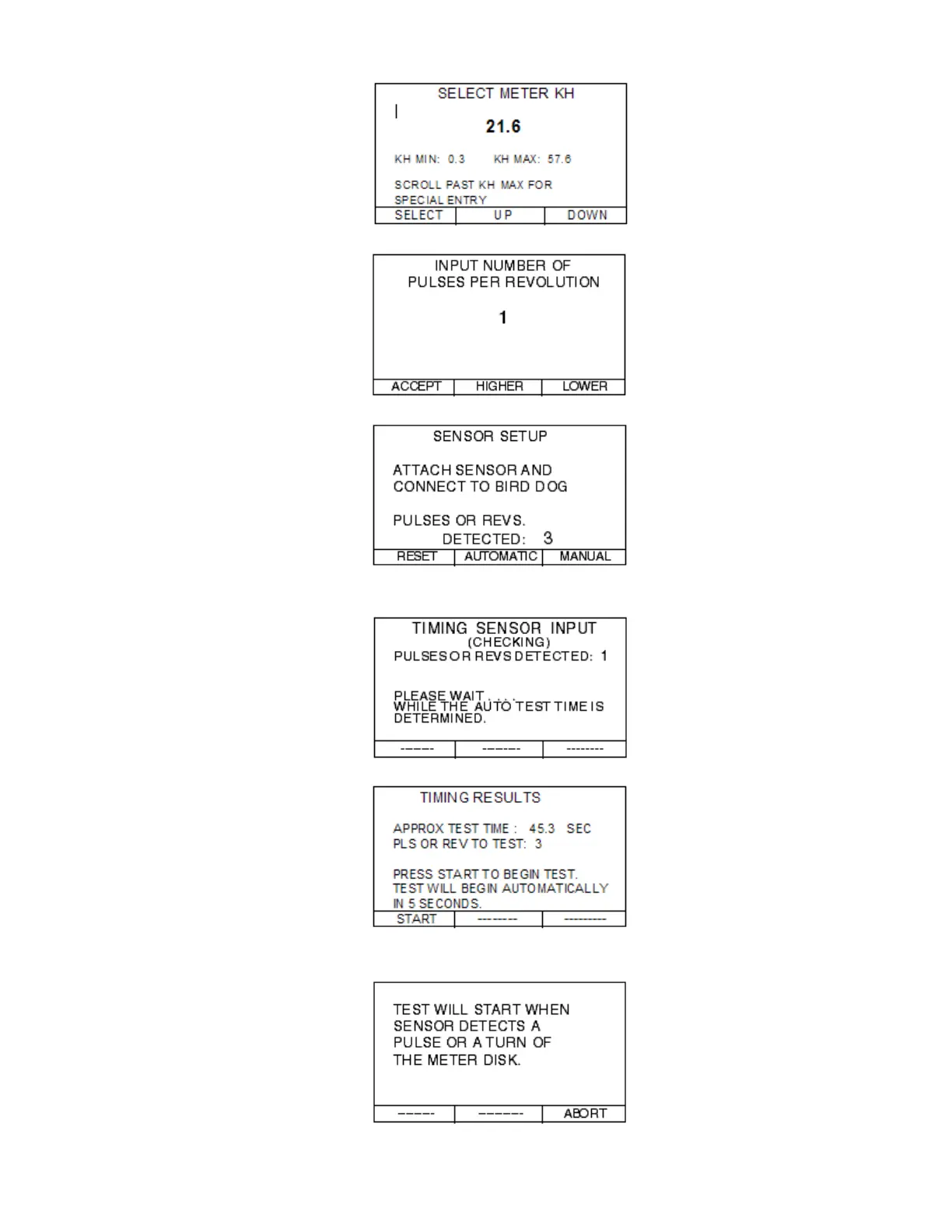
Step 6.2—Select the appropriate Kh value.
Step 6.3—Select the NUMBER OF PULSES PER REVOLUTION & press ACCEPT.
Steps 6.4 & 6.5—Setup your sensors and press AUTOMATIC.
Step 6.6—The Bird Dog Plus will now detect the length of time for the test and will bring you to
the TIMING RESULTS screen
Step 6.7—Press the START button.
Step 6.7—Once the sensor sees a pulse or a disk rotation, the test will begin. The test will
automatically stop once the final revolution or pulse is detected.



 To Next Page