IM-P736-02 EMM Issue 3
57
VLM30 In-Line Vortex Flowmeter
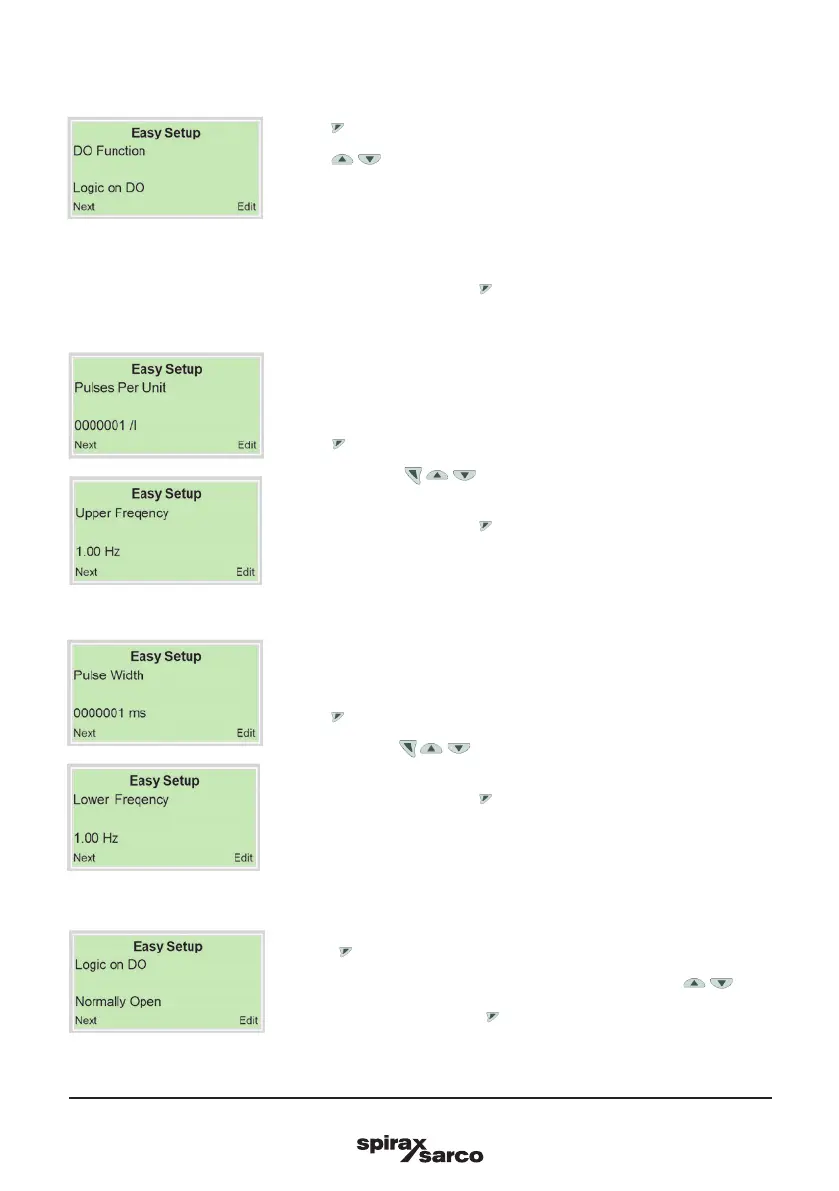
4.8.5 Configuration of the digital output
1. Use to call up the edit mode.
2. Use / to select the desired operating mode for the digital output.
- Logic on DO: Operation as a switch output.
- Pulse on DO: In pulse mode, pulses are emitted per unit.
- Freq on DO: In frequency mode, a frequency proportional to the flow is
emitted.
3. Confirm the selection with .
7. Use to call up the edit mode.
8. With the use of / / , set the pulse width (Pulse on DO) or the lower
frequency (Freq on DO).
9. Confirm the selection with .
4. Use to call up the edit mode.
5. With the use of / / , set the pulses per unit (Pulse on DO) or the
upper frequency (Freq on DO).
6. Confirm the selection with .
10. Use to call up the edit mode.
11. Select the switching behavior for the binary output using / .
12. Confirm the selection with .



 To Next Page