UM1659 Rev 4 11/25
UM1659 User guide
24
3 User guide
3.1 SPC5 Studio and SPC5-UDESTK (UDE) integration
SPC5 Studio is a development environment containing compiler tools, editor and debug
visualization and based on the eclipse platform. The SPC5-UDESTK starter kit version can
be integrated into the SPC5 Studio as debug plug-in.
Beside of this, the SPC5-UDESTK (UDE) starter kit version can be used as stand-alone
debug environment. In this context, it is called UDE (Universal Debug Engine). The
following chapter shows features of the UDE (Universal Debug Engine) in a stand-alone
example.
3.2 A first example with SPC56L-Discovery +
We assume that you now have successfully installed the SPC5 Studio, the SPC5-UDESTK
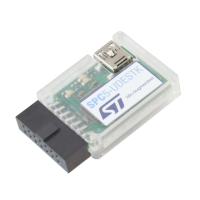
(UDE) starter kit version and the PLS USB/JTAG adapter for SPC5.
In this section you will learn about:
How to start SPC5-UDESTK (UDE) starter kit version
How to use the windows in SPC5-UDESTK (UDE) starter kit version
How to load code into the starter kit board and start it as well as furthermore principles
of how to debug an existing application.
We recommend you to go through this tutorial step-by-step. This example is shown under
Windows XP and using the SPC56L-Discovery+ starter kit board offered by
STMicroelectronics.
3.2.1 Starting with SPC5-UDESTK (UDE)
The SPC5-UDESTK (UDE) comes with a set of example programs demonstrating the
features of SPC5-UDESTK (UDE). The example program, prepared for GNU Compiler and
SPC56 starter kit boards is located in
C:\SPC5Studio\ude\samples\PowerPC\SPC56-L\timedemo
Once the operating system is up and running, double-click on the icon SPC5-UDESTK on
the desktop. Alternatively, SPC5-UDESTK (UDE) may be launched also via Start –
Programs – SPC5-UDESTK – UDE Visual Platform. This will start the desktop of SPC5-
UDESTK (UDE) development system.
The next step is creating a new workspace. An SPC5-UDESTK (UDE) workspace saves all
configurations and settings of SPC5-UDESTK (UDE) desktop, windows and their content,
path and name of loaded files. The file extension is *.wsx.
Click New Workspace from the File menu and choose a new file name from the file selection
box, e.g. SPC56-L.wsp.


 To Next Page