User guide UM1659
12/25 UM1659 Rev 4
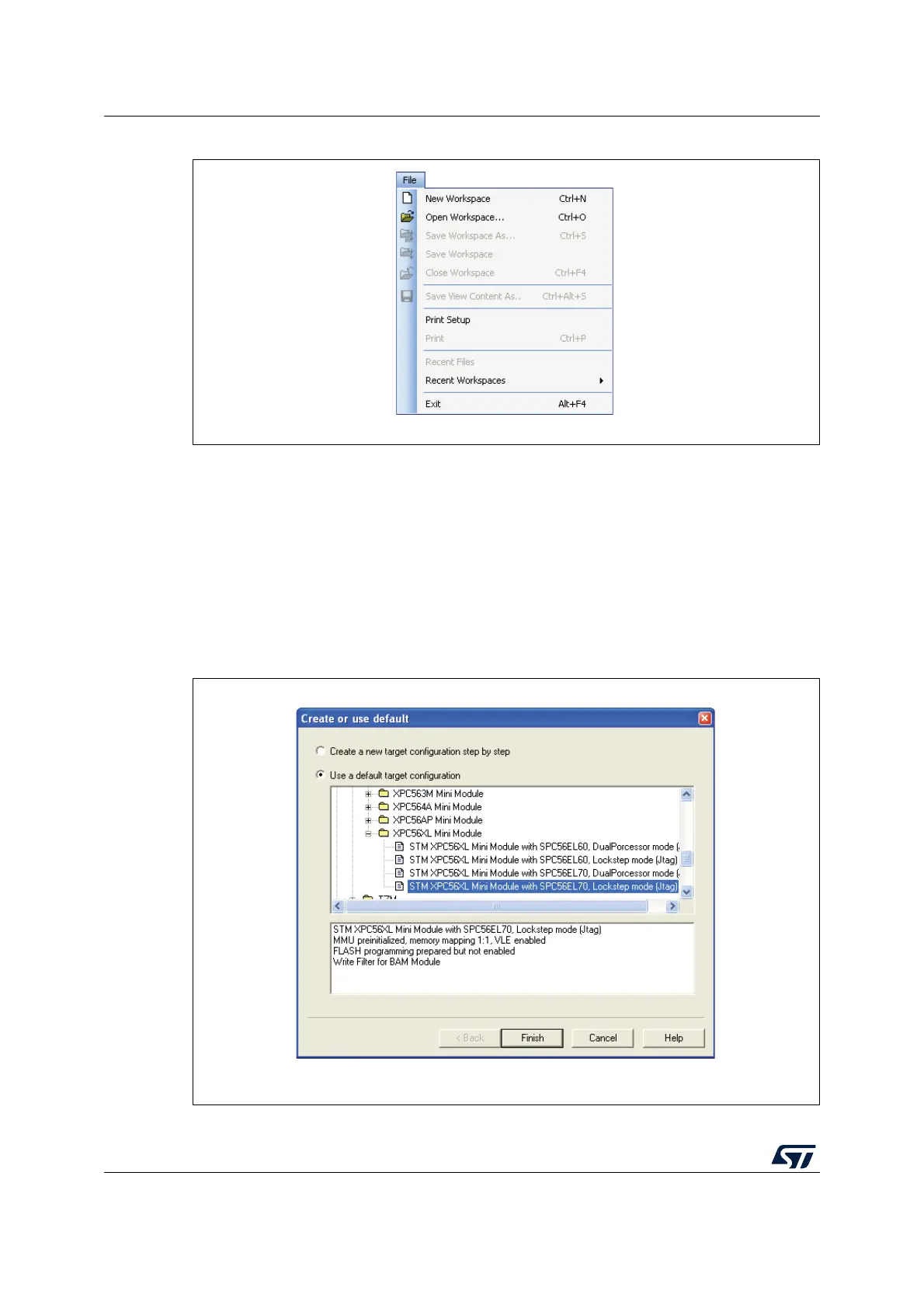
Figure 5. New workspace
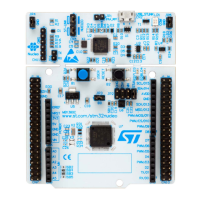
After creating the new workspace, you will be asked to select a target hardware
configuration. SPC5-UDESTK (UDE) comes with some default target configurations of
starter-kits. Click “Default” button and enable the “Use a default target configuration” to
select a predefined configuration.
Create a default target configuration for Power Architecture SPC56-L. Push the button
Default in the “Select Target Configuration” dialog. Enable the Use default target
configuration and select the corresponding configuration to your target
PowerPC – STM – XPC56XL Mini Module – STM XPC56XL Mini Module with SPC56EL70,
Lockstep mode (Jtag)
Figure 6. Default configuration


 To Next Page