UM1659 Rev 4 15/25
UM1659 User guide
24
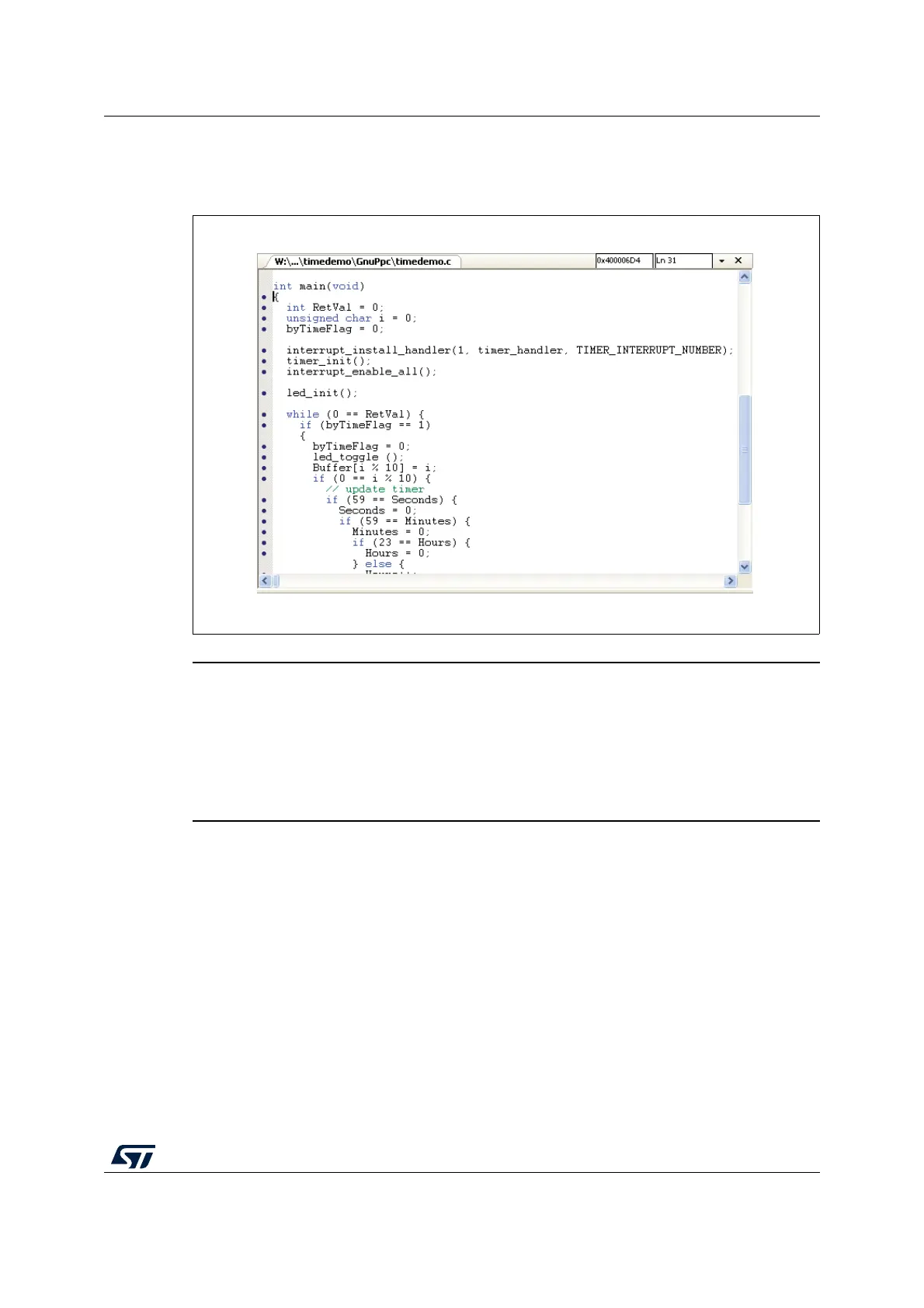
After loading the program code, the Program window shows following content. In the
Program window, a yellow arrow indicates the current instruction pointer position.
Figure 9. Example of program code
Warning: After downloading a program executable, the instruction
pointer is set to the entry point of the program. Usually the
entry point is located at the start-up code. That is why the
default C/C++ Program window above does not show an
instruction pointer. To force the view of the current
instruction pointer use the context menu Show Next
Statement or the main menu Show - Show IP.
3.2.4 Running and stepping through the application
After the application has been loaded successfully you may open now the menu Debug to
run or step through the example procedures.


 To Next Page