Getting started UM1659
6/25 UM1659 Rev 4
2 Getting started
2.1 Before you start
To execute this getting started, it is necessary to have a:
PC equipped with USB port
Operating system: Microsoft Windows
A connection to the Internet during installation for downloading and license activation
Administrator or power user’s rights to install the required programs
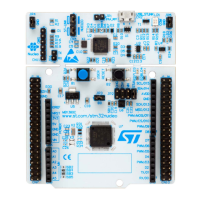
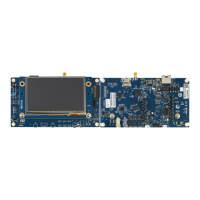
One of the ST SPC5x boards equipped with a SPC5x microcontroller:
– Discovery board
– Discovery+ board
– Premium evaluation board
The full list of supported boards is available on ST WEB in the Automotive MCUs page in
the “Resources Hardware” area which direct URL is:
http://www.st.com/stonline/stappl/productcatalog/app?page=partNumberSearchPage&leveli
d=FM2098&parentid=1675&resourcetype=HW
Power supply for the starter kit board
A mini-USB cable
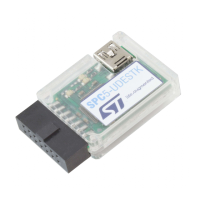
A SPC5-UDESTK: PLS USB/JTAG adapter for SPC5 with a 14-pin JTAG connector
2.2 System requirements
To run SPC5-UDESTK starter kit version at least the following minimum system
configuration is required:
Microsoft Windows
compatible PC
1 GHz or faster 32-bit (x86) or 64-bit (x64) processor
1 GByte RAM (32-bit) or 2 GByte RAM (64-bit), 1 GByte available hard disk space
Operating system Windows
XP, Windows
Vista, Windows
7, Windows
8
Microsoft.NET™ Framework 3.5 SP1
Microsoft Windows
Scripting Host V5.6, Microsoft Internet Explorer
6.0 or higher
Java Runtime Environment 6, Adobe
Acrobat Reader 4.0 or higher
2.3 Downloading the latest SPC5-UDESTK version
The SPC5-UDESTK starter kit software is available for downloading from the following
website: http://www.pls-mc.com/spc5-udestk
2.4 Installing SPC5-UDESTK
Run setup.exe and follow in the installing instructions. The SPC5-UDESTK starter kit
version will be installed into the directory C:\SPC5Studio\ude


 To Next Page