UM1659 Rev 4 13/25
UM1659 User guide
24
Push OK.
The SPC5-UDESTK (UDE) will now try to connect to the target system.
When the connection is successfully established, the following message will appear in the
command window: Core::UDEDebugServer: Connection to SPC56EL70 target monitor
established: PowerPC Target, JTAG-ID: 0x0AEA9041
When launching SPC5-UDESTK (UDE) for the second time, you may use either File - Open
Workspace or File - Recent Workspaces to select the workspace and start a new session
with settings from the saved workspace.
If you get an error message, return to the section Software Installation and make sure that
all settings are correct. Refer also to the Troubleshooting section to get further information.
If the problem persists ask the STMicroelectronics support team at:
http://www.st.com/web/en/support/online_tech_support.html for qualified help.
3.2.2 Loading an executable
After having SPC5-UDESTKSPC5-UDESTK (UDE) for Power Architecture SPC56L started,
we want to load a program that can be executed on the SPC56L discovery board.
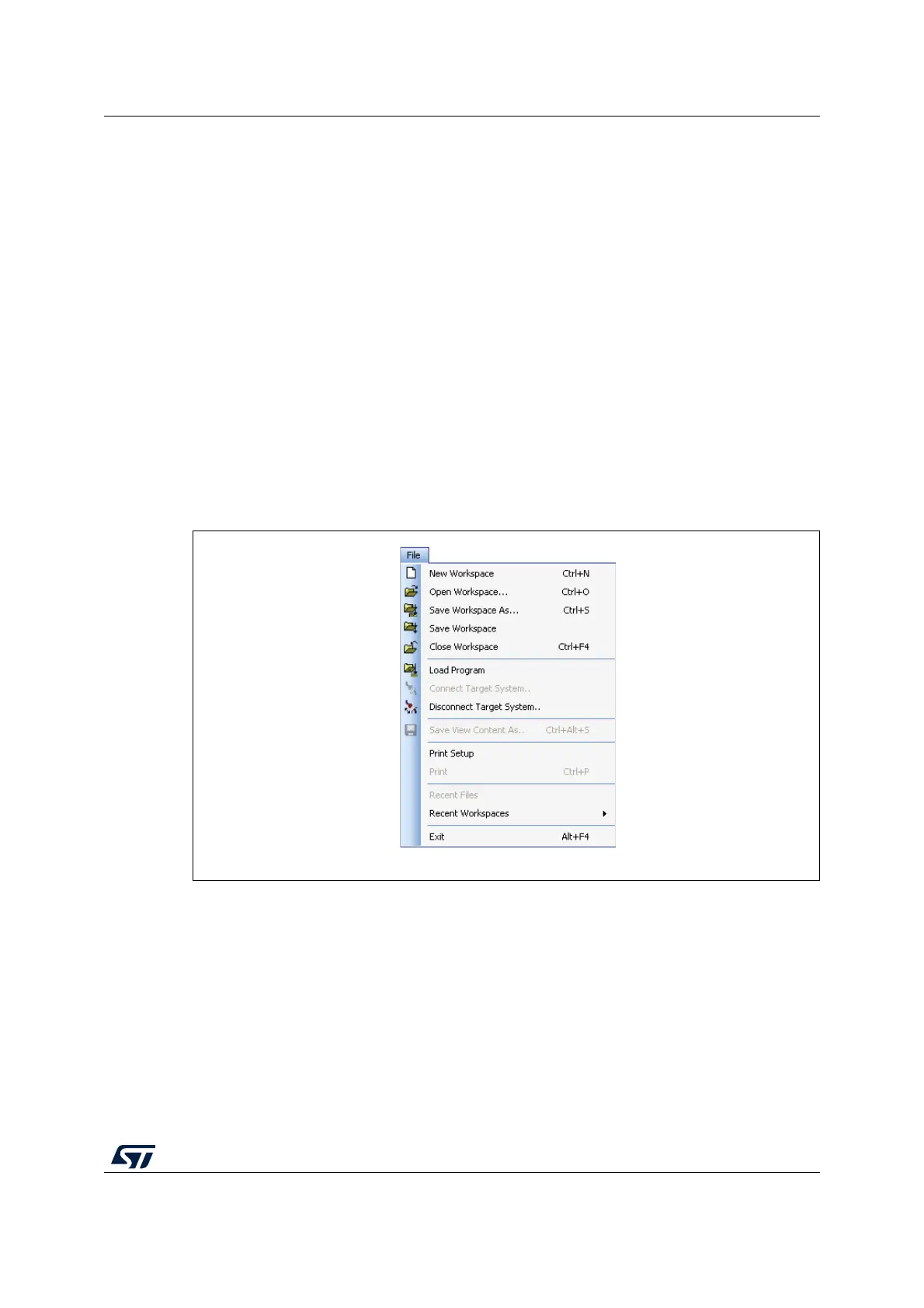
Figure 7. Load a program
First, the GNU compiler variant of the TimeDemo example located for using in the internal
RAM should be used. This example is a basic demonstration and toggles the LED on the
SPC5L-Discovery only.
The example is located to the internal sRAM of the SPC56-L at memory address
0x4000’0000.
Select from the SPC5-UDESTK menu Load Program in the File menu bar, browse to
C:\SPC5Studio\ude\samples\PowerPC\SPC56-L\timedemo\GnuPpc\iRam\timedemo.elf
In the workbench, the Program window appears showing the source code of the main
function of the ample application. When clicking with the right-hand mouse button into the


 To Next Page